Automate Sales Follow-Up: Meeting to Email in 60s
You just wrapped a killer sales meeting. The prospect was engaged, the demo clicked, the questions were the good kind — the kind that means they're picturing themselves using the thing. You walk out feeling great. Then the calendar reminder fires: write the follow-up. The win energy drains out fast, replaced by the dread of post-meeting admin. Sales meeting follow-up automation solves this specific problem — it takes the transcript you already have and turns it into a sent email in under 60 seconds, so the momentum from the call doesn't die in your drafts folder.
The Post-Meeting Grind: Why Sales Follow-Up Kills Momentum
Here's the math nobody puts in a deck. A rep with 6-8 meetings a day, spending 20-30 minutes per meeting writing a decent follow-up, loses 2-4 hours a day to something that isn't selling. It's re-reading notes. It's trying to remember which objection came up before or after the pricing question. It's staring at a blank email wondering how to open without sounding like a robot.
That gap between the meeting ending and the email landing in the prospect's inbox is where deals go cold. Buying committees move fast when they're engaged and slow the second the energy drops. A same-day follow-up capitalizes on a decision still being made in real time. A follow-up that shows up two days later is competing with three other things that happened since.
The stakes aren't abstract. Post-meeting admin is the tax on every good conversation you have. The better the meeting, the more detail there is to capture, and the more that detail decays by the time you sit down to write.
Why 'Just Send a Quick Email' Never Works
"Just send something quick" is the advice that sounds efficient and produces the worst emails in the pipeline. A quick email is generic. A generic email gets skimmed and archived.
A follow-up that actually moves a deal needs three things a template can't fake:
- Specific callbacks — the exact number the prospect mentioned, the tool they said they're migrating away from, the person they said needs to sign off
- Clear next steps — not "let me know if you have questions" but a named action with a date attached
- A tone that matches the room — casual if the call was casual, formal if you were talking to procurement
Doing all three from memory, twenty minutes after the call, while your next meeting is already starting — that's the actual job. "Write a quick email" skips the part where you have to remember what was said. Templates make it worse because they front-load generic language and leave the specifics for you to bolt on later, which is exactly the part you don't have time for.
The Gap: Every Tool Records, None Truly Follow Up
Otter, Fireflies, Fathom, Granola, Zoom AI Companion — every one of them is good at the thing it's built for: turning a conversation into a transcript or a summary. That's a real, solved problem now. Recording and transcription got commoditized fast, and that's a win for reps.
But the transcript isn't the deliverable. The prospect doesn't care that you have a clean record of the call sitting in a dashboard. They care about what shows up in their inbox next. And that's the part every recorder stops short of. You get a summary of what was said. You still have to turn it into an email, decide what to include, decide the tone, write it, and send it.
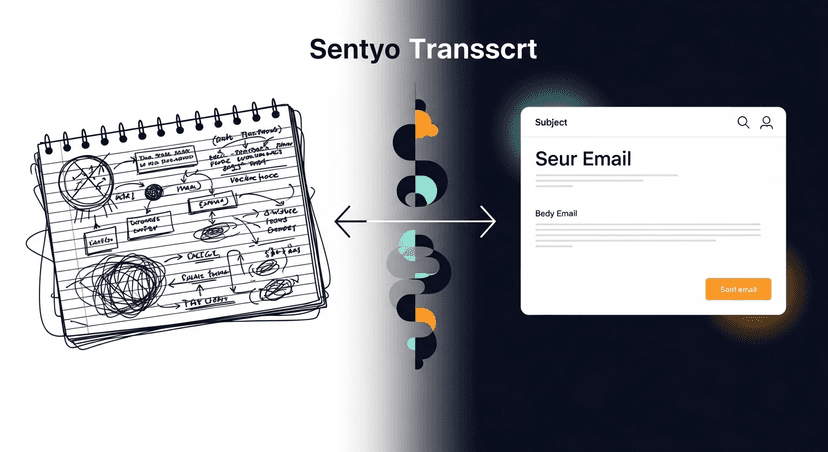
That's the gap. Every tool records the meeting. None of them send the follow-up. The transcript is the input. The sent email is the output. Nobody's building the layer in between — which is exactly the layer that determines whether the meeting turns into a deal or a missed window.
From Transcript to Tailored Email in Under 60 Seconds
This is what ReplySequence does, and it's the whole product: paste a transcript from any source — Fireflies, Otter, Fathom, Granola, Zoom, Teams, Meet, even a pasted Word doc — and get a drafted follow-up back in under a minute. No bot has to sit in your meeting. BYOT: bring your own transcript.
The draft isn't a generic "great speaking with you" template. It pulls the specifics out of the transcript — the number the prospect gave, the objection they raised, the next step they agreed to — and puts them in the email in the right order. Something like:
Subject: Quick recap + next step

Hi [First Name],

Good talking through the migration timeline today. A few things
I want to make sure land right:

- You mentioned the current contract with [Current Vendor] runs
  through [Month] — that's the window we should target for cutover
- [Stakeholder Name] on your team needs to sign off on security
  before this moves forward
- I'll send over the SOC 2 docs by Friday so that's not a blocker

Does a 30-minute call next Tuesday work to walk [Stakeholder Name]
through the security piece directly?

[Your Name]
That's a real draft, not a description of one. It's editable — draft-first, never auto-send, because trust in what leaves your inbox is non-negotiable. But the 20-30 minutes of staring at a blank page is gone.
The other piece that matters here: voice-fingerprint. RS learns from the edits you make over time, so the drafts start sounding like you instead of like generic GPT output. The first draft might need a tone tweak. The fiftieth one usually doesn't.
Sequences Without the CRM Tax
One email rarely closes a deal. Most follow-up that works is a short sequence — the recap, then a resource three days later, then a check-in a week out if there's been no response. That's table stakes for sales execution, and it's exactly the feature HubSpot locks behind Sales Hub Pro, with seat minimums that push monthly cost past $450 before you've sent a single sequence.
For a solo founder or a 5-person team, that's not a rounding error, it's a tool you don't buy. RS runs sequences off the same transcript-to-email pipeline — recap, follow-up, check-in — without requiring the CRM underneath it. Pro is $29/month for unlimited drafts, voice-fingerprint, sequences, and a CRM log. Pro+ is $59/month for advanced sequences and integrations. Team is $39/user/month with a 3-seat minimum for shared templates and team voice profiles. Sequences without the enterprise CRM tax.
The Close
The meeting going well was never the hard part. Getting the follow-up out while the deal is still warm is. Sales meeting follow-up automation isn't about replacing judgment — it's about removing the 20 minutes of blank-page time between a good call and a sent email, so the next thing on your calendar doesn't cost you the last one.
How ReplySequence handles this
ReplySequence takes any meeting transcript, paste it in from Zoom, Teams, Meet, WebEx, Fireflies, Granola, or wherever, and drafts a context-rich follow-up email in about 8 seconds. You review it, make any edits, and approve. Deal intelligence builds automatically.