How to Confirm Next Steps After Every Sales Call
The fastest way to confirm next steps after a sales call is to agree on them verbally before the call ends, then get them in writing within 60 minutes. Both halves matter. The verbal agreement creates buy-in. The written follow-up makes it real and searchable.
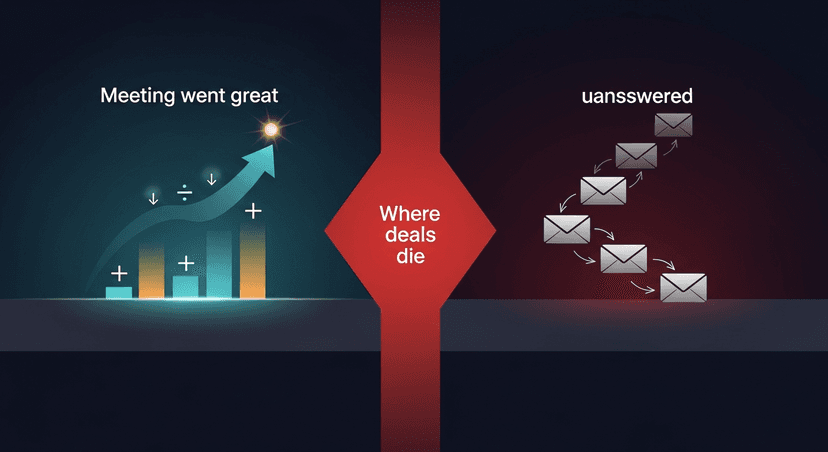
Most deals don't die because the pitch was bad. They die in the gap between the meeting and the next one. Nobody owns that gap. This post is about closing it.
Why Next Steps Fail (Even When the Call Went Great)
There's a pattern I kept seeing when I was researching the post-meeting problem. A rep walks out of a discovery call feeling good. The prospect was engaged, asked good questions, said "let's get something on the calendar." Then three days pass. Then a week. Then the rep is sending "just checking in" emails into the void.
The meeting went great, then nothing happened.
Research backs this up. A study by Yesware found that 70% of email chains stop after a single unanswered follow-up, even when the original conversation showed genuine interest. The problem isn't lack of interest on the buyer's side. It's that next steps were vague, undocumented, or felt optional.
Here's why next steps don't stick:
- They were implied, not stated. "We should loop in my VP" is not a next step. "Can we schedule 30 minutes with your VP this Thursday or Friday?" is.
- They existed only inside the meeting. No written record means no accountability for either party.
- The follow-up email arrived 24+ hours later. Momentum dies fast. According to HubSpot research, leads contacted within an hour of a meeting or inquiry are 7x more likely to have a meaningful follow-up conversation than those reached an hour later.
- The email was generic. "Great talking today, let me know if you have questions" signals that you weren't really listening.
The fix isn't a new CRM or a fancier tool. It's a repeatable process that runs on every call, every time.
The Four-Part Framework to Confirm Next Steps That Actually Stick
Step 1: Negotiate next steps before the call ends (not after)
This is the one most reps skip. They're focused on the conversation, the demo, the objection: and then they let the call wind down naturally. Someone says "great, I'll look out for your email" and suddenly you're offline.
Instead, build a hard stop into every call. With two to three minutes left, say something like:
"Before we wrap: I want to make sure we're aligned on what happens next. Based on what we talked about, I'd suggest [specific next step]. Does that work for you?"
Get a verbal yes on:
- Who does what
- By when
- How you'll know it's done (a scheduled meeting, a shared doc, a decision)
If the prospect says "I'll think about it" or "let me check with my team": that's not a next step. Push gently: "Totally fair. When would be a good time to reconnect after you've had a chance to think?" Get a date, even a loose one. Ambiguity is where deals go to stall.
Step 2: Send the follow-up within 60 minutes
The verbal agreement is kindling. The written follow-up is what makes it a fire.
Speed matters more than perfection here. The goal of the follow-up is not to recap the entire conversation: it's to confirm the next step in writing so both sides have something to point to.
A solid post-call follow-up email has:
- A one-line summary of what was discussed (context, not transcript)
- The specific next steps, numbered, attributed, with dates
- A calendar link or a proposed time (don't make them work for it)
- A one-line re-anchor to why this matters to them
Keep it short. Busy people don't read walls of text. Five to seven sentences is enough. Subject line should reference the call, not be generic ("Next steps: [Company] + [Your Company]) [Date]" beats "Following up on our conversation."
ReplySequence does this automatically, paste any transcript, get a branded follow-up sequence back in 60 seconds.
Step 3: Make next steps bilateral, not just yours
Here's a subtle shift that changes everything. Most follow-up emails list what you're going to do next. Send the proposal. Share the case study. Schedule the demo.
Add something for them to do, too.
When a prospect has a micro-commitment (even just "confirm this time works" or "forward this to your IT lead") they're psychologically invested. Robert Cialdini's research on commitment and consistency (Influence, 1984, still the playbook) shows that small, explicit commitments increase follow-through dramatically. People want to be consistent with things they've agreed to in writing.
Example structure:
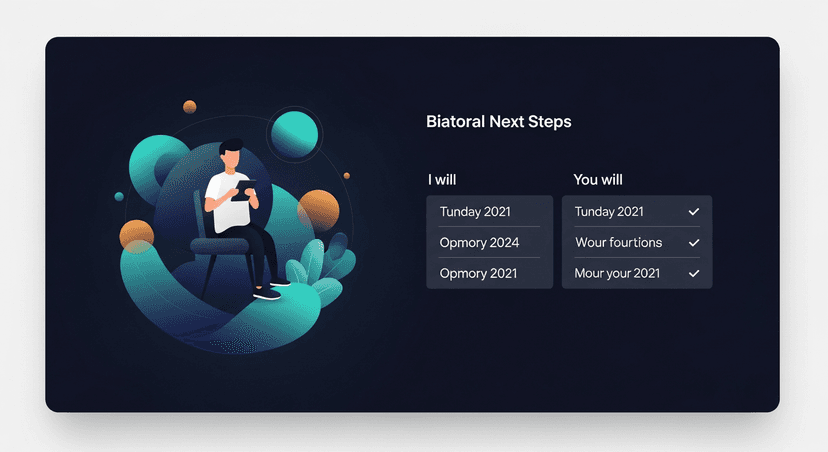
- Me: I'll send the proposal by Thursday EOD
- You: Can you confirm whether Thursday 2pm or Friday 10am works better for a 30-min review call?
Two owners. Two clear actions. Now it's a real agreement, not a to-do list only you're tracking.
Step 4: Build in a checkpoint, not just a deadline
Even well-confirmed next steps can slip. Life happens. Your champion gets pulled into a firefight. Budget approval takes longer than expected.
The fourth step is to pre-agree on what happens if the timeline shifts. You can do this in the follow-up email:
"If I don't hear back by Thursday, I'll reach out Friday morning to check in, just so nothing falls through the cracks."
This does two things. It sets an expectation that you'll follow up (so you're not being a pest: you told them you would). And it signals that you're organized and accountable, which is itself a trust signal.
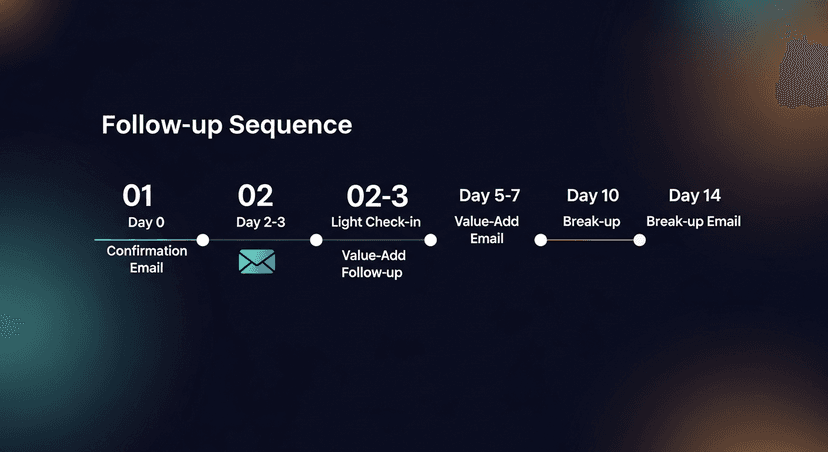
The sequence, in order:
- Day 0 (same day): Confirmation email with next steps
- Day 2-3: Light check-in if no response to the calendar link
- Day 5-7: Substantive follow-up with a resource, insight, or reminder of the specific pain they mentioned
- Day 14+: Break-up email (honest, not passive-aggressive)
Each touchpoint should reference the specific thing they told you in the call. Not "just wanted to check in" ("You mentioned your team is preparing for the Q3 planning cycle) wanted to make sure this doesn't get lost in the noise."
Common Scenarios and How to Handle Them
Scenario: The prospect says "send me the proposal and I'll review it"
This is a soft commitment. Don't just send the proposal and wait. Attach a proposed review call time in the same email. "Proposal attached: I've also dropped a 20-minute review call on your calendar for Thursday at 2pm. If that doesn't work, here's my scheduling link to find a better time." You've removed the friction of them having to find time.
Scenario: Multiple stakeholders on the call, unclear who owns what
In the follow-up, assign names explicitly. "Per our conversation, Sarah, you're pulling together the technical requirements doc by Wednesday. Marcus, you're confirming budget availability. I'll have the proposal ready by Thursday EOD." Named owners. Named deadlines. Nobody can assume someone else is handling it.
Scenario: The prospect goes quiet after a great call
Don't assume disinterest. According to research from TOPO (now Gartner), the average B2B deal requires 8+ touches before it advances. Send the day-5 follow-up with something genuinely useful: a relevant article, a short answer to an objection they raised, a data point that connects to the pain they mentioned. Then the day-14 break-up: honest, brief, leaves the door open.
The Tool Problem (And Why Speed Beats Perfect)
I built ReplySequence because the tooling gap here is real. Teams spend 30-45 minutes per call writing follow-ups from memory, and the longer it takes, the worse the email gets. Details go fuzzy. The energy of the conversation fades. By the time the email lands in the prospect's inbox, it feels generic.
The actual tool stack matters less than the habit. Whether you're using Fireflies, Otter, Fathom, Granola, or just your own notes: the process is: capture what happened, extract the next steps, get them in writing fast, make them bilateral.
If you're already recording and transcribing your calls, the transcript contains everything you need. The next steps were said out loud. The pain points were articulated. The objections are documented. Getting from transcript to sent email is just the last mile, and it's the one most teams are still doing manually.
What Good Looks Like
A solo founder running discovery calls (let's call her Maya) books a call with a potential enterprise client. Call goes well. Forty-five minutes, lots of mutual interest, a clear problem that her product solves.
She ends the call with: "Before we disconnect, based on what you shared, I think the right next step is a 30-minute technical review with your IT lead and my CTO. Can we find a time this week or next?" They agree on Thursday.
Within 30 minutes, Maya sends a five-sentence email. One line of context, numbered next steps (two for her, one for them), a calendar invite already dropped, and a one-liner re-anchoring to the specific pain they mentioned. The prospect replies within two hours to confirm.
That's not magic. That's process.
The difference between a deal that advances and one that stalls is almost always that 30-minute window after the call. Own it.
—-
Start free at replysequence.com, 10 drafts/month, no credit card required. If you're already recording your calls with Fireflies, Otter, Fathom, or Zoom, paste the transcript and get a branded follow-up sequence back in 60 seconds. Pro trial is 14 days, no card needed.
Get the weekly ReplySequence newsletter for more post-meeting follow-up tactics, subscribe at replysequence.com/newsletter.
Related reading
- How to Track Every Commitment Made in a Sales Meeting
- How to Confirm Next Steps After Every Sales Call (And Make Them Stick)
- Close Open Loops From Sales Calls Before They Kill Your Deal
—-
What you should do next…
Depending on where you're at, here are three ways to keep going:
- Grab the free playbook, "The 8-Second Follow-Up Playbook" lands in your inbox. You'll also get Close The Loop, weekly notes on post-meeting follow-up (unsubscribe anytime, no pitch).
- Try it with your own transcript, paste any meeting transcript, get a drafted follow-up in 30 seconds. No signup, no OAuth.
- Talk directly with Jimmy, 15-min intro or 30-min walkthrough. Founder-led, no sales team.
How ReplySequence handles this
ReplySequence takes any meeting transcript, paste it in from Zoom, Teams, Meet, WebEx, Fireflies, Granola, or wherever, and drafts a context-rich follow-up email in about 8 seconds. You review it, make any edits, and approve. Deal intelligence builds automatically.