How to Track Every Commitment Made in a Sales Meeting
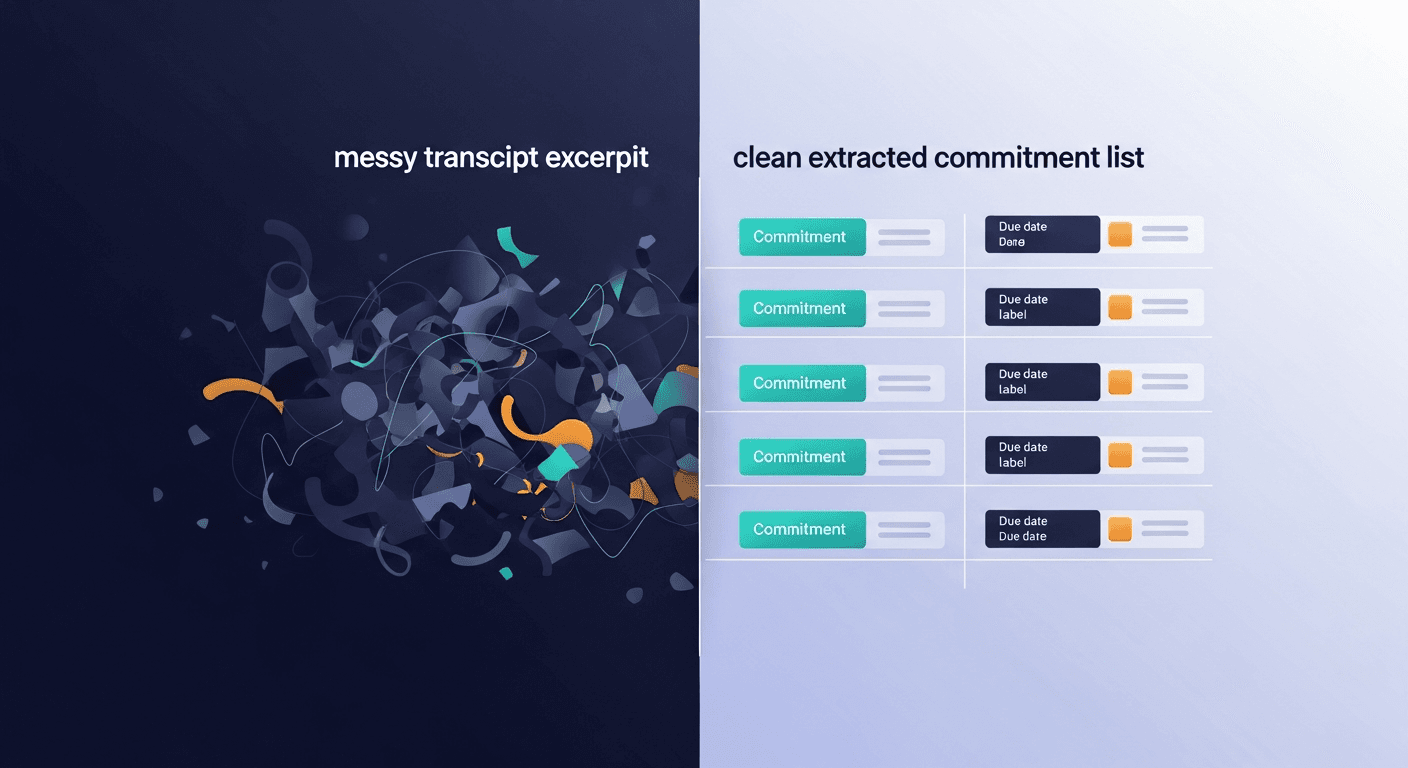
The fastest way to track commitments from sales meetings is to pull them directly from the transcript after the call ends. No manual note-taking during the meeting. No trying to reconstruct who said what an hour later. The transcript has everything: you just need a system to extract it.
Most reps don't have that system. They finish a great call, fire off a vague "great talking today" email, and wonder why the deal goes cold. The meeting went great, then nothing happened.
Why Commitment Tracking Falls Apart After the Call
It's not a discipline problem. It's a structure problem.
Sales meetings are fast. Both sides make promises: the rep agrees to send a security questionnaire, the prospect agrees to loop in their IT lead, someone mentions a timeline. Research from Salesforce's State of Sales report found that reps spend an average of 9% of their week just on follow-up tasks. Most of that time is reconstruction work: trying to remember what was agreed, rebuilding context, writing emails from memory.
The commitments are already in the transcript. They're just buried.
Three things go wrong consistently:
- Action items get mixed with general conversation. A transcript is a wall of text. Commitments don't announce themselves.
- Only rep-side tasks get captured. The rep writes down what they need to do. The prospect's commitments ("I'll send you our vendor requirements by Friday") get forgotten.
- There's no asymmetry tracking. Who committed to what, and who's responsible for following up if it doesn't happen?
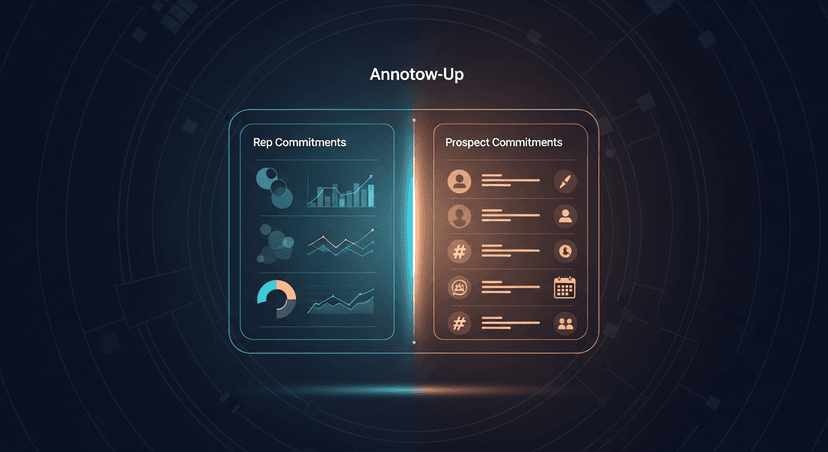
The Two-Column Framework: Rep Commits vs. Prospect Commits
Start here. Before any tooling or automation, the mental model matters.
Every commitment in a sales meeting falls into one of two buckets:
Rep-side commitments
- Send pricing breakdown
- Intro to a customer reference
- Share a case study or ROI model
- Get legal to review their MSA
- Book the next meeting
Prospect-side commitments
- Loop in the technical evaluator
- Get sign-off from finance
- Send back the vendor questionnaire
- Review the proposal by a specific date
- Share their procurement timeline
Most follow-up emails only address the first column. That's half the picture, and it's the wrong half to optimize. The prospect's commitments are your deal signals. Whether they follow through tells you where you actually stand.
A well-structured follow-up email surfaces both columns explicitly. "Here's what I'm sending you. Here's what you mentioned you'd do before we reconnect on the 22nd." That's not pushy. That's professional. It creates shared accountability.
Step-by-Step: How to Extract Commitments from a Transcript
Here's the actual process. Works with any transcript, Fireflies, Otter, Granola, Zoom AI, whatever you're using.
Step 1: Get the transcript fast.
The longer you wait, the more context fades. Pull the transcript within 30 minutes of the call ending. Most tools auto-generate it. Copy it.
Step 2: Scan for commitment language.
You're looking for specific phrases that signal a promise:
- "I'll send you..."
- "We can get you..."
- "I'll loop in..."
- "You mentioned you'd..."
- "By [date]..."
- "Next steps..."
- "Action item..."
- "I'll follow up with..."
Don't try to read every line. Skim for these triggers.
Step 3: Tag by owner.
For every commitment you find, note who owns it: Rep or Prospect. This is the step most people skip.
Step 4: Attach a deadline or a follow-up trigger.
If a date was mentioned, use it. If it wasn't, assign one. "Send the security overview" without a date is a task that lives forever. "Send the security overview before Thursday" is an action item.
Step 5: Turn it into the follow-up email.
The email structure writes itself once you have the two columns:
- Opening line: brief recap of what was decided or confirmed
- Section 1: what you're sending / doing
- Section 2: what they said they'd handle
- Close: next meeting or touchpoint
That's the whole email. Short. Specific. Impossible to misread.
The Tools That Actually Help (And Where They Fall Short)
A few ways people try to solve this:
Manual notes in a doc
Works if you're religious about it. Most reps aren't. The problem isn't the tool: it's that note-taking during a call splits your attention when you should be listening.
CRM task creation
HubSpot, Salesforce, Pipedrive, all have task logging. Good for rep-side commitments. None of them automatically capture prospect-side commitments from the conversation.
Recorder AI summaries
Fireflies, Otter, and Granola generate meeting summaries, and they're getting better at surfacing action items. But the output is usually a summary of the meeting: not a structured, two-sided follow-up email ready to send. There's still a gap between "here's what was discussed" and "here's the email that captures all of it."
That gap is what I built ReplySequence to close. Paste the transcript in, and it extracts both sides of the commitment table and drafts the follow-up email, rep actions, prospect actions, next steps. You review it, edit if needed, send. Under 60 seconds. I built it because that last mile (transcript in, follow-up out) wasn't being handled by any of the recording tools.
Important note: Draft-first, always. Any tool worth using should show you the draft before it sends anything. Auto-send is a bad idea in sales. One wrong assumption in an AI-generated email and you've created confusion at a sensitive point in a deal.
What Good Commitment Tracking Does for a Deal
Beyond just not dropping the ball: there are three concrete things that happen when you track commitments properly:
1. You create accountability without being aggressive.
Referencing a prospect's own commitment ("You mentioned you'd send the vendor requirements before we reconnect") isn't chasing. It's holding the mirror up. Prospects who are serious will respect it. Prospects who ghost after that are telling you something useful.
2. You move the deal clock forward.
Deals stall in the space between meetings. A follow-up email that clearly captures next actions from both sides collapses that space. Both parties know what has to happen before the next call. No ambiguity, no drift.
3. You build a paper trail that matters later.
If the deal advances to procurement, legal, or a multi-stakeholder review, having documented commitments from early in the process is useful. You can reference what was agreed, when, and by whom. Studies on B2B sales cycles suggest that deals with clear documented next steps are 30-40% more likely to advance past the initial evaluation stage, and commitment tracking is how you create that documentation.
The One Thing Most Reps Underestimate
Speed.
The follow-up email that arrives within an hour of the call has a fundamentally different psychological effect than the one that arrives the next morning. It signals that you were paying attention. That you're organized. That working with you will feel like this, sharp, responsive, on top of it.
The prospect's other vendor is probably sending a follow-up sometime tomorrow. Maybe the day after.
This is the easiest differentiation in sales and almost nobody does it consistently: not because they don't care, but because writing that email takes 30-45 minutes and by the time they're done with the next call, the energy is gone.
The system is the shortcut. Get the transcript fast, extract the commitments, draft the email, send it. If you do that consistently, you will stand out. Not because you said anything different in the meeting: because you followed through when no one else did.
Making It Repeatable
Commitment tracking only matters if it happens every time, not just on the deals you remember to prioritize. A few things that make it stick:
- Block 15 minutes post-call on your calendar. Not for note-taking during, for processing after. That's your transcript window.
- Pick one place commitments live. Your CRM tasks, a Notion page, whatever. Consistency beats perfection.
- Send the follow-up before you do anything else. Before Slack, before the next call, before lunch. It takes under 5 minutes with a system. Without one, it takes forever and often doesn't happen.
- Review prospect-side commitments before every next call. If they said they'd loop in IT and they haven't, that's the first thing you address (not awkwardly, but directly: "Last time you mentioned you'd bring in your IT lead) has that happened?"
If you're already using Fireflies or Otter or Granola, the transcript is sitting there after every call. You're already doing the hard part. ReplySequence just handles the last step, turning that transcript into a sent follow-up at replysequence.com.
The meeting went great. Make sure something actually happens after it.
Related reading
How ReplySequence handles this
ReplySequence takes any meeting transcript, paste it in from Zoom, Teams, Meet, WebEx, Fireflies, Granola, or wherever, and drafts a context-rich follow-up email in about 8 seconds. You review it, make any edits, and approve. Deal intelligence builds automatically.