Sales Sequences Without HubSpot Sales Hub Pro
HubSpot Sequences isn't a feature you unlock: it's a $450+/month commitment to Sales Hub Pro. For a solo AE, an SDR manager at a 10-person company, or a consultant running their own outreach, that's not a pricing tier. It's a different product category entirely. The good news: you don't need Sales Hub Pro to run post-meeting follow-up sequences. Lighter tools cover the same ground for teams under 200 people who just want transcript-in, follow-up-out without dragging an enterprise CRM into the deal.
What HubSpot Sequences Actually Costs (The Number Most Comparisons Bury)
Most "HubSpot Sequences alternative" listicles bury this: Sequences is gated behind Sales Hub Pro at $90+/user/month, billed annually. HubSpot's own pricing page confirms the tier requirement. In practice, HubSpot strongly nudges teams toward a 5-seat minimum, which puts the effective floor at $450+/month before a single email sends, and that's before you factor in onboarding, CRM data migration, or the admin hours to configure enrollment triggers.
That's not a knock on HubSpot. At 50+ seats with a mature CRM, Sequences earns its price. But for a 3-person sales team or a solo founder closing deals from Gmail, you're not looking for a discount on HubSpot. You're looking for a fundamentally different tool.
The Gap Sequences Was Supposed to Fill: And Where It Falls Short for Smaller Teams
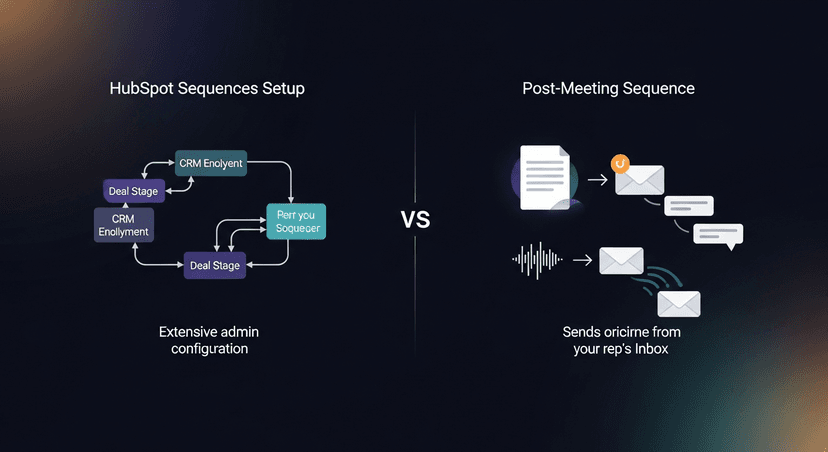
Here's the actual problem worth solving: after a sales call, you need a structured 3-5 touch follow-up that sounds like you, not a marketing blast from a shared alias. HubSpot Sequences does solve that, at scale, with CRM enrollment rules, templates tied to deal stages, and automated task queues.
But it requires the full CRM stack underneath it. Your contacts need to live in HubSpot. Your deal data needs to be there. An admin needs to have built the enrollment logic. Smaller teams don't have any of that. They have a Fireflies transcript and a Gmail tab open.
The gap isn't "I need HubSpot but cheaper." The gap is "I need a 3-touch sequence built from what just happened in that call, sent from my inbox, without a CRM project attached to it." Those are different problems.
Why "Just Use a Free Email Tool" Doesn't Work Either
The obvious workaround: Mailchimp, Brevo, ActiveCampaign free tiers. These exist, they're free or cheap, and they run sequences. Problem is, they're bulk senders built for marketing lists: not 1:1 post-meeting sequences from a rep's own name.
A few reasons this breaks down in practice:
- They send from a marketing alias (
hello@yourcompany.com), not your name. Prospects notice. - They don't ingest a transcript. Every email starts from scratch, generic subject lines, zero context from the actual call.
- Personalization is merge-tag deep at best. "Hi [First Name], great connecting" isn't a follow-up sequence. It's a newsletter.
- Free tiers cap send volume or lock sequencing behind paid plans anyway.
The workaround fails on two things that matter most in post-meeting follow-up: trust and personalization. A cold prospect who just spent 45 minutes with you on a call deserves better than a drip that reads like they opted into a newsletter.
What Actually Works: Tools That Run Sequences Without the CRM Tax
Three realistic paths, depending on what you're actually trying to do:
1. Lightweight cadence tools (Lemlist, Instantly, Woodpecker)
If you're running higher-volume outreach (50+ prospects a week, multi-step sequences, A/B tested subject lines) these tools were built for that. They send from your own inbox (connected via Gmail/Outlook OAuth), support 3-7 step sequences, and don't require a CRM. Lemlist starts around $39/month. Instantly and Woodpecker are in similar range. None of them are cheap at scale, but they're a fraction of Sales Hub Pro.
The tradeoff: they still start from a contact list, not a transcript. You're building sequences in the tool, not deriving them from what happened in the call.
2. Manual-but-structured (Google Doc template + calendar reminders)
Don't underestimate this. A clean 3-touch template and 15 minutes of discipline beats a half-configured automation tool. Here's what that looks like concretely:
Touch 1 (same day, within 2 hours):
> Subject: Quick recap, [Company] / [Date]
>
> [First Name], appreciate the time today. Attaching the one-pager we discussed on [specific topic from call]. Quick summary of where we landed: [2-sentence recap]. Happy to get [next step] on the calendar, does [day] work?
Touch 3 (day 8, if no reply):
> Subject: Re: Quick recap, [Company] / [Date]
>
> [First Name], still happy to help with [pain point they named]. If timing's off, just say the word and I'll follow up in [X weeks]. Otherwise, [specific ask].
This works. It's not glamorous. The failure mode is that it requires consistent execution across every rep, every call, which is where it falls apart at even 5-person teams.
3. ReplySequence for post-meeting specifically
If the problem is specifically post-meeting follow-up (you already have a transcript from Fireflies, Fathom, Otter, or wherever) ReplySequence is built for exactly this lane. Paste the transcript, get a branded 3-5 touch sequence back in 60 seconds. It sends from your own inbox. No CRM required. No contact database to maintain.
This is the only option in the list that starts from what was actually said in the call rather than a pre-built template. The voice-fingerprint feature learns from your edits over time, so drafts start sounding like you instead of generic AI output. Pro is $29/month. 14-day trial, no credit card.
The positioning is simple: it's sequences without the enterprise CRM tax, for teams that already have a recorder and just need the follow-up layer handled.
How to Choose Based on What You Actually Need
Skip the "it depends" answer. Here's the actual logic:
- You need mass prospecting sequences at 50+ contacts/week → Lemlist, Instantly, or Woodpecker. Budget $39-79/month, plan for a few hours of setup.
- You need post-meeting follow-up sequences sourced from a transcript and you already have Fireflies/Fathom/Otter → ReplySequence at $29/month covers this lane without requiring a CRM. BYOT: bring your transcript from any tool, get the sequence back.
- You're running everything manually on low volume (under 10 calls/month) → The Google Doc template approach is legitimately fine. The effort doesn't justify a tool subscription at that volume.
- You're already on HubSpot Starter and just need the Sequences gate removed → Run the math: 5 seats × $90/month = $450/month uplift. If you're closing enough deals to justify that, the upgrade pencils out. Under 5 seats, it probably doesn't.
The honest read: most small teams don't need HubSpot Sequences. They need a way to turn a good meeting into a structured follow-up without 30 minutes of writing. That's a much smaller, cheaper problem to solve.
How ReplySequence handles this
ReplySequence takes any meeting transcript, paste it in from Zoom, Teams, Meet, WebEx, Fireflies, Granola, or wherever, and drafts a context-rich follow-up email in about 8 seconds. You review it, make any edits, and approve. Deal intelligence builds automatically.