
Mutual Action Plans That Keep Buyers Accountable
A mutual action plan isn't a project tracker you build after a great meeting: it's the accountability structure you send within hours of it, or it doesn't work at all.
Most reps get this backwards. They treat a mutual action plan (MAP) as something to draft carefully over a day or two, attach as a Google Doc, and hope the buyer opens. By then, the momentum is gone. The buyer has three other vendor calls on their calendar and no memory of what they committed to.
Timing and specificity are what make MAPs work. Vague items with no owner aren't a plan: they're a wish list. Here's how to build one that actually moves deals forward.
What a Mutual Action Plan Actually Does
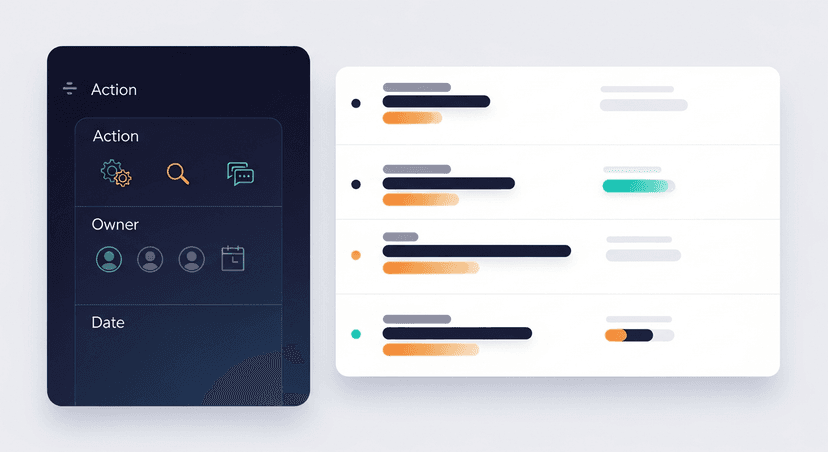
A MAP is a shared document that converts meeting commitments into named owners, hard dates, and explicit success criteria. Not meeting notes. Not a task list you keep internally. A mutual artifact: meaning both sides have actions, both sides have deadlines, and both sides can see where the deal is stalled.
The "mutual" part is the whole point. A vendor task list tells the buyer what you're going to do for them. A MAP tells both parties what has to happen (and who owns it) before a decision can be made.
What You Need Before You Build One
Don't open a blank doc until you have:
- The transcript or detailed notes from the meeting. If you can't point to the exact moment a commitment was made, you're guessing.
- Explicit next-step commitments captured during the call, what the buyer said they'd do, not what you assumed they meant.
- The economic buyer's identity and decision timeline. Without a target decision date to work backward from, every date you put in the MAP is arbitrary. Buyers will treat it that way.
The most common MAP failure isn't bad formatting: it's drafting one cold, from memory, two days later. The input quality determines the output quality.
Step 1: Pull Every Commitment Off the Transcript
Before you touch the MAP template, go back through the transcript and extract the exact language. You're looking for three things: what the buyer committed to, what you committed to, and any implied timelines.
Raw transcript language often sounds like this:
> "We'll need to get IT involved at some point, and legal will want to review the MSA before anything moves forward."
That becomes two MAP line items:
- [Buyer Name] introduces [Your Name] to IT lead
- [Buyer Name] routes MSA to legal for review
Neither of those has a date yet: that comes in Step 2. The goal here is extraction, not formatting. Get every commitment on a list before you start assigning owners.
Step 2: Assign an Owner and a Hard Date to Every Item
This is where MAPs die. "We'll loop in IT" is not a MAP item. It has no owner and no date, so no one is accountable for it.
Every line needs two things: a named person and a specific date. The structure is simple:
- Action: [Buyer Name] introduces rep to IT lead
Owner + Date: Sarah Chen, by June 6
- Action: Rep sends custom security questionnaire
Owner + Date: You, by June 4
- Action: IT lead confirms infrastructure compatibility
Owner + Date: Sarah Chen's IT contact, by June 11
No named owner means it's not a MAP item yet. Push during the call to get a name. If the buyer says "IT will handle it," ask: "Who on IT should I be looped in with?" Get the name before the meeting ends.
Step 3: Define What 'Done' Looks Like for Each Step
Task completion and success criteria aren't the same thing.
"Legal reviews MSA" can be marked complete the moment a lawyer glances at the document. That's not what you need.
"Legal returns redlines or written approval by June 13" is a closed gate. Either it happened or it didn't. No ambiguity about whether the step is blocking the deal.
For each MAP item, ask: what's the output that lets us move to the next step? Write that as the success criterion, not the activity.
- ❌ IT reviews security requirements
- ✅ IT lead sends written confirmation of compatibility or flags blockers, by June 11

Step 4: Send It Within 2 Hours of the Meeting
Research on sales follow-up response rates is consistent: emails sent within an hour of a meeting get significantly higher engagement than next-day sends. The buyer is still in context. Their memory of what they committed to is fresh. Your credibility as someone who executes is established immediately.
Wait until the next morning, and you're competing with everything else that landed in their inbox overnight.
The framing matters too. Don't send "here are my notes from today." Send:
Subject: [Company] + [Your Company], next steps from today
Opening:
> "[First Name], great conversation. Here's what we both committed to coming out of it, with dates attached so nothing slips."
Then the MAP, inline in the email body (more on that in Step 5).
If writing the follow-up email and formatting the MAP in under two hours feels like too much, ReplySequence does this from a transcript in 60 seconds, paste what your recorder captured, get a follow-up draft with the MAP structure already embedded.
Step 5: Put the MAP in the Follow-Up Email, Not a Separate Doc
A shared Google Doc link has maybe a 40-50% open rate on a good day. The buyer has to click it, wait for it to load, and remember why they're looking at it. Most won't.
Paste the MAP directly into the email body. The buyer sees it the moment they open the message. No friction, no extra step, no "I'll look at that later."
Inline formatting that works:
Next steps, [Company] / [Your Company]

✅ You: Send security questionnaire template → June 4
☐ [First Name]: Intro to IT lead → June 6
☐ [First Name]: Route MSA to legal → June 6
☐ IT lead: Confirm compatibility or flag blockers → June 11
☐ Legal: Return redlines or approval → June 13
☐ Both: Decision call → June 17
Simple. Scannable. The buyer can reply with a one-line update on any item without opening a separate doc.
Step 6: Use Each Subsequent Touch to Update It, Not Re-Pitch
Every follow-up after the MAP is sent should reference it. Not "just checking in": that phrase signals you have nothing new to say. Instead, treat every subsequent email as a MAP status update.
Subject: [Company] next steps, 2 items due this week
Opening:
> "[First Name], quick update on where things stand. The security questionnaire is in your inbox from Tuesday. Two items are due this week on your side: the IT intro by Thursday and MSA routing by Friday. Still on track?"
This reframes the check-in entirely. You're not asking if they're still interested. You're asking whether the thing they committed to is happening. That's a different conversation, and a much easier one to have.
Three Things That Kill MAPs Before They Start
1. Building it the next day (or later). Buyer momentum peaks immediately after a good meeting. A MAP that lands 24 hours later feels like paperwork, not a shared commitment. The 2-hour window is real.
2. Only listing your actions. If every item in the MAP is owned by you, it's a vendor task list. Buyers don't feel accountable to a document that doesn't require anything from them. The MAP has to include their commitments (with their name on them) or it's decorative.
3. No decision-timeline anchor. Dates in a MAP are only as meaningful as the deadline they're working toward. If you don't have a signed or decision date on the MAP, all the intermediate dates are arbitrary. Buyers feel this and ignore them. Get the target decision date during the call. If they won't give one, the MAP conversation itself is diagnostic: that hesitation tells you something about where the deal actually stands.
A MAP is the fastest way to tell the difference between a buyer who's moving and a buyer who's stalling. Build it right, send it fast, and let the dates do the work.
How ReplySequence handles this
ReplySequence takes any meeting transcript, paste it in from Zoom, Teams, Meet, WebEx, Fireflies, Granola, or wherever, and drafts a context-rich follow-up email in about 8 seconds. You review it, make any edits, and approve. Deal intelligence builds automatically.

