Meeting Transcript to Email Automation Guide
Meeting transcript to email automation uses AI to convert recorded sales calls and meetings into personalized follow-up emails within minutes of ending the call. Instead of manually reviewing notes and crafting follow-ups, sales teams can now leverage AI tools that extract key discussion points, action items, and commitments directly from transcripts and transform them into ready-to-send emails. This technology saves sales professionals an average of 3-5 hours per week while improving response rates by up to 40%.
The Hidden Cost of Manual Meeting Follow-Ups
Sales professionals spend approximately 21% of their day writing emails, with post-meeting follow-ups consuming a significant portion of that time. The traditional workflow looks like this:
- Attend the meeting and take notes (often incomplete)
- Review meeting recording or notes afterward
- Identify key takeaways, action items, and next steps
- Draft a personalized follow-up email
- Edit for clarity and professionalism
- Send and track the email
For a sales rep taking 15-20 meetings per week, this process alone can consume 6-8 hours of valuable selling time. Even worse, 62% of sales follow-up emails are sent more than 24 hours after the meeting, when prospects are already moving on mentally.
The quality of these manually crafted emails also suffers when reps are rushing between calls. Generic templates lack personalization, while hastily written custom emails often miss important discussion points that could advance the deal.
How Meeting Transcript to Email Automation Works
Modern transcript automation systems follow a sophisticated multi-step process that happens entirely behind the scenes:
Step 1: Meeting Recording and Transcription
The system joins your virtual meetings or integrates with your conferencing platform (Zoom, Google Meet, Microsoft Teams) to record the conversation. Advanced speech-to-text AI transcribes the audio in real-time, identifying different speakers and capturing technical terms specific to your industry.
Step 2: Intelligent Analysis
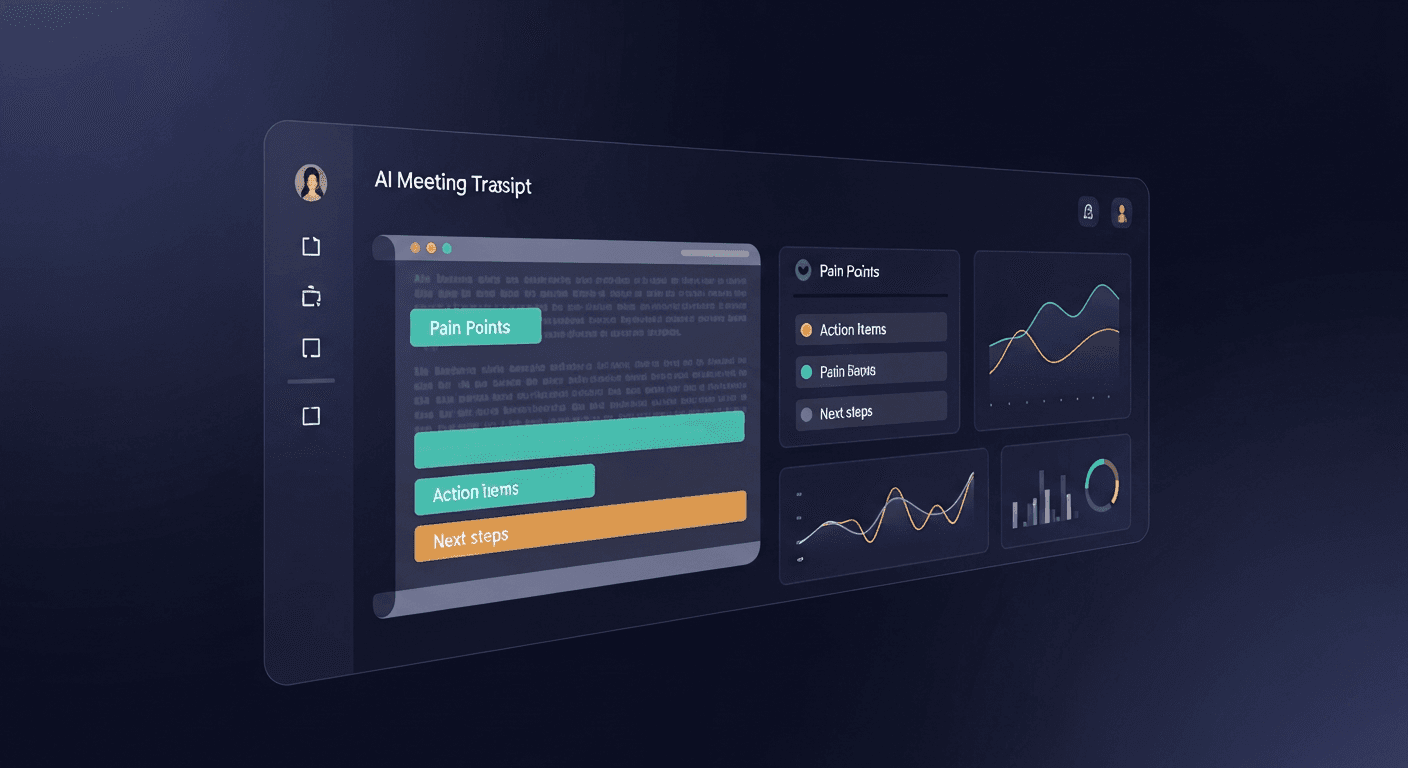
This is where AI transcript email technology shines. Natural language processing algorithms analyze the transcript to identify:
- Key discussion topics and how much time was spent on each
- Action items and commitments from both parties
- Questions asked by the prospect and how they were answered
- Pain points mentioned that your solution addresses
- Next steps agreed upon during the conversation
- Buying signals or concerns that need addressing
The AI doesn't just extract keywords, it understands context, sentiment, and the flow of the conversation to determine what matters most.
Step 3: Email Generation
Based on the analysis, the system generates a meeting recap email that feels personally written, not automated. The email typically includes:
- A conversational opening that references specific discussion points
- A concise summary of key topics covered
- Clear action items with owners and deadlines
- Relevant resources or information promised during the call
- A natural next step or call-to-action
The tone, length, and structure adapt based on the meeting type, relationship stage, and your company's communication style.
Real-World Implementation Scenarios
Scenario 1: Enterprise Sales Cycle
Sarah leads enterprise sales for a SaaS company with 6-9 month sales cycles. Each deal involves 8-12 stakeholder meetings with technical demos, executive briefings, and procurement discussions.
Before automation: Sarah spent Sunday evenings reviewing the week's meeting recordings and writing follow-ups. Important details often slipped through, and she'd send follow-ups 3-4 days late.
After implementing transcript automation: Within 5 minutes of each meeting, Sarah receives a draft email highlighting what each stakeholder cared about most. She makes minor edits and sends while the conversation is still fresh. Her response time improved from 3 days to under 2 hours, and deal velocity increased by 28% because stakeholders felt heard and saw immediate action.
Scenario 2: High-Volume Inside Sales
Marcus manages a team of 15 SDRs conducting 200+ discovery calls weekly. The team struggled with consistent follow-up quality, and newer reps often missed crucial details in their emails.
The automation impact: Every discovery call now generates a structured follow-up that captures the prospect's stated challenges, budget timeline, and decision-making process. New reps can review how the AI summarizes calls to learn what information matters most. The team's meeting-to-opportunity conversion rate jumped from 23% to 34% within two months.
Scenario 3: Customer Success and Onboarding
The customer success team at a B2B platform holds dozens of onboarding and check-in calls daily. Documenting these conversations for the rest of the team was a constant challenge.
With meeting transcript to email automation: Every customer interaction is automatically documented and shared with relevant team members. When customers mention feature requests, technical issues, or expansion interest, the information reaches product, support, or sales teams immediately. Customer retention improved by 12% because issues were addressed faster and nothing fell through the cracks.
Key Benefits of Transcript Automation
Time Savings That Compound
The most obvious benefit is time recovery. If you're conducting 20 meetings per week and spending 15 minutes per follow-up, that's 5 hours reclaimed. But the compounding effect is even more valuable:
- Faster follow-ups mean prospects respond sooner
- Quicker responses lead to shorter sales cycles
- Shorter cycles enable you to work more deals simultaneously
- More deals increase your pipeline and close rate
One ReplySequence customer calculated that the time savings alone allowed their team to take 15% more meetings per month without working longer hours.
Consistency Across Your Team
Every follow-up email maintains a professional standard regardless of who conducted the meeting or how busy they are. New hires benefit from AI-generated emails that model good follow-up practices, while veterans appreciate not having to reinvent the wheel for routine meetings.
Better Information Capture
Human memory is fallible, especially when you're in back-to-back meetings. Transcript automation ensures that everything said during the meeting is captured and analyzed. Those offhand comments about budget timing or competitive evaluations that you might miss in your notes are automatically highlighted in your follow-up.
Improved Prospect Experience
Prospects notice when you reference specific points from your conversation. 83% of buyers say they're more likely to respond positively to follow-ups that demonstrate active listening. When your email mentions their concern about integration complexity or references their upcoming product launch, it builds trust and rapport.
Choosing the Right Transcript Automation Solution
Not all meeting transcript to email tools are created equal. Here's what to evaluate:
Integration Capabilities
Your solution should work seamlessly with your existing tech stack:
- Meeting platforms: Native integration with Zoom, Teams, Google Meet
- CRM systems: Automatic logging in Salesforce, HubSpot, or Pipedrive
- Email platforms: Sync with Gmail, Outlook, or your sales engagement tool
- Calendar apps: Automatic meeting detection and joining
The best systems work invisibly in the background, requiring minimal manual setup for each meeting.
Accuracy and Intelligence
Transcription accuracy should exceed 95%, even with technical terminology, accents, and multiple speakers. But accuracy is just the starting point. The AI must understand context:
- Does it distinguish between casual conversation and critical commitments?
- Can it identify when someone is expressing skepticism versus enthusiasm?
- Does it recognize buying signals and priority pain points?
- Can it extract action items with proper attribution?
Test the system with recordings that include industry jargon and complex discussions.
Customization and Brand Voice
Your follow-up emails should sound like you, not a robot. Look for solutions that:
- Learn your writing style and tone preferences
- Allow custom email templates and structure
- Adapt messaging based on deal stage and relationship
- Support company-specific terminology and positioning
ReplySequence, for example, analyzes your previous emails to match your natural communication patterns, ensuring AI-generated follow-ups maintain your authentic voice.
Security and Compliance
Meeting transcripts contain sensitive business information. Verify that any solution you consider:
- Encrypts data in transit and at rest
- Complies with GDPR, CCPA, and relevant regulations
- Offers data retention policies you control
- Provides clear terms about how your data is used
- Includes options to exclude sensitive meetings from recording
Enterprise buyers will ask about these factors, so have clear answers ready.
Implementation Best Practices
Start with Meeting Consent
Always inform participants that the meeting is being recorded and transcribed. Most platforms announce this automatically, but best practice includes:
- Calendar invite language mentioning recording
- Verbal confirmation at the start of the call
- Easy opt-out process for sensitive discussions
Transparency builds trust rather than eroding it.
Review Before You Send
While AI-generated emails are remarkably accurate, they're designed to be starting points, not final products. Always review to:
- Verify factual accuracy of dates, numbers, and commitments
- Add any personal touches or relevant context
- Adjust tone if the AI missed emotional nuances
- Remove any sensitive information that shouldn't be shared
Most users report spending 2-3 minutes reviewing and editing versus 15-20 minutes writing from scratch.
Establish Team Guidelines
Create standards for your team around:
- Response timeframe: How quickly should follow-ups go out?
- Editing requirements: What level of review is mandatory?
- Escalation situations: When should managers review before sending?
- Template variations: Different structures for different meeting types?
Consistency in process ensures consistent results.
Measure and Optimize
Track metrics before and after implementation:
- Time to follow-up: How quickly are emails sent after meetings?
- Response rates: Are prospects engaging more with your follow-ups?
- Meeting-to-opportunity conversion: Is the quality improving pipeline?
- Deal velocity: Are cycles getting shorter?
- Rep satisfaction: Is the team spending time on higher-value activities?
Use these insights to refine your approach and demonstrate ROI to leadership.
Advanced Use Cases Beyond Sales
Internal Team Meetings
Transcript automation isn't just for external conversations. Apply it to:
- Weekly team syncs to capture action items and decisions
- Project planning meetings to document requirements and timelines
- Training sessions to create reference materials for new hires
- Executive briefings to ensure alignment across leadership
Customer Feedback Loops
Customer success and support calls contain valuable product insights. Automated transcript analysis can:
- Identify feature requests mentioned across multiple customers
- Detect patterns in support issues that indicate product gaps
- Surface customer success stories for marketing use
- Flag at-risk accounts based on sentiment and conversation tone
Knowledge Base Building
Over time, your meeting transcripts become a searchable knowledge base. Questions like "How did we handle pricing objections from enterprise prospects last quarter?" can be answered by searching transcripts for patterns and successful approaches.
Common Concerns Addressed
"Won't prospects know it's automated?"
When implemented properly, no. The AI writes in your voice and references specific conversation details. The email reads as thoughtfully crafted, not templated. What prospects notice is that you followed up quickly and accurately captured what mattered to them.
"What if the AI misses something important?"
That's why the review step exists. You're not removing human judgment, you're removing the tedious transcription and drafting work. You stay in control of what gets sent.
"How does this work with complex, multi-stakeholder deals?"
Advanced systems can identify different speakers and track individual concerns. Your follow-up can address specific points raised by the CFO, CTO, and VP of Operations separately within the same email, or generate individual emails to different stakeholders.
"Is my data being used to train public AI models?"
Reputable vendors use your data only to improve your experience, not to train models shared with other customers. ReplySequence, for instance, maintains strict data isolation and never uses customer conversations for general model training.
The Future of Meeting Transcript to Email
The technology continues to evolve rapidly:
- Predictive insights that suggest what to say in your follow-up based on deal probability
- Multi-modal analysis that combines verbal, visual, and behavioral signals from video
- Real-time coaching that surfaces relevant information during the meeting itself
- Automated workflow triggers that create tasks, update CRMs, and notify team members based on meeting content
The goal isn't to replace human sales professionals, it's to eliminate administrative work so you can focus on relationship building, strategic thinking, and creative problem-solving that AI can't replicate.
Getting Started with Transcript Automation
Ready to reclaim hours of your week and improve your follow-up quality? Here's your action plan:
- Audit your current process: Track how much time your team actually spends on meeting follow-ups over one week
- Define success metrics: Identify what improvement would look like (time saved, response rates, conversion rates)
- Test with a pilot group: Start with 2-3 team members and a subset of meetings
- Gather feedback: What's working? What needs adjustment in email structure or tone?
- Expand and optimize: Roll out to the full team with best practices established
The sales teams seeing the biggest impact are those who embrace transcript automation not as a shortcut, but as a tool that lets them be more thorough, more responsive, and more focused on what they do best, building relationships and closing deals.
Meeting transcript to email automation represents a fundamental shift in how sales professionals manage their post-meeting workflow. By eliminating repetitive tasks and ensuring consistent, high-quality follow-up, these tools don't just save time, they create competitive advantage. In a world where responsiveness and attention to detail differentiate winners from everyone else, automation isn't optional anymore.
Ready to transform your meeting follow-up process? Visit replysequence.com to see how AI-powered transcript automation can help your team close more deals while working less on administrative tasks. Start your free trial today and experience the difference that instant, intelligent follow-ups make for your sales results.
How ReplySequence handles this
ReplySequence takes any meeting transcript, paste it in from Zoom, Teams, Meet, WebEx, Fireflies, Granola, or wherever, and drafts a context-rich follow-up email in about 8 seconds. You review it, make any edits, and approve. Deal intelligence builds automatically.