ReplySequence vs Fathom: Post-Meeting Follow-Up
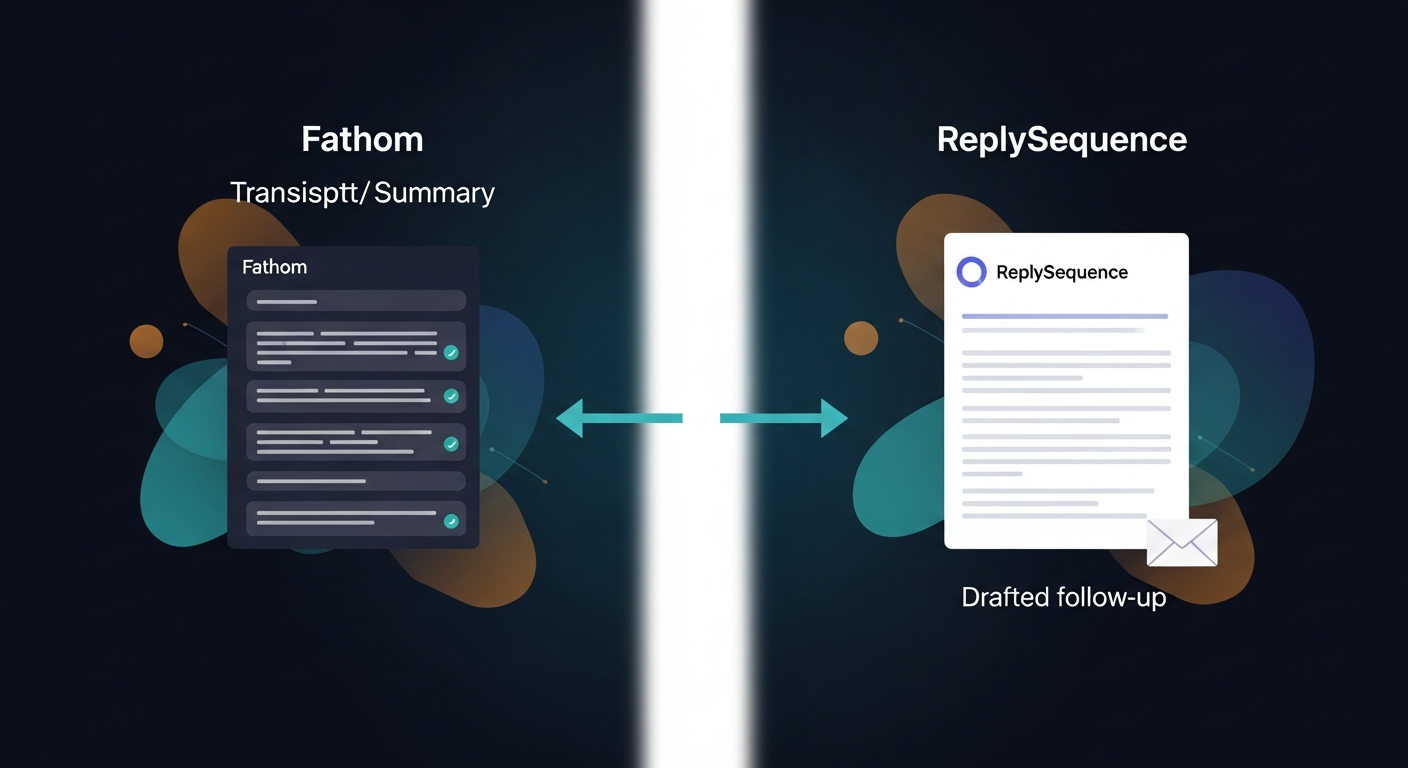
You're already using Fathom to record and transcribe your calls — it's good at that. The question is whether Fathom's built-in follow-up features are enough, or whether you need a dedicated post-meeting follow-up layer. Short answer: Fathom and ReplySequence aren't competitors. They solve adjacent problems. But understanding exactly where Fathom's post-call output stops is the real decision for any rep who wants sent emails, not just AI summaries.
What Fathom Actually Does After the Call
Fathom records your call, transcribes it, and produces a structured AI summary. That summary typically includes:
- Meeting highlights — a compressed narrative of what was discussed
- Action items — tasks surfaced from the conversation, attributed to speaker
- Shareable clips — timestamped video moments you can send to stakeholders
- CRM sync — pushes notes and action items to Salesforce or HubSpot automatically on paid plans
Fathom is genuinely good at this. The transcription quality is strong, the Zoom integration is native, and the free tier is more generous than most competitors. If your job is to capture what happened and get it into your CRM, Fathom does that well.
What Fathom does not do is draft a follow-up email. It gives you the raw material — structured notes, action items, a summary — and hands the baton to you.
Where Fathom's Follow-Up Falls Short
Fathom's output is notes-shaped, not email-shaped. That distinction matters more than it sounds.
A good post-meeting follow-up email isn't a reformatted action item list. It's a specific piece of communication: it re-anchors the prospect on what they said they cared about, confirms the next step, and moves the deal. Writing that from scratch — even from clean Fathom notes — takes most reps 20-40 minutes per call. According to research from Gartner, sales reps spend roughly 65% of their time on non-selling activities; post-call documentation and follow-up drafting are a significant chunk of that.
The gap isn't that Fathom is bad. It's that Fathom stops at the door of your inbox. The meeting went great — then nothing happened, or happened three days later in a generic email that didn't land.
Fathom also doesn't:
- Draft in your voice (it summarizes; it doesn't write as you)
- Support multi-touch follow-up sequences
- Let you paste a transcript from a different recorder and get the same output
- Learn from your edits to improve future drafts
What ReplySequence Does That Fathom Doesn't
ReplySequence is the post-meeting follow-up layer. The workflow is simple: transcript in, follow-up out.
Paste your Fathom transcript into RS, and within 60 seconds you get a drafted follow-up sequence — first email, plus 1-2 follow-ups if you want them — written in your voice, not in generic GPT prose. That's the voice-fingerprint feature: RS learns from the edits you make to drafts so that over time the output sounds like you wrote it, not like a template.
This is also where BYOT (Bring Your Own Transcript) matters. RS doesn't require its own bot in your meetings. If you use Fathom, paste the Fathom transcript. If you use Fireflies or Otter or Granola, paste that. If you recorded something on Zoom and exported the transcript as a .txt, paste that. RS is transcript-agnostic by design — it complements whatever recorder you're already using.
Draft-first, always. RS drafts the sequence; you review and send. No auto-sending without your eyes on it.
The Five Criteria That Actually Matter for This Decision
Strip away the feature marketing. Here's what actually determines whether Fathom alone is enough:
- Does it draft a real follow-up email in your voice? Not a summary. An email you could paste into Gmail and send as-is.
- Does it support multi-touch sequences? A single follow-up is often not enough. Can the tool draft a 2-3 touch sequence from one transcript?
- Does it work with any transcript source? If you switch recorders, or your company uses a different tool, do you lose your workflow?
- Does it log to your CRM? Not just notes — does the sent email and sequence activity get recorded?
- What does it cost? Specifically: what's the all-in cost when you stack the tools you actually need?
How Fathom and ReplySequence Score Against Each Criterion
Does it draft a real follow-up email in your voice?
- Fathom: No. It produces structured notes and action items. Email drafting is on you.
- RS: Yes. Paste the transcript, get a drafted email sequence back in 60 seconds, with voice-fingerprint learning from your edits.
Does it support multi-touch sequences?
- Fathom: No. No sequence tooling built in.
- RS: Yes. Pro and Pro+ plans include multi-touch sequences — first email plus configurable follow-ups.
Does it work with any transcript source (BYOT)?
- Fathom: Fathom works with Fathom transcripts. You're in the Fathom ecosystem.
- RS: Yes. Paste any transcript from any source. Fathom, Fireflies, Otter, Gong, a Word doc — RS doesn't care.
Does it log to CRM?
- Fathom: Yes, on paid plans. Solid CRM sync to Salesforce and HubSpot is a genuine Fathom strength.
- RS: Yes, on Pro and above. Drafts and sent sequences are logged.
What does it cost?
- Fathom: Generous free tier. Paid plans typically run $19-$29/user/mo depending on plan (check Fathom's current pricing — they've adjusted tiers).
- RS Free: 10 drafts/month, no credit card.
- RS Pro: $29/mo — unlimited drafts, voice-fingerprint, sequences, CRM log.
- RS Pro+: $59/mo — advanced sequences, integrations, priority support.
- RS Team: $39/user/mo (3-seat minimum) — shared templates, team voice profiles.
- If you already pay for Fathom, adding RS Pro at $29/mo is the incremental cost for the follow-up layer.
Honest summary: Fathom wins on in-call recording quality, native Zoom integration, CRM sync on paid plans, and free tier breadth. RS wins on drafted follow-up copy, voice-fingerprint, multi-touch sequences, and transcript agnosticism. Neither beats the other on everything — they're doing different jobs.
Who Should Use Fathom Alone, Who Should Pair Them
Fathom alone is probably enough if:
- You're a PM, CSM, or account manager whose primary job is to capture decisions and share notes with internal teams
- You don't run outbound sequences — follow-up for you means one email you write yourself
- CRM sync and shareable clips are your main post-call needs
Pair Fathom with RS if:
- You're an AE, SDR, or solo founder closing deals, and the 24 hours after a call is where deals go quiet
- You want a drafted email sequence waiting for you before you've even closed your laptop
- You use multiple recorders across different meeting contexts and need a single follow-up layer that works with all of them
- You need sequences but don't want to buy HubSpot Sales Hub Pro ($450+/mo per seat) just to run a post-meeting cadence — RS gives you sequences without the enterprise CRM tax
If you're in that second group, RS has a 14-day Pro trial, no credit card required. Paste a Fathom transcript on day one and see what comes back.
How ReplySequence handles this
ReplySequence takes any meeting transcript — paste it in from Zoom, Teams, Meet, WebEx, Fireflies, Granola, or wherever — and drafts a context-rich follow-up email in about 8 seconds. You review it, make any edits, and approve. Deal intelligence builds automatically.