
The Sales Rep's Guide to AI Meeting Assistants in 2026
Two years ago, AI meeting assistants were novelties. They could transcribe your calls and produce summaries that were sometimes accurate. Today, they are essential infrastructure for high-performing sales teams. The category has matured significantly, and the tools available in 2026 are fundamentally different from what existed even 12 months ago.
If you are a sales rep evaluating AI meeting assistants, or if you have been using one but suspect you are not getting full value: this guide covers what matters, what does not, and how to make these tools work for your specific workflow.
What AI Meeting Assistants Actually Do in 2026
The first generation of these tools focused on one thing: transcription. You got a text version of your meeting, and that was it. The current generation does significantly more:
Transcription and speaker identification: The table stakes. Every tool does this now, and accuracy has improved to 95%+ for clear audio in English. The differentiator is no longer whether a tool can transcribe, but how well it identifies who said what.
Automated summaries and action items: Most tools can now produce structured meeting summaries that highlight key decisions, action items, and follow-up tasks. The quality varies, but the best tools are consistently better than human note-takers.
Follow-up email generation: This is where the category is evolving fastest. Some tools generate full, ready-to-send follow-up emails based on the meeting transcript. This goes beyond summarization into workflow automation: the AI is not just documenting what happened, it is producing the next action.
CRM integration: Leading tools can push meeting data directly to Salesforce, HubSpot, Google Sheets, and other CRMs. This means your CRM gets updated automatically after every call, with accurate data from the actual conversation.
Meeting intelligence: Advanced tools analyze patterns across meetings, which topics come up most, how much time your team spends on demos versus discovery, what questions prospects ask most frequently, and which talk tracks correlate with higher close rates.
How to Evaluate AI Meeting Assistants
Not every feature matters equally for every sales workflow. Here is how to think about what to prioritize:
For Individual Reps
If you are an individual contributor looking for personal productivity gains, prioritize:
- Speed of output. How quickly after the meeting do you get your summary, action items, and follow-up draft? Minutes versus hours makes a real difference when you are running back-to-back calls.
- Follow-up email quality. If the tool generates follow-up emails, how much editing do they require? The best tools produce drafts that need 60 seconds of review. The worst produce drafts that take longer to fix than to write from scratch.
- Platform support. Does it work with all the meeting platforms you use? Most reps are on at least two of Zoom, Teams, and Meet.
- Ease of use. You should not need to configure anything before each meeting. The best tools work automatically once connected.
For Sales Managers
If you are evaluating tools for your team, add these criteria:
- CRM data quality. Does the tool improve the accuracy of your pipeline data? Manual CRM entry is the number one source of bad data in most sales organizations.
- Coaching insights. Can you use the tool to identify coaching opportunities, reps who talk too much, skip discovery, or fail to set next steps?
- Adoption simplicity. The best tool in the world is worthless if your team does not use it. Look for tools that require minimal behavior change.
- Security and compliance. Meeting recordings contain sensitive business conversations. Make sure the tool meets your organization's data handling requirements.
The Tools Landscape in 2026
The market has consolidated around a few categories:
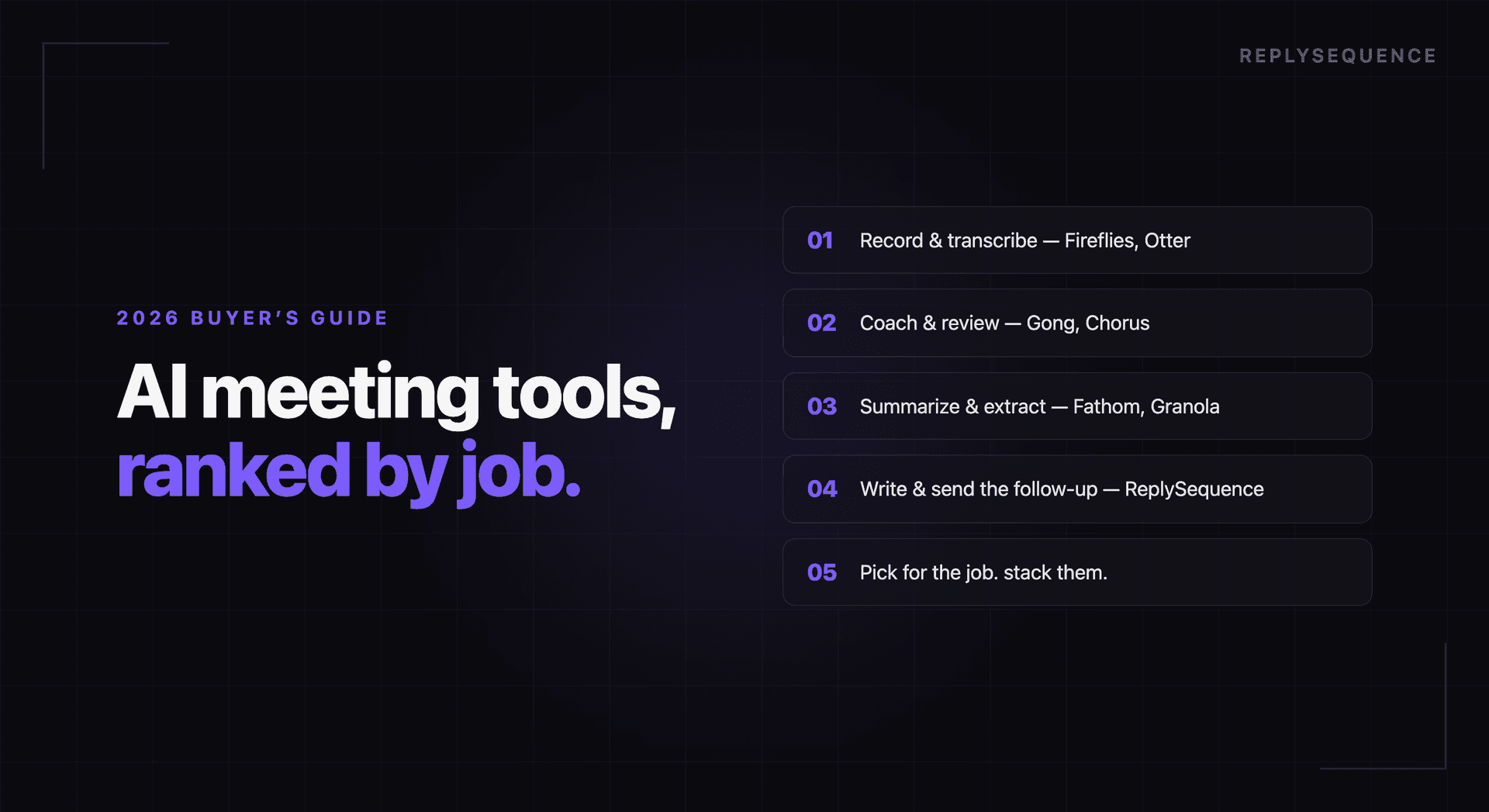
Note-taking focused: Tools like Fathom and Otter.ai that excel at transcription, summaries, and meeting documentation. Best for teams whose primary need is better meeting notes.
Follow-up focused: Tools like ReplySequence that prioritize the post-meeting workflow, specifically generating follow-up emails from transcripts. Best for sales reps whose bottleneck is writing follow-ups, not taking notes.
All-in-one platforms: Tools like Gong and Chorus that combine conversation intelligence, coaching features, and CRM integration into enterprise platforms. Best for large sales organizations with dedicated RevOps teams.
CRM-native tools: Salesforce and HubSpot have both added AI meeting features directly into their platforms. These are convenient if you are already embedded in their ecosystem, though they tend to lag behind specialized tools in capability.
Getting the Most from Your AI Meeting Assistant
Whichever tool you choose, these practices will help you get maximum value:
Let it run on every meeting. The most common mistake is selectively enabling the tool. Run it on every external call so you never miss a follow-up opportunity and your CRM data is always complete.
Review drafts before sending. AI-generated follow-ups are good but not perfect. Spend 60 seconds reviewing each draft for tone, accuracy, and any personal context the AI could not know.
Use the data. If your tool provides meeting analytics, actually look at them. The patterns across dozens of meetings reveal things that are invisible in any single conversation, which objections come up most, which parts of your demo generate the most engagement, and how your talk-to-listen ratio compares to your best calls.
Give feedback. Most AI meeting tools improve with use. If a summary misses a key point or a follow-up email has the wrong tone, use the feedback mechanisms to help the tool learn your preferences.
The Bottom Line
AI meeting assistants are no longer optional for competitive sales teams. The rep who sends a personalized follow-up within 5 minutes of the call ending, with every action item captured and CRM updated, has a measurable advantage over the rep who is still taking notes and drafting emails an hour later.
The specific tool matters less than the workflow it enables. Choose the one that fits your biggest bottleneck, make sure your team actually adopts it, and measure the impact on response rates and pipeline velocity. The data will speak for itself.
How ReplySequence handles this
ReplySequence takes any meeting transcript, paste it in from Zoom, Teams, Meet, WebEx, Fireflies, Granola, or wherever, and drafts a context-rich follow-up email in about 8 seconds. You review it, make any edits, and approve. Deal intelligence builds automatically.

