How to Never Forget a Follow-Up Again: Complete Guide
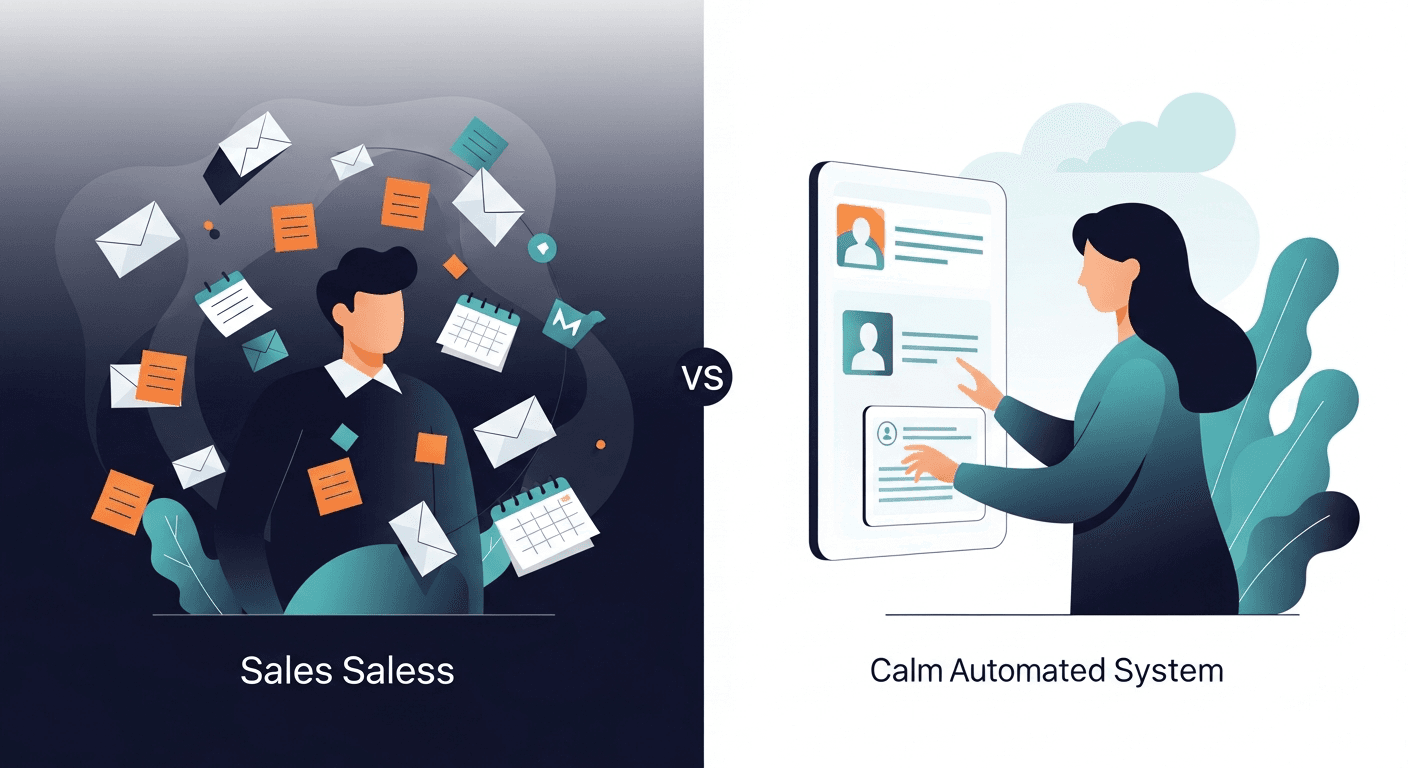
The solution to never forget follow-up tasks is implementing a systematic approach that combines automated reminders, centralized tracking, and accountability workflows. Most sales professionals lose 20-30% of potential deals simply because they forget to follow up at the right time. When you build a reliable follow-up system—whether through CRM automation, task management tools, or AI-powered assistants—you eliminate human error and ensure every prospect receives timely communication.
Missed follow-ups aren't just small mistakes—they're revenue killers. According to research, 80% of sales require five follow-up calls after the initial meeting, yet 44% of salespeople give up after just one follow-up. The gap between what's needed and what actually happens costs businesses millions in lost opportunities.
Why Smart Salespeople Still Forget Follow-Ups
Even top performers struggle with follow-up consistency. Understanding why this happens is the first step toward fixing it.
The Memory Overload Problem
The average sales rep manages 50-100 active prospects at any given time. Each prospect requires multiple touchpoints across different timelines. Remembering who needs a follow-up on Thursday versus who you should contact next Tuesday becomes cognitively impossible without systems.
Your brain wasn't designed to be a calendar. When you rely on memory alone, you're setting yourself up for failure. One busy morning, one unexpected crisis, one back-to-back meeting day—and suddenly three high-value prospects haven't heard from you in two weeks.
Context Switching Kills Consistency
Sales professionals juggle discovery calls, proposal reviews, contract negotiations, internal meetings, and administrative tasks. Every context switch makes it harder to remember the specific commitments you made. You promised Sarah you'd send pricing by Wednesday. You told Marcus you'd loop back after his team meeting. You committed to checking in with Jennifer about her Q2 budget.
Without a centralized system capturing these commitments in real-time, they evaporate from your working memory within hours.
The "I'll Remember That" Trap
How many times have you finished a call thinking, "That was important, I'll definitely remember to follow up"? Then three days later, you vaguely recall the conversation but can't remember the specific timeline or action item.
This confidence bias is dangerous. Your brain tricks you into thinking you'll remember, so you don't write it down. Then the information disappears, taking the opportunity with it.
The Real Cost of Missed Follow-Ups
Before diving into solutions, let's quantify what's at stake when you forget follow-up tasks.
Direct Revenue Loss
If your average deal size is $10,000 and you close 20% of qualified prospects, every forgotten follow-up with a warm lead potentially costs you $2,000. Miss five per month? That's $10,000 in lost monthly revenue—$120,000 annually.
For enterprise sales with six-figure deals, a single missed follow-up can cost hundreds of thousands of dollars. The prospect moves on, signs with a competitor, or loses budget approval because you weren't there at the critical decision moment.
Damaged Professional Reputation
When you promise to follow up and don't, you signal unreliability. Prospects wonder: "If they can't remember a simple follow-up, how will they handle our account if we become a customer?"
This reputation damage extends beyond individual deals. Prospects talk to each other, leave reviews, and share experiences in industry circles. Inconsistent follow-up tracking creates a brand perception problem that's hard to reverse.
Team Trust Erosion
Missed follow-ups don't just affect external relationships. When you tell your sales manager you'll update them after a call, or promise a colleague you'll introduce them to a prospect, forgotten commitments erode internal trust and team cohesion.
Building Your Never-Forget Follow-Up System
The solution isn't willpower—it's infrastructure. Here's how to build a bulletproof system for sales follow-up tracking.
Step 1: Capture Every Commitment Immediately
The moment you commit to a follow-up—during a call, in an email, at an event—capture it in your system. Not later. Not when you get back to your desk. Immediately.
During phone calls: Keep your CRM or task manager open. When the prospect says, "Call me next Thursday after our board meeting," you're typing that task before the sentence ends.
In email conversations: Use follow-up reminder tools that work inside your inbox. Flag the email and set a specific date/time to revisit it.
After in-person meetings: Before you leave the parking lot, spend 90 seconds creating follow-up tasks for every commitment you made.
The capture habit is non-negotiable. If you wait, even 30 minutes, the details blur and the commitment gets forgotten.
Step 2: Centralize Everything in One System
Scattered follow-up reminders across sticky notes, phone reminders, email flags, and mental bookmarks guarantee failure. Choose ONE system as your source of truth.
Your options:
CRM follow-up tracking (Salesforce, HubSpot, Pipedrive): Best for teams who live in their CRM. Every task tied to a specific deal record. Full visibility for managers.
Dedicated task managers (Todoist, TickTick, Asana): Great if you manage non-sales tasks too. Powerful filtering and prioritization features.
Email-integrated systems (Boomerang, Followup.cc): Perfect for email-heavy workflows. Automatically resurface messages at the right time.
AI-powered follow-up automation (ReplySequence): Ideal for busy sales teams. Automatically creates follow-up tasks from meeting recordings, prioritizes them by urgency, and handles the entire post-meeting workflow without manual data entry.
The specific tool matters less than consistency. Pick one system and religiously use it for 100% of follow-ups.
Step 3: Set Time-Specific, Action-Specific Reminders
Vague reminders fail. "Follow up with Sarah" doesn't tell you when or what to say. Effective follow-up reminders are specific:
- "Tuesday 10am: Email Sarah the custom pricing doc for their 50-seat plan"
- "Thursday 2pm: Call Marcus to discuss the security questionnaire results"
- "Next Monday 9am: Check if Jennifer got budget approval and schedule implementation kickoff"
Time specificity matters because it allows you to batch similar tasks and protect focused work blocks. When every reminder has a specific time slot, you can plan your day around them.
Action specificity matters because it eliminates decision fatigue. When the reminder fires, you immediately know what to do—no context gathering, no "wait, what was I supposed to send them?"
Step 4: Build in Redundancy and Escalation
Single-reminder systems fail when you're in a meeting, dealing with an emergency, or sick for a day. Build redundancy:
Multiple reminder waves: Set a reminder for the target date, plus a "last chance" reminder 24 hours before, and a "this is now overdue" alert if you miss it.
Accountability partners: Share your critical follow-up list with a colleague or manager who can check in if you miss important ones.
End-of-day review: Block 10 minutes at 4:50pm to review tomorrow's follow-ups. This mental preview dramatically improves completion rates.
Weekly pipeline review: Every Friday, look at every open deal and ask: "What's the next follow-up?" This catches anything that slipped through daily tracking.
Step 5: Automate What You Can
The less manual work your system requires, the more reliably it functions. Modern sales technology can automate significant portions of follow-up tracking:
Meeting-to-task automation: Tools like ReplySequence listen to your sales calls and automatically create follow-up tasks based on commitments made during the conversation. You promise to send a case study? The task appears in your system without you typing anything.
Email sequence automation: For standard follow-up cadences (after demos, post-proposal, etc.), set up automated email sequences that trigger based on specific actions. The follow-up happens whether you remember it or not.
CRM workflow rules: Configure your CRM to automatically create follow-up tasks when deals enter certain stages or when specific time periods elapse.
Calendar blocking: Use tools that automatically block calendar time for follow-ups based on your task list, ensuring you have dedicated time to complete them.
The goal isn't to remove the human touch from sales—it's to remove the human error from sales follow-up tracking.
Advanced Strategies to Never Forget Follow-Up Communication
Once you have basic infrastructure in place, these advanced tactics further bulletproof your system.
The Two-Minute Rule for Immediate Follow-Ups
If a follow-up takes less than two minutes, do it immediately instead of scheduling it. Prospect asks for a specific case study during your call? Send it before you hang up. They want an introduction to your implementation team? Make the email introduction while the conversation is fresh.
This reduces your task backlog and increases response rates (immediate follow-ups feel more attentive than ones sent days later).
Template Library for Common Follow-Ups
Create templates for your most frequent follow-up scenarios:
- Post-demo check-in
- Proposal sent follow-up
- "Just checking in" re-engagement
- Post-trial conversion push
- Meeting no-show follow-up
Templates eliminate the "I'll craft the perfect message later" procrastination. When your reminder fires, you pull up the template, customize three sentences, and send. The follow-up happens in 90 seconds instead of staying on your to-do list for three days.
Priority Scoring System
Not all follow-up reminders carry equal weight. Build a simple priority score based on:
- Deal size: Higher value = higher priority
- Deal stage: Later stages = higher priority
- Time sensitivity: Expiring budgets, competitor pressure = higher priority
- Relationship strength: Cold prospects need more consistent follow-up than warm referrals
When you're overwhelmed, this scoring system tells you which follow-ups you absolutely cannot miss versus which can slide a day.
The Friday Forecast Ritual
Every Friday afternoon, review next week's follow-up calendar. This 15-minute ritual provides massive returns:
- Spot conflicts (three important follow-ups scheduled during your Monday morning team meeting)
- Prepare materials in advance (the case study you'll need Wednesday)
- Mentally rehearse key conversations
- Reschedule non-critical tasks to balance your week
This preview transforms follow-up tracking from reactive ("oh no, I have five tasks due now!") to proactive ("I've already prepared everything I need for next week").
Common Mistakes That Sabotage Follow-Up Systems
Even with good systems, these pitfalls cause salespeople to forget follow-up commitments:
Overcomplicating the System
Elaborate follow-up tracking systems with 12 priority levels, seven reminder types, and complex tagging taxonomies sound impressive but fail in practice. Complexity creates friction. Friction kills consistency.
Keep it simple: Due date, specific action, relevant context. That's it.
Not Updating Tasks When Plans Change
A prospect reschedules your Wednesday call to next Tuesday. If you don't update your follow-up reminder, it fires on Wednesday when it's no longer relevant. You lose trust in your system, start ignoring reminders, and the whole infrastructure collapses.
Treat system maintenance seriously. When plans change, update your tasks immediately.
Setting Reminders Without Context
You create a task: "Follow up with Anderson Corp." A week later, the reminder fires and you think: "About what? What did we discuss? What was I supposed to send?"
Every reminder needs context notes: "Discussed their Q3 rollout timeline. They're deciding between us and Competitor X. Send the ROI calculator customized for their 200-employee scenario. Reference their concern about implementation complexity."
Ignoring Overdue Tasks
When a follow-up reminder goes overdue, it's tempting to think, "Well, I missed it, so I'll just delete it." This is sales self-sabotage.
An overdue follow-up is still a valuable follow-up. It might be slightly less effective than an on-time one, but it's infinitely more effective than no follow-up at all. Acknowledge the delay ("Apologies for the delayed response...") and complete the task.
How Technology Eliminates the Forgetting Problem
Manual follow-up systems require discipline. Automated systems require setup. The latter scales much better.
Modern sales technology has evolved specifically to solve the "never forget follow-up" problem:
Conversation intelligence platforms record your calls and extract action items automatically. You don't have to remember to create a follow-up task—the AI does it for you based on what was actually said.
Smart CRM integrations connect your communication tools (email, phone, calendar) with your CRM, automatically logging interactions and suggesting next steps based on sales best practices.
Workflow automation tools like ReplySequence take this a step further, not just identifying follow-ups but actually generating personalized follow-up drafts based on meeting content, sending them at optimal times, and tracking engagement.
The result? Sales teams using automated follow-up systems report 45-60% higher follow-up completion rates compared to manual tracking. That translates directly to closed deals that would have otherwise slipped through the cracks.
Real-World Success Stories
Sarah's Enterprise Sales Transformation
Sarah, an enterprise software rep, was losing deals in the 60-90 day mark—the awkward middle period where prospects go dark and reps forget to stay engaged.
She implemented a system where every meeting ended with a specific next step logged in her CRM, tied to calendar blocks she protected religiously. Within one quarter, her forgotten follow-ups dropped from 6-8 per month to zero. Her close rate increased 23% because prospects consistently received timely communication during the critical evaluation period.
Tech Startup's Revenue Recovery
A 12-person sales team at a B2B tech startup realized they were collectively forgetting 40-50 follow-up tasks per month. They implemented ReplySequence to automatically handle post-meeting follow-ups.
The results: Follow-up completion rate jumped from 62% to 97%. More importantly, they recovered $340,000 in deals that previously would have died due to inconsistent follow-up. The ROI was 14x in the first quarter alone.
Marcus's Personal Accountability System
Marcus, a solo sales consultant, couldn't afford expensive sales technology but needed to never forget follow-up commitments. He built a simple system using Todoist and Google Calendar.
Every evening, he reviewed the next day's tasks and prepared materials. Every Friday, he reviewed the next week. Every month, he audited any patterns in missed follow-ups. This discipline-driven approach reduced his forgotten follow-ups from 15-20 per month to 1-2, improving his close rate and client satisfaction scores.
Your Action Plan: Implement This Week
Don't wait for the perfect system. Start improving your follow-up tracking today:
Day 1: Choose your single source of truth system. Commit to it.
Day 2: Migrate all existing follow-up commitments into that system with specific dates and actions.
Day 3: Practice the immediate-capture habit. Every commitment = immediate task creation.
Day 4: Build your template library for the five most common follow-up scenarios.
Day 5: Schedule your Friday forecast ritual. Block it as recurring time on your calendar.
Day 6-7: Review your week. What follow-ups did you complete? Which ones slipped? Why? Adjust your system accordingly.
Never Forget Another Follow-Up Starting Today
The difference between top-performing salespeople and average ones often isn't talent or charisma—it's systems. Reliable follow-up tracking is a competitive advantage that compounds over time.
Every followed-up prospect is a potential closed deal. Every forgotten follow-up is a guaranteed lost opportunity. The math is simple: more consistent follow-ups = more revenue.
Whether you choose manual discipline, CRM workflows, or AI-powered automation like ReplySequence, the critical step is moving from "trying to remember" to "systematically tracking." Your prospects deserve consistent communication. Your revenue goals require it.
The tools exist. The strategies work. The only question is: will you implement them?
Ready to eliminate forgotten follow-ups from your sales process? ReplySequence automatically captures action items from your meetings and handles the entire follow-up workflow—so you can focus on selling instead of task management. Learn more at replysequence.com and never lose another deal to a missed follow-up.
Related reading
How ReplySequence handles this
ReplySequence takes any meeting transcript — paste it in from Zoom, Teams, Meet, WebEx, Fireflies, Granola, or wherever — and drafts a context-rich follow-up email in about 8 seconds. You review it, make any edits, and approve. Deal intelligence builds automatically.