How to Save Time on Sales Follow-Up: 7 Proven Methods

Sales reps can save 5-10 hours per week on follow-up tasks by implementing automation, templates, and AI-powered tools. The average sales professional spends 21% of their workday, roughly 8.4 hours per week, on post-meeting admin work like writing follow-up emails, updating CRMs, and scheduling next steps. By systematically reducing this sales admin time, you can redirect that energy toward high-value activities like prospect conversations and deal advancement.
The follow-up problem isn't just about time, it's about opportunity cost. Every hour spent crafting the perfect recap email is an hour not spent on discovery calls or closing deals. Yet follow-up quality directly impacts win rates, with studies showing that timely, personalized follow-ups increase response rates by 40%. The challenge is doing it faster without sacrificing effectiveness.
The Hidden Cost of Manual Sales Follow-Up
Before diving into solutions, let's quantify what inefficient follow-up actually costs your sales organization. Consider a typical sales rep earning $80,000 annually who spends 8 hours per week on follow-up tasks:
- Annual time cost: 416 hours (8 hours × 52 weeks)
- Financial equivalent: $16,000 in salary allocated to administrative work
- Opportunity cost: 208 prospect conversations that could have happened instead (assuming 2 hours per meeting cycle)
For a 10-person sales team, that's $160,000 in compensation directed toward tasks that could be automated, and 2,080 missed selling opportunities annually.
The productivity drain shows up in several ways:
- Context switching: Moving from a strategic sales conversation to administrative email writing breaks flow and requires mental gear-shifting
- Inconsistent timing: Manual follow-ups often get delayed by 24-48 hours, reducing their impact when prospects are still engaged
- Quality variance: When reps are rushed, follow-up emails become generic and miss key discussion points
- CRM neglect: Under time pressure, reps skip detailed note-taking or delay updates, creating information gaps
7 Proven Methods to Save Time on Sales Follow-Up
1. Implement AI-Powered Post-Meeting Automation
The most significant time savings come from eliminating manual follow-up email composition entirely. AI-powered post-meeting systems can automatically generate personalized follow-up emails within minutes of a call ending, capturing key discussion points, action items, and next steps.
How it works: Modern tools integrate with your video conferencing platform, transcribe the conversation, extract relevant insights, and draft a contextual follow-up email that reads like you wrote it yourself.
Time saved: 20-30 minutes per meeting. For a rep with 15 meetings per week, that's 5-7.5 hours reclaimed weekly.
Real-world example: A SaaS sales team at a mid-market software company implemented ReplySequence and reduced their average follow-up time from 25 minutes to under 3 minutes per meeting. Their reps reported spending an additional 6 hours per week on prospecting, which contributed to a 23% increase in pipeline generation over the following quarter.
2. Create a Follow-Up Template Library
If full automation isn't immediately available, a well-organized template library delivers substantial time savings while maintaining personalization. The key is creating scenario-specific templates rather than one-size-fits-all messages.
Template categories to build:
- Discovery call follow-ups
- Demo follow-ups with technical stakeholders
- Pricing discussion recaps
- Multi-stakeholder meeting summaries
- Gentle re-engagement after no response
- Post-proposal check-ins
Personalization variables to include: Company name, contact name, specific pain points discussed, custom action items, referenced competitors, timeline details.
Time saved: 10-15 minutes per follow-up email.
Pro tip: Store templates in a tool with merge field capabilities so you're filling in blanks rather than rewriting sections. Even better, use a system that can pull data directly from your CRM to auto-populate fields.
3. Standardize Your CRM Update Process
CRM updates often take longer than necessary because reps approach each entry as a blank canvas. Creating a standardized note-taking format dramatically reduces the mental effort and time required.
Implement a structured note template:
- Meeting type: Discovery, demo, pricing, closing
- Key discussion points: 3-5 bullet points maximum
- Pain points identified: Specific business challenges mentioned
- Decision criteria: What factors will influence their choice
- Action items: Who's doing what by when
- Next step: Specific date and meeting type
- Deal health: Green/yellow/red status with one-sentence justification
Time saved: 5-8 minutes per CRM update.
Sales productivity tip: Fill in this template during the last 2 minutes of your call while wrapping up. Most prospects appreciate you confirming next steps aloud anyway, and you're essentially dictating your notes to yourself in real-time.
4. Batch Your Follow-Up Windows
Context switching destroys sales productivity. Instead of writing follow-up emails immediately after each meeting throughout the day, designate specific time blocks for follow-up tasks.
Recommended batching schedule:
- Morning batch (9:00-9:30 AM): Follow up on yesterday's afternoon meetings
- Midday batch (12:30-1:00 PM): Follow up on morning meetings
- End-of-day batch (4:30-5:00 PM): Follow up on afternoon meetings
Time saved: 30-45 minutes daily through reduced context switching. Studies show it takes an average of 23 minutes to fully regain focus after an interruption.
Real-world example: An enterprise sales team at a cybersecurity company implemented batching and reported that reps could process 8-10 follow-ups in a 30-minute block versus taking 5-6 minutes per follow-up when done ad hoc throughout the day, a 40% efficiency gain.
5. Leverage Meeting Intelligence Tools
Note-taking during sales calls creates a multitasking burden that reduces both conversation quality and follow-up efficiency. Meeting intelligence platforms record, transcribe, and highlight key moments, allowing you to stay fully present during calls.
Key features to look for:
- Automatic transcription with speaker identification
- AI-generated call summaries
- Searchable keyword and topic tracking
- Shareable call snippets for internal collaboration
- Integration with your CRM for automatic logging
Time saved: 10-15 minutes per meeting on note-taking and review.
Bonus benefit: You'll have perfect recall of every detail discussed, making your follow-ups more accurate and personalized. This is particularly valuable for complex sales cycles involving multiple stakeholders across several meetings.
6. Automate Calendar and Scheduling Coordination
The back-and-forth of scheduling follow-up meetings ("Does Tuesday at 2pm work?" "How about Wednesday?") wastes hours every week. Modern scheduling automation eliminates this entirely.
Implementation approach:
- Use a scheduling link tool (Calendly, Chili Piper, etc.)
- Include your booking link in every follow-up email
- Set up different meeting types with pre-configured durations
- Enable automatic time zone detection
- Add buffer time between meetings to prevent back-to-back exhaustion
Time saved: 5-10 minutes per scheduling exchange, plus elimination of double-booking conflicts.
Advanced tip: For high-value prospects, consider offering 2-3 specific time slots in your follow-up email with a scheduling link as a backup. This shows effort while still respecting their preference for convenience.
7. Use Follow-Up Automation Sequences for Common Scenarios
For certain follow-up scenarios that follow predictable patterns, automated sequences can handle the entire communication chain with minimal manual intervention.
Ideal scenarios for automation:
- Post-demo educational content delivery (Day 1: ROI calculator, Day 3: Case study, Day 5: Comparison guide)
- Trial period check-ins (Day 3, 7, and 14 automated touchpoints)
- Re-engagement campaigns for stalled deals (3-5 touch sequence over 2 weeks)
- Post-proposal follow-up cadence
Time saved: 15-20 minutes per sequence that would have required manual effort.
Critical consideration: Always monitor automated sequences and be ready to personalize or override when a prospect responds or circumstances change. The goal is to automate routine touches, not to remove the human element from sales relationships.
Building Your Time-Saving Follow-Up System
Implementing these seven methods doesn't happen overnight. Here's a practical 30-day rollout plan to systematically save time on sales follow-up:
Week 1: Assessment and Quick Wins
- Track current time spent on follow-up tasks (use a simple time log)
- Implement scheduling automation (immediate 5-10 hours/week savings)
- Create your first 5 follow-up templates for most common scenarios
Week 2: Standardization
- Establish CRM note-taking format and train team
- Set up batching schedule and block time on calendars
- Document your current follow-up process to identify automation opportunities
Week 3: Tool Evaluation and Implementation
- Research meeting intelligence and follow-up automation platforms
- Run pilot with 2-3 team members
- Measure time savings and gather feedback
Week 4: Full Rollout and Optimization
- Expand tools to entire team
- Refine templates based on response data
- Create automated sequences for identified scenarios
- Measure total time saved versus Week 1 baseline
Measuring Your Follow-Up Efficiency Gains
To justify investment in follow-up automation and ensure your methods are working, track these key metrics:
Time metrics:
- Average time per follow-up email (target: under 5 minutes with automation)
- Total weekly hours on follow-up tasks (track reduction over time)
- Time from meeting end to follow-up sent (target: under 2 hours)
Quality metrics:
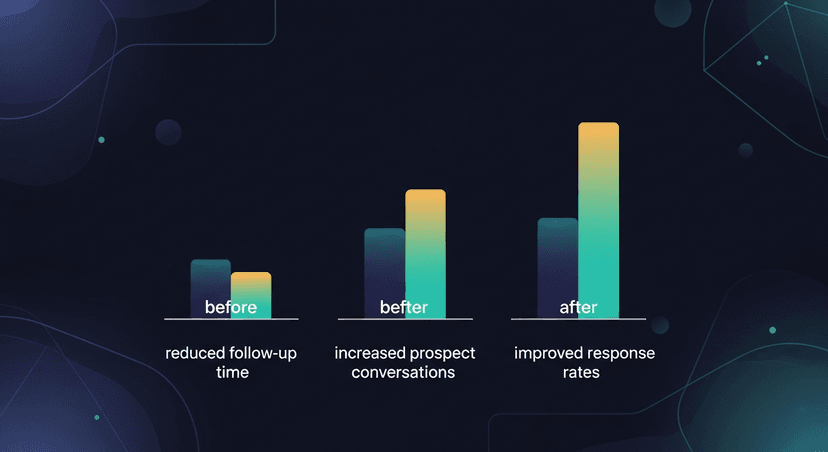
- Follow-up response rate (should maintain or improve with automation)
- Meeting-to-opportunity conversion rate
- Sales cycle length (efficient follow-up often accelerates deals)
Productivity metrics:
- Number of prospect conversations per week (should increase)
- Pipeline generated per rep (more selling time = more opportunities)
- Time to CRM update completion rate (percentage of meetings logged same-day)
Common Pitfalls to Avoid
As you work to save time on sales follow-up, watch out for these mistakes that can undermine your efforts:
Over-automation without personalization: Prospects can tell when an email is completely automated. Always include specific references to your conversation, even in templated messages.
Sacrificing quality for speed: A 2-minute generic follow-up that gets ignored is less valuable than a 10-minute personalized message that moves the deal forward. The goal is efficient effectiveness, not just efficiency.
Inconsistent implementation: If only half your team adopts the new approach, you won't see organization-wide gains and will struggle to measure true impact.
Ignoring mobile optimization: Many buyers read emails on mobile devices. Ensure your follow-ups are scannable with short paragraphs and clear action items.
Neglecting follow-up tracking: Without monitoring response rates and engagement, you can't tell if your time-saving methods are actually improving outcomes.
The ROI of Time-Saving Follow-Up
Let's return to our earlier example of a 10-person sales team to calculate the concrete ROI:
Current state:
- 10 reps × 8 hours/week on follow-up = 80 hours weekly
- Annual follow-up time: 4,160 hours
- Cost at $80k average salary: $160,000
After implementing time-saving methods (conservative 60% reduction):
- New weekly follow-up time: 32 hours (4.8 hours saved per rep)
- Annual time saved: 2,496 hours
- Cost savings: $96,000
- Reinvested selling time: 1,248 additional prospect meetings
Assuming modest 3% conversion improvement (more conversations + better follow-up quality):
- If team currently closes $5M annually
- 3% improvement = $150,000 additional revenue
- Combined benefit: $246,000 in cost savings and revenue gain
Investment required: Most follow-up automation tools cost $50-150 per user monthly. For a 10-person team at $100/month, that's $12,000 annually, delivering a 20:1 ROI in the first year.
How ReplySequence Maximizes Follow-Up Efficiency
ReplySequence was built specifically to solve the post-meeting follow-up time drain that sales teams face. The platform integrates with your existing video conferencing tools and CRM to automatically generate personalized, contextual follow-up emails within minutes of your call ending.
Here's how it works: During your sales call, ReplySequence captures the conversation, identifies key discussion points, extracts action items, and drafts a follow-up email that includes specific references to what was discussed. You review, make any desired tweaks, and send, typically in under 2 minutes.
The system learns from your editing preferences over time, becoming increasingly aligned with your communication style. It also handles CRM updates, scheduling link insertion, and can trigger automated follow-up sequences based on meeting outcomes.
Sales teams using ReplySequence report saving an average of 6.5 hours per week per rep on follow-up tasks, time that gets redirected to prospecting, relationship building, and deal advancement.
Taking the Next Step
Saving time on sales follow-up isn't about cutting corners, it's about working smarter so you can invest energy where it matters most: building relationships and closing deals. Start with one or two methods from this guide, measure the impact, and expand from there.
The sales professionals who consistently hit quota aren't necessarily working longer hours; they're working more efficiently. By reducing sales admin time through smart automation and process optimization, you create more space for the high-value activities that actually move revenue.
Ready to reclaim hours every week and improve your follow-up quality simultaneously? Learn how ReplySequence can transform your post-meeting workflow at replysequence.com. See exactly how much time you could save with a personalized demo for your team.
Related reading
How ReplySequence handles this
ReplySequence takes any meeting transcript, paste it in from Zoom, Teams, Meet, WebEx, Fireflies, Granola, or wherever, and drafts a context-rich follow-up email in about 8 seconds. You review it, make any edits, and approve. Deal intelligence builds automatically.