
10 Ways to Reclaim Selling Time After Meetings
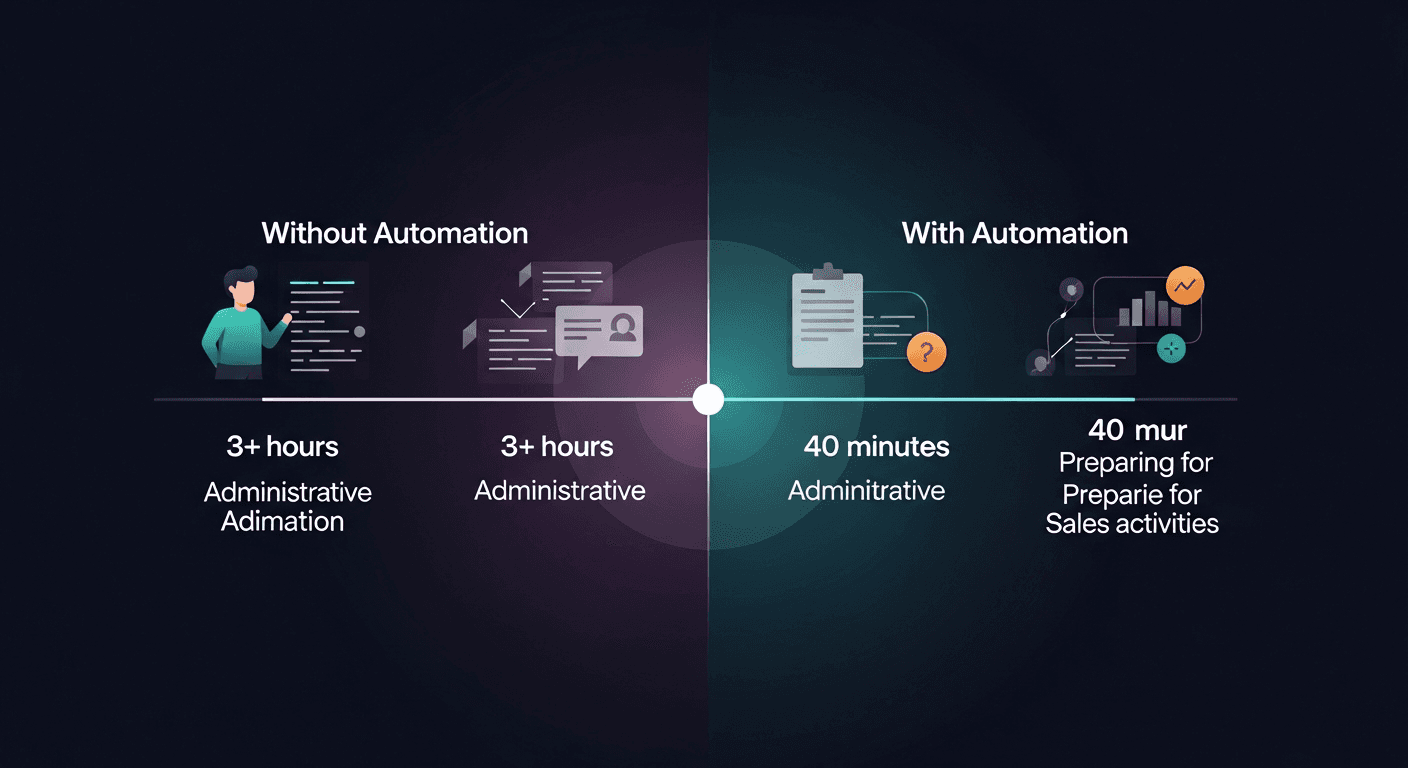
The fastest way to reclaim selling time is to automate post-meeting tasks: the follow-up emails, CRM updates, next-step logging, and recap writing that eat 30–60 minutes after every call. That's the gap. The meeting ends, the momentum dies, and reps spend the next hour doing admin instead of selling.
According to Salesforce's State of Sales report, sales reps spend only 28% of their week actually selling. The rest? Admin, internal meetings, and manual follow-up work. That math is brutal. Here's how to fix it.
Why Post-Meeting Admin Is Killing Your Pipeline
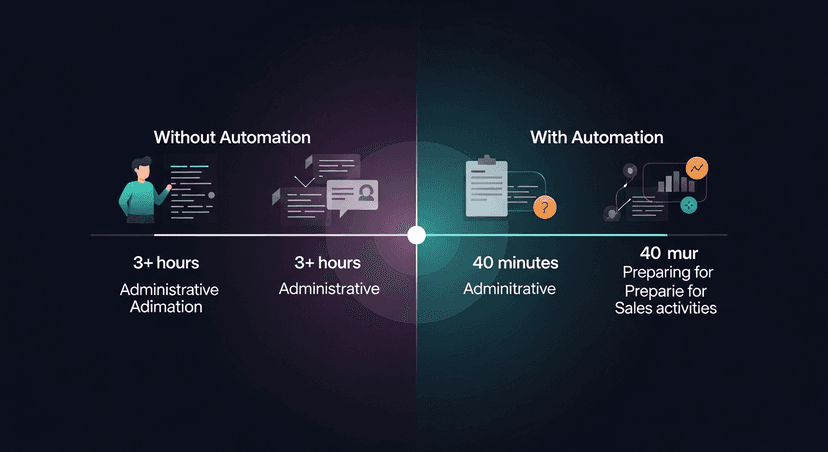
Every minute you spend writing a recap email is a minute you're not booking the next call. The problem compounds fast. Five calls a day, 40 minutes of post-meeting admin each: that's over three hours of selling time gone before lunch.
The tools reps use daily (Fireflies, Fathom, Otter, Granola, Zoom, Teams) do a great job capturing what happened in the meeting. None of them send the follow-up. That last mile is still manual. That's the work we're talking about eliminating.
10 Ways to Automate Post-Meeting Tasks and Get Back to Selling
1. Turn Your Transcript Into a Follow-Up Email Automatically
This is the highest-leverage move. After every meeting, your recorder (Fireflies, Fathom, Otter, Granola, whatever you use) produces a transcript. That transcript has everything: pain points the prospect mentioned, next steps agreed on, the budget conversation, objections raised.
Instead of re-reading it and writing a follow-up from scratch, paste the transcript into a tool that produces a ready-to-send email in 60 seconds. That's the entire premise behind why I built ReplySequence, transcript in, follow-up out. The meeting went great. Then nothing happened. That gap is fixable.
2. Use Voice-Fingerprint to Sound Like Yourself, Not Like GPT
Most AI-generated follow-ups have a tell. They're too formal. Too structured. Too obviously not you. Prospects notice.
The fix is a voice-fingerprint layer: a system that learns from your edits over time so drafts start sounding like the way you actually write. Short sentences if that's your style. Casual opener if that's how you roll. The draft should feel like you wrote it on a good day, not like a template someone pulled from a prompt library.
Edit the first few drafts intentionally. The system learns fast.
3. Automate CRM Logging After Every Call
Manual CRM entry is the tax every rep hates paying. Call happened. Deal moved. Now go open HubSpot, find the contact, log the activity, update the stage, add the notes. Every rep does it. Nobody likes it.
Automate this with a tool that can write to your CRM directly from the transcript, or at minimum, generate a CRM-ready summary you can paste in two clicks. HubSpot, Salesforce, and Pipedrive all support custom activity logging via API. If your recorder doesn't handle it, your follow-up layer should.
4. Build a Post-Meeting Sequence, Not Just One Email
One follow-up email isn't a strategy. Research from Yesware shows that 70% of email chains stop after just one unanswered email, but deals often require 5–8 touches to close.
Automate a short sequence: same-day follow-up with the recap, a 48-hour check-in if no reply, a value-add nudge at day 5. You write the sequence once (or generate it from a transcript), set the spacing, and let it run. You review and approve each draft before it sends, draft-first, always. But you're not writing them from scratch.
This is sequences without the enterprise CRM tax. HubSpot Sales Hub Pro runs $450+/month per seat. You don't need that to run a three-email post-meeting sequence.
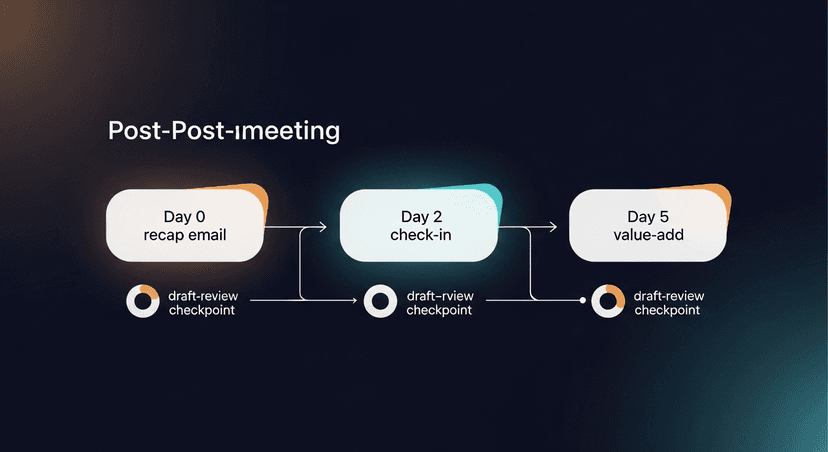
ReplySequence does this automatically, paste any transcript, get a branded follow-up sequence back in 60 seconds.
5. Template Your Recap Structure So You're Not Rebuilding It Every Time
Every follow-up email has roughly the same skeleton: thanks for the time, here's what we covered, here are the next steps, here's what I'm sending over. If you're rebuilding that structure after every call, you're wasting time.
Build a set of templates by meeting type, discovery call, demo, follow-up, negotiation, close. The AI fills in the specifics from the transcript. You tweak the tone. Done in under two minutes.
6. Auto-Generate Action Item Lists From Transcripts
At the end of every call, someone says "I'll send you the pricing deck" or "let's loop in your IT team by Thursday." Those commitments get made and then forgotten because they're buried in a 45-minute transcript.
Good post-meeting automation pulls action items automatically, yours and theirs. Yours go into your task manager. Theirs go into the follow-up email. Holding the prospect accountable to their own commitments is one of the most underrated closing moves in sales.
7. Connect Your Meeting Tool to Your Task Manager
Zapier, Make, and native integrations can bridge the gap between your recorder and your task manager (Todoist, Notion, Linear, Asana). Every meeting that ends with an action item logged in the transcript should trigger a task automatically.
This isn't magic: it requires some setup upfront. But once it's running, you never manually create a "send pricing deck to Sarah" task again. The transcript does it.
8. Use a BYOT Workflow for Meetings Where You Can't Have a Bot
Not every meeting allows a recorder. Executive conversations, sensitive negotiations, quick Slack huddles that turn into real discussions. You still need a follow-up.
The move here: take rough notes during the meeting, paste them into your post-meeting tool afterward. Bring your own transcript, even a messy, bullet-pointed set of notes is enough context to generate a clean follow-up. You don't need a perfect transcript. You need enough signal.
This is why transcript-agnostic tooling matters. If your follow-up automation only works when a bot was in the meeting, it fails a third of the time.
9. Automate Prospect Research Enrichment After First Calls
After a discovery call, you often need to do a quick LinkedIn check, look up their company's recent funding, or pull their tech stack. That research takes time. Some of it can be automated.
Tools like Clay, Apollo, and LinkedIn Sales Navigator can enrich a contact record based on a name and company, automatically, on a trigger. Wire this into your post-meeting workflow so by the time you're reviewing your draft follow-up, you already have the enriched record open.
The follow-up lands harder when it references something real: a recent press release, a job posting that signals a strategic priority, a mutual connection you noticed. Automation gets you that context without the manual dig.
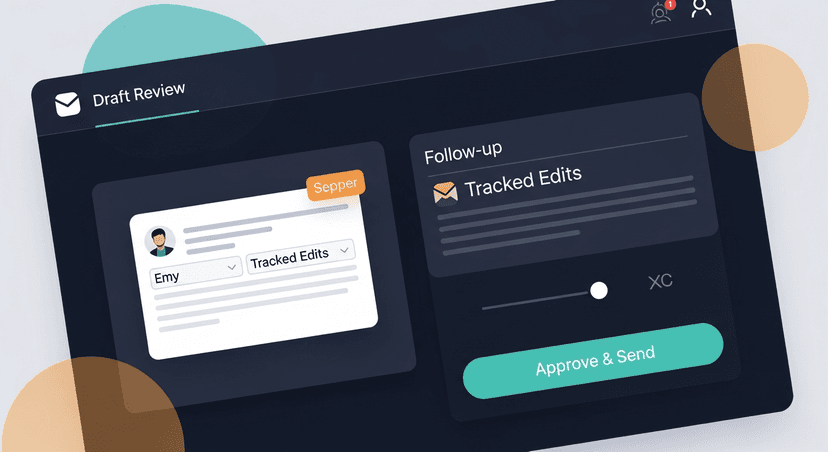
10. Review and Approve, Never Blindly Auto-Send
This is the one that matters most. Every tactic on this list assumes you're reviewing before anything goes out.
Automation in post-meeting follow-up is not "set it and forget it." It's draft-first, human-approved, then sent. You cut the time from 40 minutes to 5. You don't cut out the human entirely. That's the line.
Prospects notice auto-sent emails. They're generic. They miss context. They erode trust faster than a slow follow-up does. The goal is speed with quality: not speed instead of quality.
The Math on Reclaiming Selling Time
Five calls a day. Forty minutes of manual post-meeting work each. That's over 3 hours daily on admin that isn't selling.
Cut that to 5 minutes per call with automated drafts, templated sequences, and automatic CRM logging. You've just reclaimed 2.5 hours. Every day. That's more pipeline conversations, more follow-up speed, and fewer deals that go cold because the email sat in drafts for two days.
According to McKinsey research, companies that automate routine sales tasks see productivity gains of 10–15% in converted pipeline. The gap between reps who automate and reps who don't isn't talent. It's process.
The tools exist. The recorders transcribe the meeting. The follow-up layer handles the last mile. The CRM logs itself. The sequence runs on approval. All you have to do is build the workflow once.
Start Automating Post-Meeting Tasks Today
If you're using Fireflies, Fathom, Otter, Granola, or any other recorder, your transcript is already doing the hard work of capturing the meeting. Don't let the follow-up be the bottleneck.
Start free at replysequence.com, 10 drafts per month, no credit card required. If you want unlimited drafts, voice-fingerprint, and full sequences, Pro is $29/month with a 14-day free trial.
Related reading
- How Much Time Do Salespeople Spend on Admin? (And How to Cut It)
- How to Save Time on Sales Follow-Up: 7 Proven Methods
- How to Stop Context-Switching Between Meetings, CRM, and Email
Get the weekly ReplySequence newsletter for more post-meeting follow-up tactics, subscribe at replysequence.com/newsletter.
How ReplySequence handles this
ReplySequence takes any meeting transcript, paste it in from Zoom, Teams, Meet, WebEx, Fireflies, Granola, or wherever, and drafts a context-rich follow-up email in about 8 seconds. You review it, make any edits, and approve. Deal intelligence builds automatically.

