
ReplySequence vs Fireflies: Sales Team Comparison
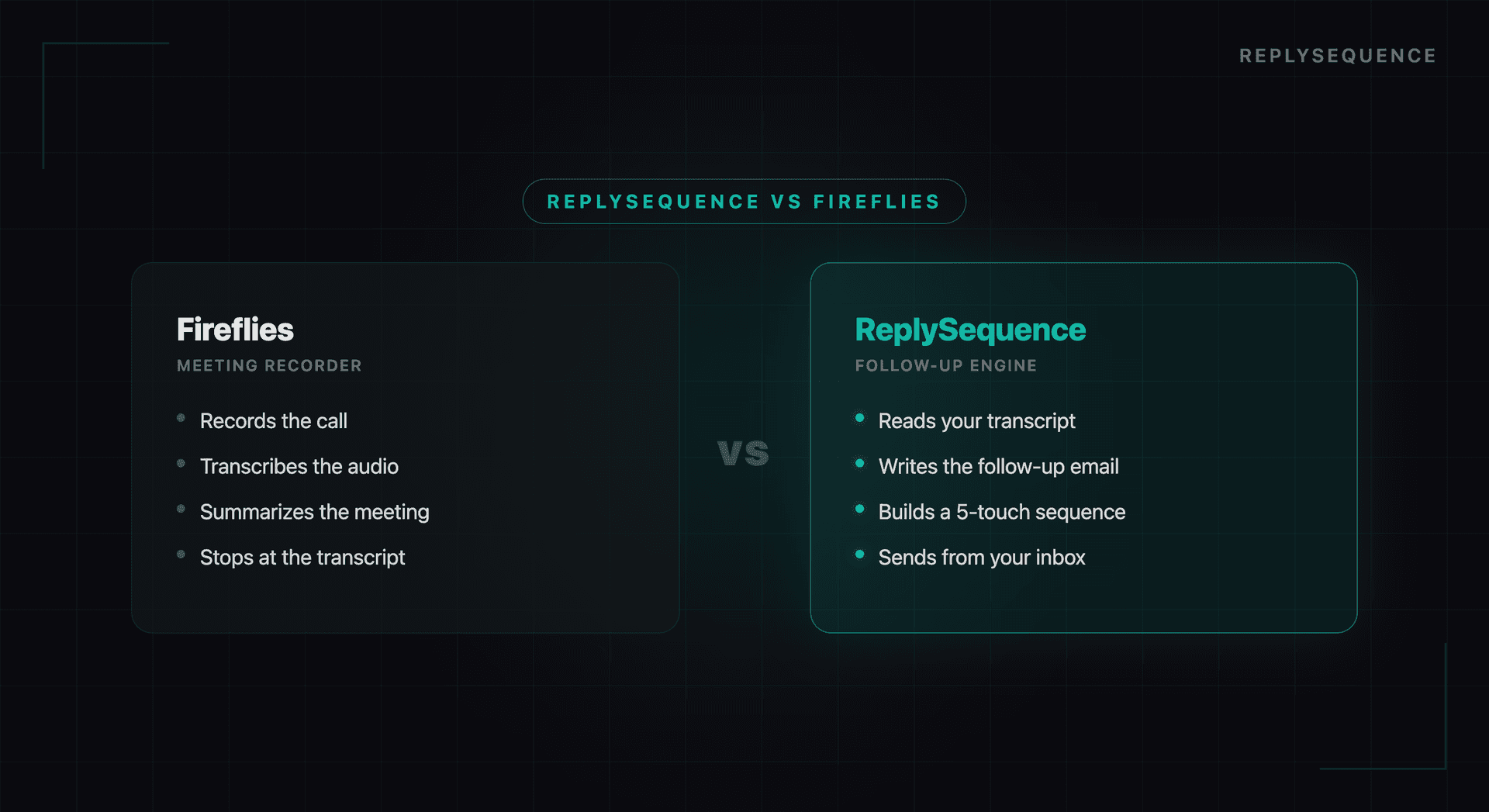
Fireflies and ReplySequence are often evaluated side-by-side, but they live on opposite sides of the post-meeting workflow. Fireflies is a meeting recorder and conversation-intelligence platform: it captures the call, transcribes it, and surfaces analytics. ReplySequence is the post-meeting send layer: it takes a transcript (from Fireflies, Otter, Granola, Fathom, Zoom, Teams, or Meet) and turns it into a personalized follow-up email in about 60 seconds.
The honest answer for most solo sellers and SMB teams: you probably need both, or at least the parts of both that matter to your bottleneck. This comparison is about which half of the workflow each tool owns, not who "wins."
Core Functionality
Transcription
Fireflies: Provides real-time transcription with speaker identification across Zoom, Teams, Meet, and other platforms. Supports multiple languages and offers high accuracy (95%+ for English). Transcripts are searchable across your entire meeting history.
ReplySequence: Processes VTT transcripts from Zoom, Teams, and Meet. Speaker identification and transcript parsing are optimized specifically for generating follow-up context rather than general transcription. ReplySequence does not join meetings as a bot: it processes transcripts after the meeting ends.
Verdict: If your primary need is searchable transcription across all meetings, Fireflies has a broader transcription feature set. If you primarily need transcripts processed into actionable outputs like emails, ReplySequence is more focused.
Meeting Summaries vs. Follow-Up Emails
Fireflies: Generates AI-powered meeting summaries organized by topics discussed, action items, and key decisions. Summaries are designed for internal reference and can be shared with teammates.
ReplySequence: Generates draft follow-up emails ready to send to meeting participants. The AI detects the meeting type (sales demo, discovery call, internal sync) and adjusts the email format accordingly. Emails reference specific discussion points and include extracted action items.
Verdict: This is the fundamental difference between the tools. Fireflies produces summaries for your team. ReplySequence produces emails for your prospects and clients. They serve different steps in the post-meeting workflow.
CRM Integration
Fireflies: Integrates with Salesforce, HubSpot, and other CRMs to push meeting notes and transcripts. CRM records are updated with meeting summaries and action items.
ReplySequence: Syncs with HubSpot, Salesforce, and Google Sheets. Beyond logging meeting data, ReplySequence also logs the follow-up email that was sent, creating a complete record of both the meeting and the subsequent communication.
Verdict: Both offer CRM integration. Fireflies supports more CRMs. ReplySequence provides a more complete record by including the follow-up email alongside meeting data.
Analytics and Intelligence
Fireflies: This is Fireflies' strongest differentiator. It provides detailed conversation analytics including talk-to-listen ratios, question frequency, longest monologues, topic tracking across meetings, and sentiment analysis. Sales managers can use these metrics to identify coaching opportunities.
ReplySequence: Includes quality scoring for generated email drafts (specificity, actionability, completeness) and meeting type classification. Does not currently offer the depth of conversation analytics that Fireflies provides.
Verdict: Fireflies is significantly stronger on analytics and coaching features. If meeting intelligence is your priority, Fireflies is the better choice.
Email Capabilities
Fireflies: Does not generate follow-up emails. You get meeting summaries that you can use as a starting point for writing your own emails, but there is no email drafting or sending functionality built in.
ReplySequence: Email generation is the core feature. Draft follow-ups are generated automatically, can be edited in the app, and sent directly to recipients. The entire post-meeting email workflow happens within ReplySequence.
Verdict: ReplySequence wins on email capabilities because that is specifically what it is built for. Fireflies does not compete in this category.
> ReplySequence does this automatically, paste a transcript and see a draft at replysequence.com/demo.
Pricing
Fireflies: Free tier available with limited features. Pro plan starts at $18/month per user. Business plan at $29/month per user adds conversation intelligence, analytics, and advanced integrations.
ReplySequence: Free tier includes meeting processing and email draft generation. Paid plans add higher volume limits, CRM integration, and team features.
When to Choose Fireflies
Choose Fireflies if:
- You need conversation intelligence and coaching analytics for your sales team
- Searchable meeting transcripts across your entire history is a priority
- Your team benefits from detailed talk-to-listen metrics and sentiment analysis
- You already have a strong email workflow and do not need AI-generated follow-ups
- You need support for platforms beyond Zoom, Teams, and Meet
When to Choose ReplySequence
Choose ReplySequence if:
- Your biggest time sink is writing follow-up emails after meetings
- You want meeting transcripts converted directly into ready-to-send emails
- Speed matters: you want follow-ups sent within minutes, not hours
- You want your CRM updated with both meeting data and follow-up emails
- You prefer a focused tool that does one thing well rather than a broad platform
Using Both Together
Fireflies and ReplySequence are not mutually exclusive. Some teams use Fireflies for conversation intelligence and coaching while using ReplySequence for follow-up email generation. The tools serve different steps in the workflow and do not overlap significantly.
However, running two meeting recording tools simultaneously can create confusion (two bots joining your calls, two sets of notifications). If you go this route, configure one as the primary recorder and use the other for processing only.
The Bottom Line
The choice between Fireflies and ReplySequence is really a choice about which post-meeting problem is costing you more: lack of meeting intelligence and analytics (choose Fireflies) or slow, generic follow-up emails (choose ReplySequence). Both are strong tools that solve different problems.
Related reading
How ReplySequence handles this
ReplySequence takes any meeting transcript, paste it in from Zoom, Teams, Meet, WebEx, Fireflies, Granola, or wherever, and drafts a context-rich follow-up email in about 8 seconds. You review it, make any edits, and approve. Deal intelligence builds automatically.

