
ReplySequence vs Fathom: Who Sends Better Emails?
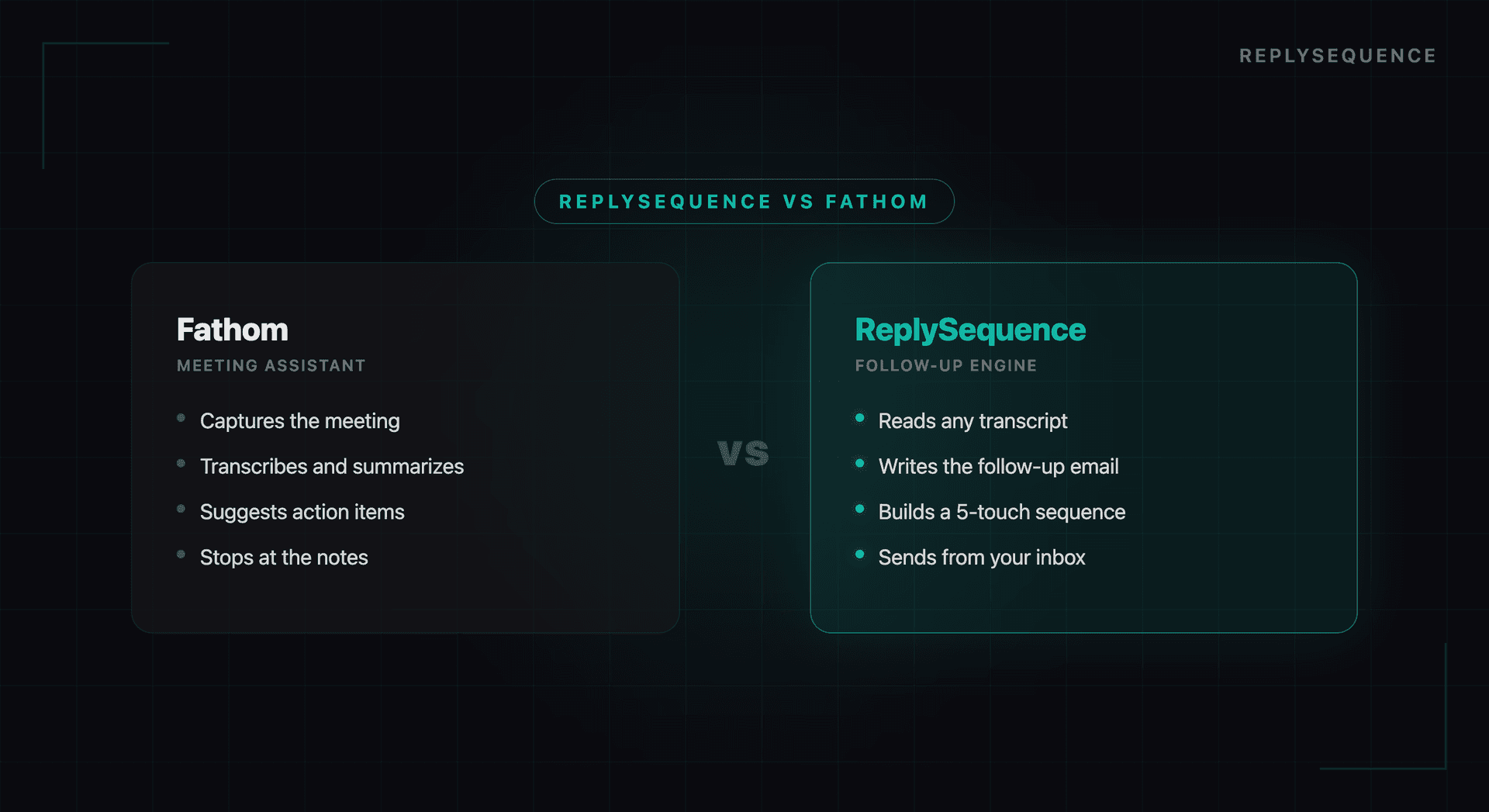
Fathom and ReplySequence solve different problems, and knowing which one fits your bottleneck matters more than any feature matrix. Fathom is a meeting recorder: it joins the call, transcribes, summarizes, and logs notes. ReplySequence is the post-meeting send layer: it takes a transcript from any recorder (including Fathom) and turns it into a ready-to-send follow-up email in about 60 seconds.
This isn't a "winner" comparison. It's a fork in the road: if your pain is documenting meetings, Fathom is the right pick. If your pain is following up on them, that's a different tool. Plenty of teams use both.
What Fathom Does
Fathom is an AI meeting assistant focused on note-taking and summarization. It joins your Zoom, Teams, or Meet calls, records the conversation, and produces structured summaries after the meeting ends.
Fathom's strengths:
- Real-time highlights: You can click to highlight moments during the meeting, which are tagged in the recording for easy review.
- Automatic summaries: After the meeting, Fathom generates a summary organized by topics discussed, action items, and key decisions.
- CRM logging: Fathom can push meeting notes to Salesforce, HubSpot, and other CRMs.
- Video clips: You can create shareable video clips from specific moments in the recording.
- Free tier: Fathom offers a generous free plan for individual users.
Fathom is excellent if your primary need is better meeting documentation. It helps you review what was discussed, share context with teammates who were not on the call, and keep your CRM updated with meeting notes.
What ReplySequence Does
ReplySequence is built specifically for the step that comes after the meeting: the follow-up email. It processes transcripts from Zoom, Teams, and Meet and generates ready-to-send follow-up emails within seconds.
ReplySequence's strengths:
- Email draft generation: The core feature. AI processes your meeting transcript and produces a contextual, personalized follow-up email, not a summary, but an actual email you can send.
- Meeting type detection: The AI identifies whether the meeting was a sales demo, client check-in, internal sync, onboarding call, or other type, and adjusts the email format accordingly.
- Action item extraction: Next steps discussed in the meeting are captured and included in the follow-up.
- Quality scoring: Each draft is scored for specificity, actionability, and completeness, so you know when the AI produced something strong versus when it needs more editing.
- Direct email sending: You can review, edit, and send the follow-up directly from ReplySequence without switching to your email client.
- CRM sync: Follow-up emails and meeting data sync to HubSpot, Salesforce, and Google Sheets.
ReplySequence is built for people whose bottleneck is not meeting notes: it is the follow-up email that turns a good conversation into a next step.
The Key Difference
The fundamental difference comes down to output.
Fathom produces meeting notes and summaries designed for internal reference. The output lives in your note-taking system and CRM. It answers the question: "What happened in this meeting?"
ReplySequence produces follow-up emails designed for external communication. The output goes directly to your prospect, client, or colleague. It answers the question: "What should I send after this meeting?"
These are complementary workflows, not competing ones. Some teams use both. But if you have to choose one, the decision depends on where your biggest time sink is.
> ReplySequence does this automatically, paste a transcript and see a draft at replysequence.com/demo.
When to Choose Fathom
Fathom is the better choice if:
- You attend meetings where detailed notes are more important than follow-up emails (board meetings, all-hands, strategy sessions)
- Your team needs shared meeting documentation for async collaboration
- You want video highlight clips to share with stakeholders
- Your primary goal is keeping your CRM populated with meeting context
- You need a free tool for individual use
When to Choose ReplySequence
ReplySequence is the better choice if:
- You run multiple external meetings per day that each require a follow-up email
- Your bottleneck is writing personalized follow-ups, not taking notes
- You want to send follow-ups within minutes of the meeting ending
- You need emails that reference specific discussion points, not generic templates
- You want the follow-up workflow to be end-to-end: generate, edit, send, log to CRM
Pricing and Plans
Fathom offers a free tier for individual users with premium features starting at $29/month. Team plans scale from there based on features and integrations.
ReplySequence offers a free tier that includes meeting processing and email drafts, with paid plans for higher volumes and advanced features like CRM integration and team collaboration.
The Bottom Line
This is not a "which is better" comparison: it is a "which problem are you solving" comparison. If your meetings need better documentation, Fathom is excellent at that. If your meetings need faster, more personalized follow-up emails, that is what ReplySequence is built for.
The strongest signal: if you are currently spending 15+ minutes per meeting writing follow-up emails, or if your follow-ups are frequently delayed by a day or more, ReplySequence directly addresses that problem. If your pain point is more about losing track of what was discussed or keeping your team aligned on meeting outcomes, Fathom is the better fit.
Both tools leverage the same underlying insight: meeting transcripts are an underused data source. They just apply that insight to different outputs.
Related reading
How ReplySequence handles this
ReplySequence takes any meeting transcript, paste it in from Zoom, Teams, Meet, WebEx, Fireflies, Granola, or wherever, and drafts a context-rich follow-up email in about 8 seconds. You review it, make any edits, and approve. Deal intelligence builds automatically.

