Grain Alternatives That Go Beyond Video Clips
If you're looking for a Grain alternative, the short answer is: it depends on what you actually want after the meeting ends. Grain is a solid video highlight tool. But if your real problem is that the follow-up never gets written (or takes 45 minutes) you need something built for a different job.
Here's how the main Grain competitors stack up, and where the category still has a gap nobody's filled cleanly.
What Grain Actually Does (And Where It Stops)
Grain records your calls, lets you clip highlights, and makes it easy to share a 90-second video moment with a colleague or a prospect. It's genuinely good at that. The UI is clean, the clips are shareable, and if your use case is "I want to show my manager this specific objection the prospect raised", Grain works.
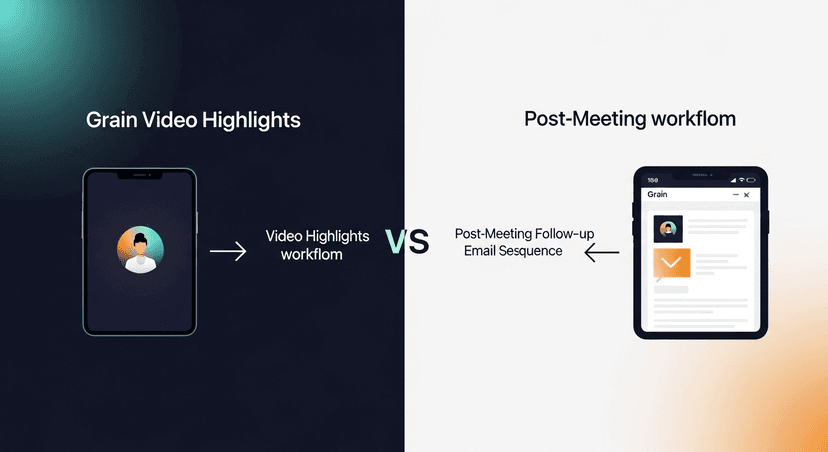
But highlight clipping and follow-up emails are two different problems. Grain doesn't write the follow-up. It captures the moment. What happens next (the recap email, the next-step confirmation, the multi-touch sequence) that's on you.
For a lot of reps and solo founders, that's the actual bottleneck. Not "did I capture the call" but "did I send something useful within two hours of hanging up."
Research from HubSpot consistently shows that response time and follow-up speed are among the biggest predictors of deal progression. The meeting went great, then nothing happened. That's the pattern Grain doesn't solve.
The Main Grain Alternatives: What They're Actually Built For
Let's go through the real Grain competitors without the marketing fluff.
Fathom
Fathom is probably the most common Grain alternative people land on first. It's free for individuals, records Zoom calls, auto-generates a summary, and highlights key moments with timestamps.
Grain vs Fathom is genuinely close on the core recording-and-summary job. The differences:
- Fathom is free for individuals. Grain has a free tier too, but Fathom's free plan is more generous for solo users.
- Fathom summaries are cleaner for most people: the AI categorization (next steps, pain points, questions asked) is well-structured out of the box.
- Fathom doesn't do multi-touch sequences either. You get a summary. What you do with it is still your job.
- Fathom is Zoom-first. If your team lives in Google Meet or Teams, check the current integration list before committing.
Bottom line on Fathom: better free option than Grain for most individual users. Still stops at the summary.
Fireflies.ai
Fireflies is a transcript-first tool. It joins your meetings as a bot, transcribes everything, and gives you a searchable record. It integrates with more platforms than almost anyone else, Zoom, Meet, Teams, Webex, even phone calls via its dialer integration.
What Fireflies does well:
- Search across all your call transcripts, genuinely useful if you're doing discovery calls at volume
- CRM logging (HubSpot, Salesforce) on paid plans
- Topic tracking and sentiment analysis on higher tiers
What it doesn't do: write the follow-up email. Again. You get the transcript. The email is still on you.
Otter.ai
Otter is the most consumer-recognizable name in this category. It started as a meeting transcription tool for general knowledge workers: not sales-specific. It's gotten better with OtterPilot, which joins meetings and generates summaries.
For sales use cases specifically, Otter is functional but not optimized. The summaries aren't sales-structured (next steps, objections, pricing discussed). It's better if you want a general record than if you want a follow-up trigger.
Gong and Chorus (Clari)
These are the enterprise Grain alternatives. Both do deep call analytics, talk/listen ratios, deal risk signals, manager coaching workflows. Both are priced for enterprise ($$ per seat, annual contracts, implementation time).
If you're at a 5-person startup or running your own sales, Gong and Chorus aren't the right tool. They're built for revenue operations teams managing pipelines at scale. Worth knowing they exist, but they're not solving the "I need a follow-up email written in the next hour" problem for most of the people looking for Grain alternatives.
The Gap None of Them Fill
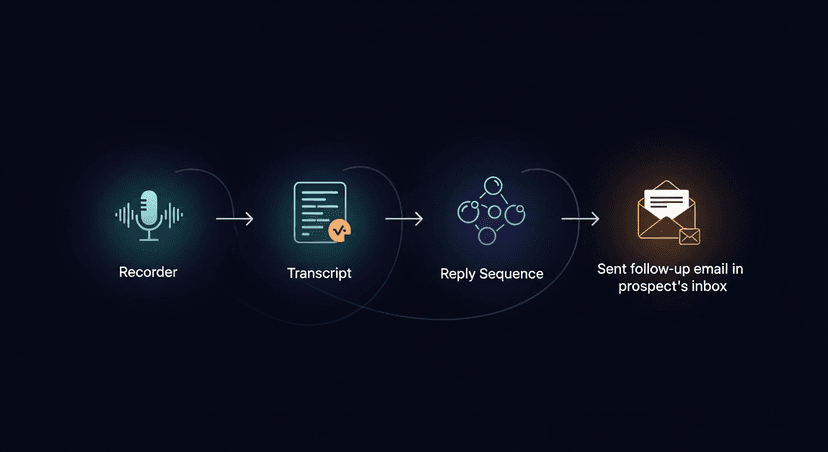
Here's the thing I noticed when I was researching this space before building ReplySequence: every tool records the meeting. None of them send the follow-up.
That's not a knock on Grain or Fathom. They solved the capture problem. The transcript exists. The highlights are clipped. The summary is generated.
And then 48 hours later, the prospect still hasn't heard from you: because writing a good follow-up from scratch, even with a summary, still takes 20-40 minutes if you're doing it right. Personalization, the right tone, referencing the specific things they said, attaching the right materials, setting up a logical next-step ask. Most reps either skip steps or skip the email entirely.
Industry research (Salesforce State of Sales) shows that reps spend a significant portion of their week on non-selling tasks. Follow-up emails are a documented part of that load. The transcript exists, but translating it into a sent email is still manual work.
ReplySequence does this automatically, paste any transcript, get a branded follow-up sequence back in 60 seconds.
What a BYOT (Bring Your Own Transcript) Approach Changes
Most of the tools above require their own recorder in the meeting. Fathom's bot joins Zoom. Fireflies' bot joins whatever you connect it to. Grain records the session.
The BYOT model is different. Bring your own transcript, from any source. Fireflies transcript? Paste it. Fathom summary? Paste it. Granola notes? Paste it. Even a rough Word doc you typed during the call? Paste it.
The point is transcript-agnosticism. The recorder question is already solved, your team already chose Fireflies or Fathom or Otter or Zoom's built-in transcription. The unsolved question is what happens to that transcript after it's generated.
That's what the post-meeting follow-up layer is for. Transcript in, follow-up out.
A few scenarios where this matters:
- A recruiter runs 8 candidate screens a week on Google Meet. Fathom handles the transcript. But she's still spending 20+ minutes per call writing personalized follow-ups. BYOT means she pastes the Fathom summary and gets a follow-up sequence back, next-step confirmation, timeline check-in, rejection if needed.
- An AE at a 40-person SaaS company uses Fireflies for everything. After a strong demo call, he pastes the Fireflies transcript and gets a recap email that references the specific pain points the prospect mentioned, with a clear call-to-action for the next meeting. Sent in 90 seconds.
- A solo founder running his own discovery calls doesn't use any recorder: he just types notes into Notion while he talks. He pastes those notes and gets a follow-up email back. No bot in the meeting required.
On Pricing: Grain vs. the Alternatives
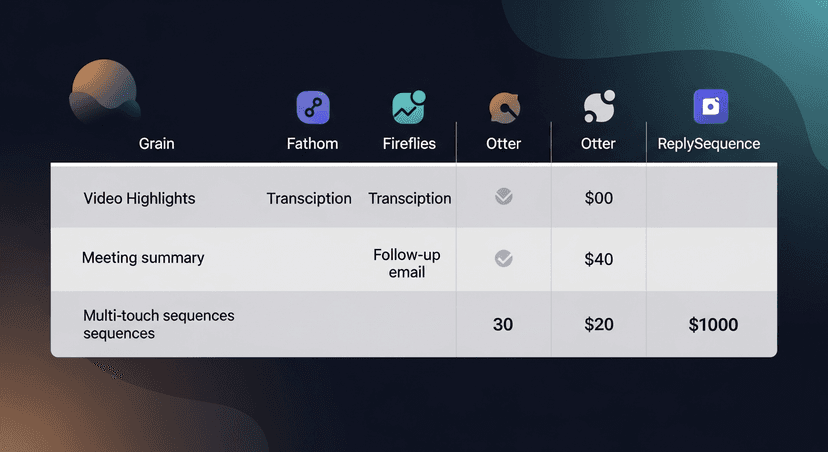
Here's the current pricing landscape, roughly:
- Grain: Free tier with limited highlights. Paid plans start around $15-19/user/mo for teams.
- Fathom: Free for individuals. Team plans with more features are paid.
- Fireflies: Free tier with limited storage. Pro is $10/user/mo, Business is $19/user/mo.
- Otter: Free tier. Pro is $16.99/user/mo.
- ReplySequence: Free tier, 10 drafts/month, no credit card. Pro is $29/mo (unlimited drafts, voice-fingerprint, sequences, CRM log). Team plans at $39/user/mo with a 3-seat minimum. 14-day Pro trial, no credit card required.
The comparison that matters most: these tools aren't really competing with each other for the same job. Grain and Fathom are in the capture-and-highlight lane. ReplySequence is in the follow-up lane. They complement each other: you use both, not one or the other.
Which Grain Alternative Should You Actually Use?
Here's the honest breakdown:
Stay with Grain if: Video highlights are the core use case, sharing clips with your team, building a library of objection-handling moments, coaching junior reps on specific call moments.
Switch to Fathom if: You want a cleaner summary and a more generous free tier. Grain vs Fathom is close, but Fathom's individual plan wins on price and summary quality for most users.
Add Fireflies if: You need searchable transcripts across a high volume of calls, or you need CRM logging at scale.
Add ReplySequence after any of the above if: The follow-up is the actual problem. The transcript already exists: you just need it to become a sent email, reliably, in under 60 seconds, without sounding like it was written by a chatbot.
They're not either/or. The last mile of sales AI is the part between "we have a transcript" and "the prospect got a great follow-up." That gap is still real, and it's the one worth solving.
—-
If you want to see how the follow-up layer works, start free at replysequence.com, 10 drafts/month, no credit card. Paste your first transcript and see what comes back.
Get the weekly ReplySequence newsletter for more post-meeting follow-up tactics, subscribe at replysequence.com/newsletter.
Related reading
- ReplySequence vs Fireflies: Feature Comparison for Sales Teams
- Fathom Alternative: What to Use When You Need More Than Notes
- tl;dv Alternative: When You Need Follow-Up, Not Just Recordings
- Bring Your Own Transcript: How the BYOT Model Works
—-
What you should do next…
Depending on where you're at, here are three ways to keep going:
- Grab the free playbook, "The 8-Second Follow-Up Playbook" lands in your inbox. You'll also get Close The Loop, weekly notes on post-meeting follow-up (unsubscribe anytime, no pitch).
- Try it with your own transcript, paste any meeting transcript, get a drafted follow-up in 30 seconds. No signup, no OAuth.
- Talk directly with Jimmy, 15-min intro or 30-min walkthrough. Founder-led, no sales team.
How ReplySequence handles this
ReplySequence takes any meeting transcript, paste it in from Zoom, Teams, Meet, WebEx, Fireflies, Granola, or wherever, and drafts a context-rich follow-up email in about 8 seconds. You review it, make any edits, and approve. Deal intelligence builds automatically.