AI CRM Integration for Sales: 2026 Guide
AI CRM integration for sales connects your conversation intelligence, meeting notes, and follow-up activities directly into your CRM, eliminating manual data entry and ensuring your pipeline reflects reality. The best AI CRM integrations automatically capture meeting outcomes, update deal stages, log next steps, and sync action items from sales calls into Salesforce, HubSpot, or Pipedrive within seconds of your call ending. For sales teams closing 20+ deals monthly, automated CRM data entry saves 8-12 hours per rep per week while improving forecast accuracy by 40-60%.
Why AI CRM Integration Matters for Modern Sales Teams
Sales reps spend 4.2 hours per week on manual CRM updates according to 2025 Salesforce research, time that could be spent selling. Worse, 79% of deal data in CRMs is incomplete or outdated because reps rush through logging or skip it entirely after back-to-back calls.
Meeting intelligence CRM integration solves this by:
- Automatically capturing deal-critical information from video calls, phone conversations, and in-person meetings
- Syncing action items and next steps directly to opportunity records without copy-paste
- Updating deal stages based on conversation outcomes using natural language processing
- Creating follow-up tasks that match what was actually discussed, not generic reminders
- Logging activity timestamps that prove customer engagement for accurate forecasting
The result? Sales managers get visibility into pipeline health without micromanaging, and reps focus on building relationships instead of administrative busy work.
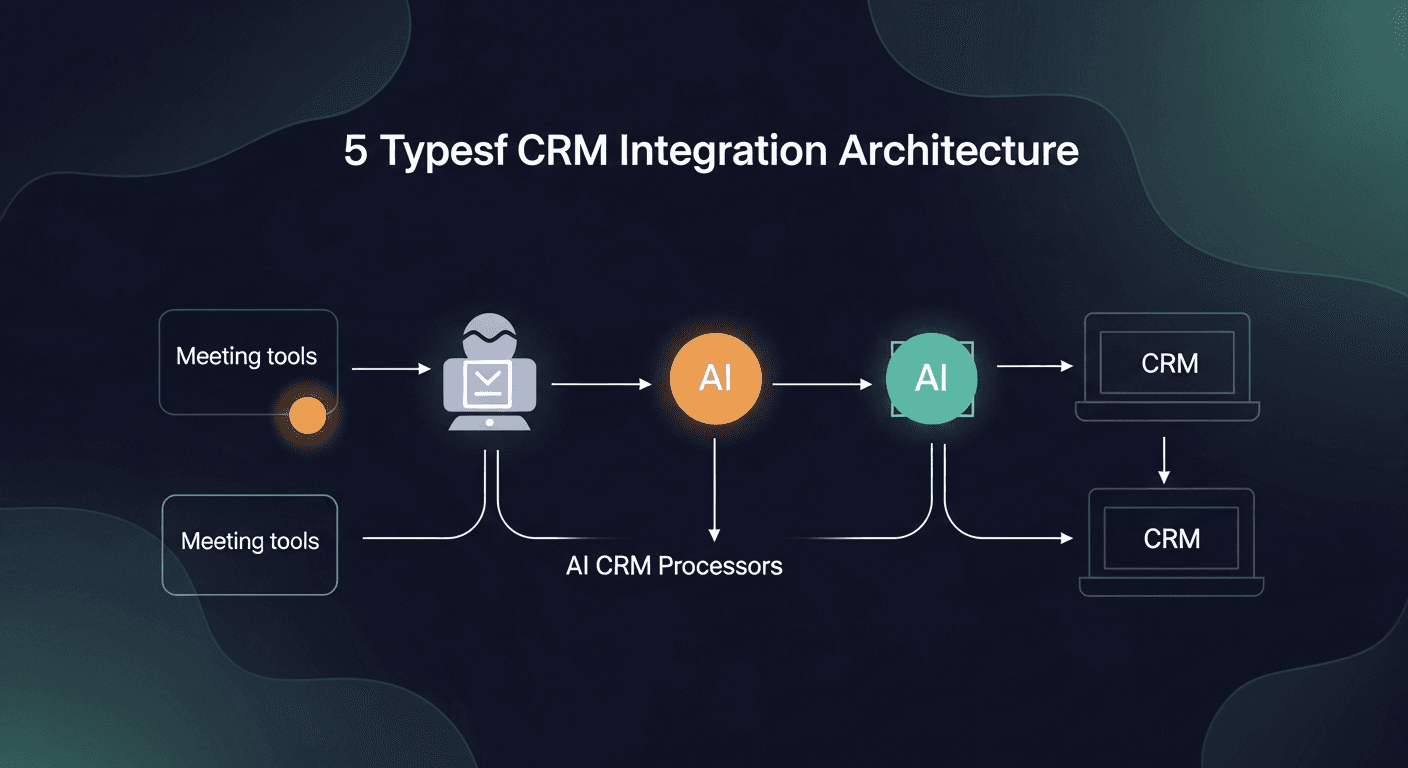
The 5 Types of AI CRM Integration Architecture
Understanding how different tools connect to your CRM helps you choose the right solution for your tech stack:
Native CRM AI Features
Salesforce Einstein, HubSpot AI, and Microsoft Dynamics Copilot build AI directly into the CRM platform. These work seamlessly with existing workflows but often lack depth compared to specialized tools.
Best for: Teams already heavily invested in one CRM ecosystem who want basic automation without adding tools.
Conversation Intelligence Platforms
Gong, Chorus.ai, and Avoma record sales calls and sync insights back to CRM fields. They excel at analyzing talk patterns and deal risk but require reps to use their meeting tools.
Best for: Enterprise teams with dedicated sales enablement resources who need coaching analytics.
Meeting-Centric AI Assistants
Otter.ai, Fireflies, and Grain focus on transcription and note-taking, with CRM sync as a secondary feature. Data flows one direction (notes to CRM) without updating opportunity logic.
Best for: Small teams wanting affordable transcription with basic CRM logging.
Sales Automation Platforms
Outreach, Salesloft, and Apollo combine prospecting, sequencing, and CRM sync. They automate outbound workflows but treat post-meeting follow-up as an afterthought.
Best for: SDR teams focused on top-of-funnel prospecting and cadence management.
Post-Meeting Follow-Up Systems
ReplySequence and similar specialized tools sit between your meetings and CRM, automatically generating follow-up emails with accurate recap details, syncing action items, and updating deal stages based on conversation outcomes.
Best for: Account executives and closing reps who need sophisticated follow-up automation without platform switching.
Key Features to Compare in Sales Automation CRM Sync
When evaluating AI CRM integration for sales, assess these capabilities:
Automatic Data Capture Accuracy
What to look for: Does the AI correctly identify deal stage changes, next steps, and stakeholder roles without manual review?
- Gold standard: 90%+ accuracy on action item extraction from natural conversation
- Red flag: Requires significant post-call editing to fix misidentified information
- Test it: Run a demo call discussing pricing, timelines, and technical requirements, see how accurately it populates CRM fields
Bi-Directional Sync Capabilities
What to look for: Does data flow both ways between the AI tool and your CRM?
- Must-have: Updates in CRM trigger changes in the AI system (deal stage shift alerts the follow-up tool)
- Nice-to-have: Pre-call briefings pulled from CRM opportunity data
- Deal-breaker: One-way sync that only pushes notes to CRM without reading context back
Field-Level Mapping Flexibility
What to look for: Can you control which AI-extracted insights map to which CRM fields?
- Enterprise requirement: Custom field mapping for proprietary sales methodologies (MEDDIC, SPICED, etc.)
- Standard expectation: Maps to common CRM objects (Tasks, Opportunities, Contacts, Activities)
- Warning sign: Rigid structure that forces you to change CRM schema to accommodate the tool
Multi-CRM Support
What to look for: If you use multiple CRMs or might switch platforms, can the tool adapt?
Top-tier tools in 2026 support:
- Salesforce (Sales Cloud and Revenue Cloud)
- HubSpot (Sales Hub and Marketing Hub)
- Pipedrive
- Zoho CRM
- Microsoft Dynamics 365
- Close
- Copper
Real-Time vs. Batch Processing
What to look for: How quickly after a meeting does data appear in your CRM?
- Real-time sync: Data appears within 60-90 seconds of call ending (critical for back-to-back meeting days)
- Batch processing: Updates happen every 15-30 minutes (acceptable for most teams)
- Delayed sync: Overnight or manual trigger required (unacceptable for modern sales velocity)
Task and Follow-Up Automation
What to look for: Does the system create specific, actionable tasks or generic reminders?
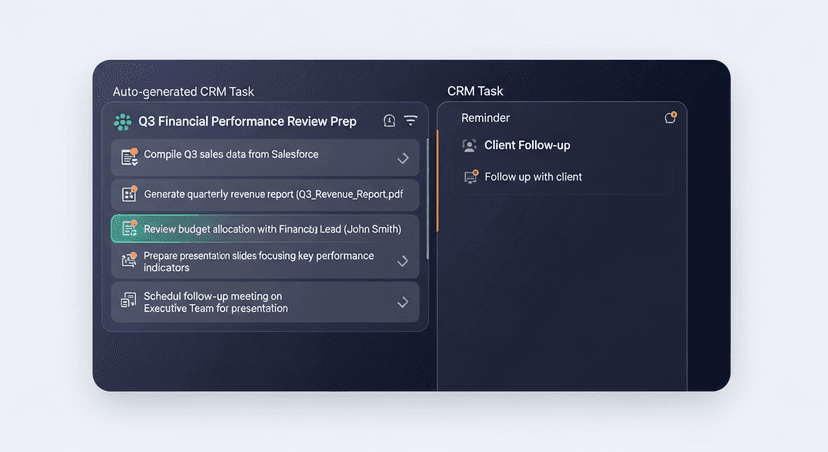
Strong implementation example:
- Meeting ends at 3PM
- AI detects commitment: "Send over the security questionnaire by Friday"
- CRM task auto-created: "Email security questionnaire to [contact name]" due Friday 9AM
- Follow-up email draft generated with questionnaire attached
Weak implementation example:
- Generic task: "Follow up with prospect"
- No context about what was promised
- Rep has to listen to call recording to remember details
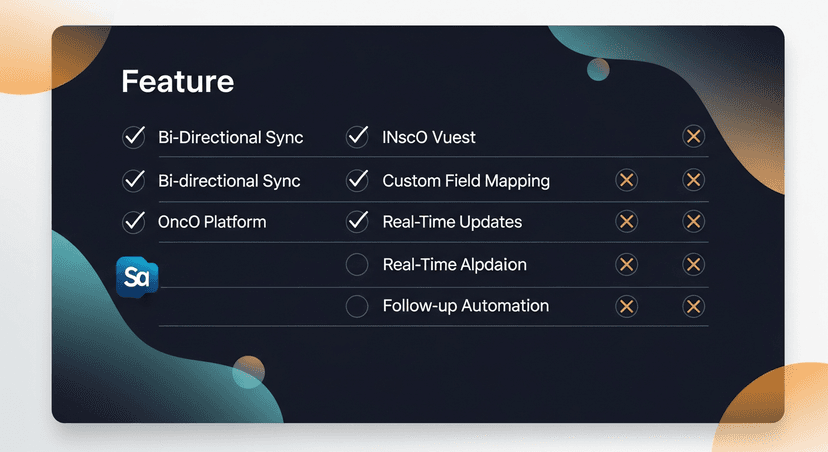
2026 AI CRM Integration Comparison Matrix
Here's how leading solutions stack up across critical dimensions for sales teams:
Enterprise Conversation Intelligence
Gong
- CRM integration strength: Deep Salesforce partnership with Revenue Intelligence features
- Automation capability: Advanced deal risk scoring and pipeline prediction
- Data sync: Bi-directional with custom field mapping
- Best use case: Enterprise teams with complex sales cycles needing coaching analytics
- Pricing range: $1,200-$1,800 per user/year
- Limitation: Requires full platform adoption, can't use just the CRM sync piece
Chorus.ai (ZoomInfo)
- CRM integration strength: Strong Salesforce and HubSpot native integrations
- Automation capability: Conversation analytics with deal intelligence
- Data sync: Real-time bi-directional sync
- Best use case: Mid-market teams wanting call analysis + CRM automation
- Pricing range: $900-$1,400 per user/year
- Limitation: Best features locked behind enterprise tiers
Meeting Intelligence Tools
Fireflies.ai
- CRM integration strength: Connects to 40+ CRMs but sync is shallow
- Automation capability: Basic transcription and keyword alerts
- Data sync: One-way push of notes to CRM activity feed
- Best use case: Budget-conscious teams wanting transcription with basic logging
- Pricing range: $120-$300 per user/year
- Limitation: Doesn't update deal stages or create sophisticated follow-up tasks
Grain
- CRM integration strength: HubSpot and Salesforce with deal-aware context
- Automation capability: Clip sharing and highlight reels for training
- Data sync: Selective sync, choose which calls update CRM
- Best use case: Customer success and sales teams sharing call insights cross-functionally
- Pricing range: $180-$450 per user/year
- Limitation: Follow-up email generation not included
Sales Engagement Platforms
Outreach
- CRM integration strength: Enterprise-grade Salesforce sync with governance controls
- Automation capability: Sequence automation and A/B testing
- Data sync: Bi-directional with conflict resolution logic
- Best use case: SDR and AE teams needing outbound automation + CRM hygiene
- Pricing range: $1,200-$1,800 per user/year
- Limitation: Post-meeting follow-up features are basic compared to pre-meeting tools
Salesloft
- CRM integration strength: Salesforce and Dynamics with revenue workflow automation
- Automation capability: Cadence management and dialer integration
- Data sync: Real-time with rollback capabilities
- Best use case: High-velocity sales teams with complex territory management
- Pricing range: $1,000-$1,600 per user/year
- Limitation: Meeting intelligence requires add-on Conversation Intelligence package
Specialized Post-Meeting Follow-Up
ReplySequence
- CRM integration strength: Universal connector supporting 15+ CRMs with intelligent field mapping
- Automation capability: AI-generated follow-up emails with meeting context, automatic action item extraction, deal stage updates
- Data sync: Bi-directional real-time sync within 60 seconds
- Best use case: AEs and closing reps who need sophisticated follow-up without switching platforms
- Pricing range: $300-$600 per user/year
- Limitation: Focused on post-meeting workflows, not prospecting or call coaching
Key differentiator: ReplySequence sits downstream of your meeting tool (works with Zoom, Teams, Google Meet, Gong, Chorus) and focuses exclusively on what happens after the call, generating contextually accurate follow-ups and ensuring CRM data matches reality.
Implementation Best Practices for Sales Automation CRM Sync
Successful AI CRM integration requires more than just connecting APIs. Here's how top-performing teams deploy these systems:
Phase 1: CRM Field Audit (Week 1)
Before connecting any AI tool:
- Document current fields: List all opportunity, contact, and activity fields your team actually uses
- Identify manual entry bottlenecks: Which fields do reps complain about filling out?
- Define required vs. optional data: What does your revenue team need for accurate forecasting?
- Map to sales methodology: How do BANT, MEDDIC, or your framework translate to CRM fields?
Phase 2: Pilot with Power Users (Weeks 2-4)
Don't roll out company-wide immediately:
- Select 5-8 top performers who are CRM-compliant already (they'll spot gaps)
- Run parallel workflows (AI tool + manual entry) for first two weeks to verify accuracy
- Daily check-ins to catch field mapping errors before they become patterns
- Measure time savings with before/after metrics on CRM update duration
Phase 3: Refinement and Rule-Building (Week 5-6)
Use pilot feedback to tune the system:
- Adjust field mappings based on accuracy issues
- Create automation rules for common scenarios (demo = move to "Demo Completed" stage)
- Build exception handling for edge cases your team encounters
- Document the new workflow in your sales playbook
Phase 4: Broad Rollout with Training (Week 7)
Expand to full team with proper enablement:
- 30-minute training session showing how the integration works
- Cheat sheet for when to override AI suggestions vs. trusting them
- Slack channel for questions during first month
- Weekly accuracy reports showing CRM completion rates
Ongoing Optimization
AI CRM integration isn't set-and-forget:
- Monthly accuracy audits: Pull 20 random opportunities and verify AI-logged data against recordings
- Quarterly field reviews: As your sales process evolves, update field mappings
- Rep feedback loops: Surface consistent AI misinterpretations to vendor support
- ROI tracking: Monitor time savings, forecast accuracy improvement, and close rate impact
Real-World Impact: How AI CRM Integration Transforms Sales Performance
Case Study: Mid-Market SaaS Company
Challenge: 23-person sales team spending 5+ hours weekly on CRM updates, 64% forecast accuracy
Solution: Implemented post-meeting AI CRM integration with automated follow-up
Results after 90 days:
- CRM data entry time: Reduced from 5.2 hours to 0.8 hours per rep per week (85% reduction)
- Forecast accuracy: Improved from 64% to 89%
- Follow-up response rate: Increased 41% due to faster, more accurate post-meeting emails
- Pipeline visibility: Managers gained real-time insight without asking reps for updates
Key insight: The combination of automated CRM sync and intelligent follow-up generation created a compounding effect, not only did reps save time, but prospects engaged faster because follow-ups arrived within minutes with accurate action items.
Case Study: Enterprise Tech Sales Team
Challenge: Complex sales cycles with multiple stakeholders, inconsistent CRM data across 60-person team
Solution: Deployed conversation intelligence platform with deep Salesforce integration
Results after 6 months:
- Deal cycle time: Decreased 18% due to better next-step clarity
- CRM adoption: Reached 97% (from 73%) because reps trusted auto-populated data
- Win rate: Improved 12% attributed to better deal qualification insights
- Onboarding time: New reps reached productivity 3 weeks faster with AI-assisted meeting prep
Key insight: The bi-directional sync meant reps could trust the CRM as a source of truth rather than seeing it as a reporting burden, when the system worked for them (pulling pre-call briefs), they embraced it working for leadership (accurate pipeline data).
Common Pitfalls to Avoid with Meeting Intelligence CRM Integration
Over-Automating Too Soon
The mistake: Turning on every automation feature from day one
Why it fails: AI makes mistakes, especially early. If the system auto-closes opportunities or sends follow-ups without human review, errors damage customer relationships.
Better approach: Start with AI suggestions that require one-click approval, then gradually increase automation as accuracy improves.
Ignoring Data Privacy and Compliance
The mistake: Recording all calls and syncing everything to CRM without consent protocols
Why it fails: GDPR, CCPA, and industry-specific regulations require explicit consent for recording and data processing.
Better approach: Configure recording consent workflows, establish data retention policies, and ensure your AI vendor is SOC 2 compliant.
Treating All CRM Fields Equally
The mistake: Trying to auto-populate every field including strategic judgment calls
Why it fails: AI can capture facts (next meeting date, budget mentioned) but shouldn't auto-fill subjective assessments ("Is this a qualified opportunity?").
Better approach: Automate objective data capture, leave strategic fields for human judgment, clearly document which is which.
Neglecting Change Management
The mistake: Announcing the new tool in a company-wide email and expecting adoption
Why it fails: Reps who've developed their own CRM workarounds resist new systems without understanding the benefit.
Better approach: Lead with "this saves you 5 hours per week" messaging, show specific examples from pilot users, celebrate early wins publicly.
How to Choose the Right AI CRM Integration for Your Sales Team
Use this decision framework based on your team's primary pain point:
If your biggest problem is: Incomplete CRM data killing forecast accuracy
Choose: Conversation intelligence platform with deep analytics (Gong, Chorus.ai)
Why: These tools analyze entire calls to extract deal health signals beyond what reps manually enter, giving revenue leaders predictive insights.
If your biggest problem is: Reps hate data entry and skip CRM updates
Choose: Automated CRM data entry tool with minimal manual intervention (ReplySequence, Fireflies + custom automation)
Why: The path of least resistance wins, if reps don't have to think about CRM, they'll comply.
If your biggest problem is: Slow follow-up causing deals to go cold
Choose: Post-meeting follow-up system with CRM integration (ReplySequence)
Why: Speed to follow-up matters more than perfect data, a good recap email sent 5 minutes after the call beats perfect CRM logging 2 days later.
If your biggest problem is: New reps can't replicate top performer behaviors
Choose: Coaching-focused conversation intelligence (Gong, Chorus.ai, Avoma)
Why: These platforms highlight winning talk patterns and provide scorecards for manager coaching.
If your biggest problem is: Too many tools, need consolidation
Choose: All-in-one sales engagement platform (Outreach, Salesloft)
Why: Despite less sophisticated AI, having one system for prospecting, meetings, and CRM reduces tool fatigue.
The Future of AI CRM Integration: What's Coming in 2026-2027
The AI CRM integration landscape is evolving rapidly. Here's what leading sales teams should prepare for:
Predictive Deal Stage Advancement
Current systems log what happened. Next-gen tools will predict optimal next steps based on 100,000+ historical deal patterns: "Based on similar opportunities, schedule a technical deep-dive with their IT team within 5 days to maintain momentum."
Autonomous CRM Hygiene
AI will proactively clean duplicate contacts, merge conflicting opportunity data, and flag impossible timeline combinations ("Demo scheduled for next week but opportunity close date is in 3 days").
Cross-Platform Intelligence
Integrations will synthesize data from email, calendar, CRM, proposal tools, and conversation platforms to build complete customer journey maps automatically.
Voice-Activated CRM Updates
Sales reps will update deals while driving between meetings: "Alexa, tell Salesforce the Johnson deal moved to negotiation and we need legal review by Friday."
Buyer Signal Detection
AI will monitor not just your meetings but public signals (job changes, funding announcements, technology adoption) and auto-update CRM records with context: "Key contact changed roles, recommend re-engaging with new messaging."
Get Started with AI CRM Integration Today
The sales teams winning in 2026 aren't the ones with the most sophisticated tech stacks, they're the ones who eliminated friction between customer conversations and CRM accuracy. When your reps finish a call and the follow-up email is already drafted, the next meeting is scheduled, and the CRM is updated with exact action items, that's when you know your integration is working.
Start by auditing where your team loses time today. Is it manual CRM entry? Delayed follow-ups? Incomplete deal data? Choose the AI CRM integration that solves your specific bottleneck rather than chasing the most features.
For sales teams focused on closing deals faster with better follow-up, ReplySequence connects your meeting intelligence directly to your CRM while automatically generating contextual follow-up emails that prospects actually respond to. Visit replysequence.com to see how AI-powered post-meeting automation can save your team 8+ hours per week while improving pipeline accuracy by 40%+.
Related reading
How ReplySequence handles this
ReplySequence takes any meeting transcript, paste it in from Zoom, Teams, Meet, WebEx, Fireflies, Granola, or wherever, and drafts a context-rich follow-up email in about 8 seconds. You review it, make any edits, and approve. Deal intelligence builds automatically.