How to Use MEDDIC to Qualify Deals After Every Meeting
MEDDIC qualification after a meeting works best when you do it immediately, while the transcript is still fresh. The framework gives you six specific gaps to check: Metrics, Economic Buyer, Decision Criteria, Decision Process, Identify Pain, and Champion. Run those six checks against your transcript right after the call ends and you'll know exactly where the deal stands before you write a single follow-up word.
Most reps skip this step. They close the Zoom tab, fire off a "great chatting" email, and update CRM fields from memory two days later. That's where deals go quiet. MEDDIC isn't magic: it's a structured way to catch the gaps you'd otherwise miss until the deal is already dead.
What MEDDIC Actually Means (and Which Letter Trips People Up Most)
Quick level-set before the how-to. MEDDIC stands for:
- M, Metrics: What's the quantified business impact they're trying to hit? Revenue, cost reduction, time saved?
- E, Economic Buyer: Who controls the budget? Have you actually spoken to them, or only to a champion?
- D, Decision Criteria: What does the prospect use to evaluate vendors? Price, integration depth, security certs?
- D, Decision Process: What are the steps to get from "we're interested" to a signed contract?
- I (Identify Pain: What's the specific, felt business problem) not the feature request, the underlying pain?
- C, Champion: Who inside the account wants you to win and has internal credibility to advocate for you?
The letter that bites people most is E, Economic Buyer. Research from Gartner shows the average B2B buying group now involves 6 to 10 stakeholders. Reps often mistake a director-level champion for the economic buyer and are surprised when a VP they've never met kills the deal in the last week.
Knowing the framework isn't the problem. Applying it consistently after every single call: that's the discipline gap.
How to Run MEDDIC Qualification Against Your Meeting Transcript
Here's the actual workflow. You'll need your transcript (from Fireflies, Fathom, Otter, Granola, or wherever you record) and about 10 minutes.
Step 1: Paste the Transcript and Scan for Evidence, Not Impressions
Don't rely on memory. Pull the transcript. Ctrl+F for the economic buyer's name if you know it. Search for words like "budget," "approved," "legal," "security review": those are process signals hiding in the conversation.
For each MEDDIC letter, ask one diagnostic question:
- M: Did they give me a number? "We need to reduce churn by 15%" counts. "We want to improve retention" does not.
- E: Did the person on the call say the words "I can approve this" or "my budget"? If not, the economic buyer is still unknown.
- D (Criteria): Did they list what they're comparing vendors on? Did they mention a competitor by name?
- D (Process): Did they describe the next steps they need internally, security review, legal, board sign-off?
- I: Did they say the pain in dollar terms or consequence terms? "If we don't fix this, we lose the contract" is real pain. "It would be nice to streamline" is not.
- C: Did someone in the room push back on your behalf, defend your pricing, or say "I'll make sure this moves forward"?
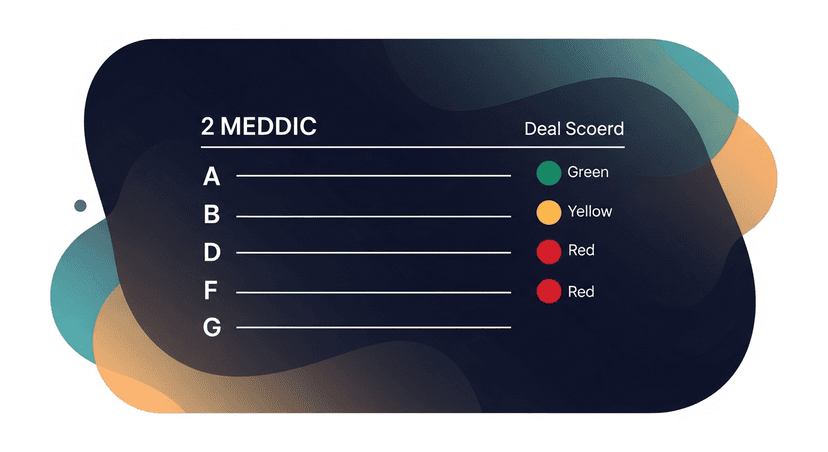
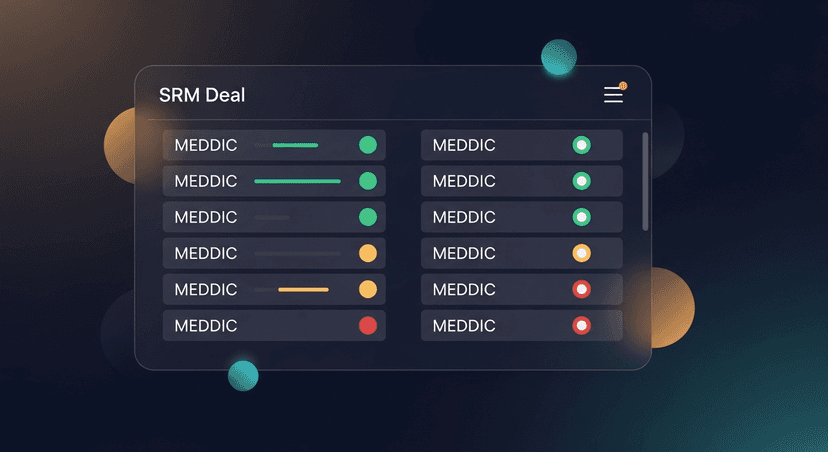
Mark each letter as Green (confirmed in transcript), Yellow (partially confirmed, needs follow-up), or Red (not discussed at all).
Step 2: Turn the Gaps Into Follow-Up Questions
Every Red and Yellow is a job for your follow-up email. This is the link between MEDDIC qualification and follow-up execution that most frameworks ignore: they tell you what to discover, not how to re-open the conversation without sounding interrogatory.
Here's how to translate each gap into a natural follow-up question:
- Red E (Economic Buyer unknown): "You mentioned looping in Sarah, would it make sense for me to send her a brief summary so she has context before your next internal sync?"
- Red D (Decision Process unclear): "I want to make sure I'm supporting your internal process the right way, what typically needs to happen on your end before a vendor agreement gets signed?"
- Yellow M (Metrics vague): "You mentioned improving close rates, do you have a current baseline number? It'll help me show you the specific ROI scenario."
- Red C (No champion identified): "Who else on your team would be most affected by this, someone who'd be a day-to-day user and feel the impact directly?"
You're not interrogating. You're demonstrating that you were paying attention and that you want to help them build an internal case.
ReplySequence does this automatically, paste any transcript, get a branded follow-up sequence back in 60 seconds, with gap-filling questions built into the draft.
Step 3: Update Your CRM Before the Follow-Up Sends
This order matters. MEDDIC notes first, CRM update second, follow-up email third.
Why? Because if you write the email before you update the CRM, you'll write a generic "great chatting" email and rationalize that the deal is further along than it is. Updating the deal stage and MEDDIC fields forces honesty. A Red on Economic Buyer means this is not a Stage 3 deal, no matter how good the call felt.
If your CRM has custom fields, map them:
- Opportunity Score or Deal Health → your overall MEDDIC RAG status
- Next Steps → pulled directly from Decision Process notes
- Pain Statement → exact quote from the transcript, not a paraphrase
- Economic Buyer → name, title, confirmed or unconfirmed
The exact quote matters. "We're bleeding $40k a month on manual processing" in the pain field hits differently in a forecast review than "prospect wants to save time."
Step 4: Score the Deal, Then Set a Next Action
Count your greens. A rough benchmark from practitioners in the MEDDIC community:
- 5-6 Green: High confidence. Push for next meeting with Economic Buyer or send proposal.
- 3-4 Green: Qualified but fragile. Prioritize filling the Reds in the next interaction.
- 0-2 Green: Early stage or poorly qualified. Don't forecast this quarter. Focus on discovery.
Every MEDDIC session should end with one specific next action tied to the biggest Red. Not "follow up next week", "email Sarah the ROI summary by Thursday and ask to get 20 minutes with her before their April 30 internal review."
Vagueness is how deals stall. Specificity is how they move.
A Scenario: What This Looks Like in Practice
A solo founder running discovery calls for a B2B SaaS product wraps a 45-minute Zoom. The call felt great. The prospect was engaged, asked good questions, mentioned their Q3 budget cycle.
They paste the Fireflies transcript and run the MEDDIC check.
- M: Yellow, prospect said "we want to grow revenue" but no specific number surfaced
- E: Red: they mentioned "my VP will need to weigh in" but the VP wasn't on the call and wasn't named
- D (Criteria): Green, prospect listed three must-haves: Salesforce integration, SOC 2 compliance, and a per-seat price under $50
- D (Process): Yellow: they said "a few internal steps" but didn't specify legal review or security questionnaire
- I: Green, "we're losing deals because follow-ups fall through the cracks" (exact quote, pulled from transcript)
- C: Yellow: the AE on the call said "I'll champion this internally" but hasn't demonstrated internal credibility yet
Result: 2 Green, 3 Yellow, 1 Red. Not a Stage 3 deal. The follow-up email leads with a specific ROI question (M), asks how to get the VP the right context (E), and requests a 15-minute call to walk through the implementation timeline (D Process).
That's not a "just following up" email. That's a deal-advancing move disguised as a polite check-in.
Why MEDDIC Qualification After Every Meeting Compounds Over Time
One MEDDIC check is useful. Doing it after every meeting builds something better: a paper trail of how the deal evolved.
When the deal is in forecast review six weeks later, you don't have to reconstruct the conversation from memory. You have a dated log of every gap you identified and every action you took to close it. That's credibility in front of your manager and clarity in your own head.
Industry research consistently shows that deals with a clear champion and a confirmed economic buyer close at significantly higher rates than those without, and it's not because better reps happen to find those deals. It's because the discipline of checking for them surfaces the gaps early enough to do something about it.
The MEDDIC framework has been around since the 1990s, developed at PTC by Jack Napoli and Dick Dunkel. It's not new. What's changed is that every meeting now produces a transcript, and that transcript is a searchable, quotable artifact you can run the framework against in minutes instead of relying on memory.
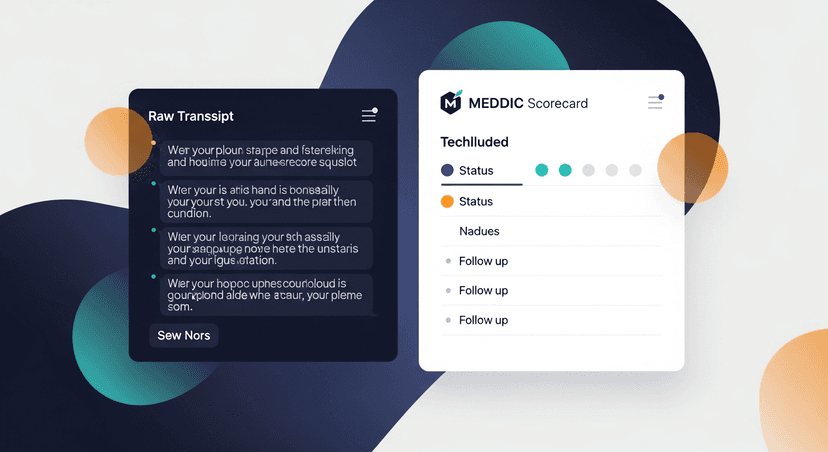
Transcript in, MEDDIC scorecard out. That's the discipline.
—-
If you want the follow-up email to write itself while you're doing the MEDDIC check, ReplySequence is built for that. Paste any transcript (from Fireflies, Fathom, Otter, Granola, wherever) and get a branded follow-up sequence back in 60 seconds. Start free: 10 drafts a month, no credit card required.
Get the weekly ReplySequence newsletter for more post-meeting follow-up tactics, subscribe at replysequence.com/newsletter.
Related reading
- How to Use Meeting Notes to Coach Your Sales Team on Deals
- The Hidden Leak in Your Pipeline: What Actually Happens After 'Great Call'
- How to Re-Engage a Prospect Who Went Silent After a Meeting
—-
What you should do next…
Depending on where you're at, here are three ways to keep going:
- Grab the free playbook, "The 8-Second Follow-Up Playbook" lands in your inbox. You'll also get Close The Loop, weekly notes on post-meeting follow-up (unsubscribe anytime, no pitch).
- Try it with your own transcript, paste any meeting transcript, get a drafted follow-up in 30 seconds. No signup, no OAuth.
- Talk directly with Jimmy, 15-min intro or 30-min walkthrough. Founder-led, no sales team.
How ReplySequence handles this
ReplySequence takes any meeting transcript, paste it in from Zoom, Teams, Meet, WebEx, Fireflies, Granola, or wherever, and drafts a context-rich follow-up email in about 8 seconds. You review it, make any edits, and approve. Deal intelligence builds automatically.