 ReplySequence






Sales Automation After Meetings: 7 Benefits
```json
{
"title": "Sales Automation After Meetings: 7 Benefits",
"slug": "sales-automation-after-meetings-benefits",
"excerpt": "Sales automation after meetings cuts follow-up time, improves reply rates, and keeps deals moving. Here are 7 concrete benefits worth knowing.",
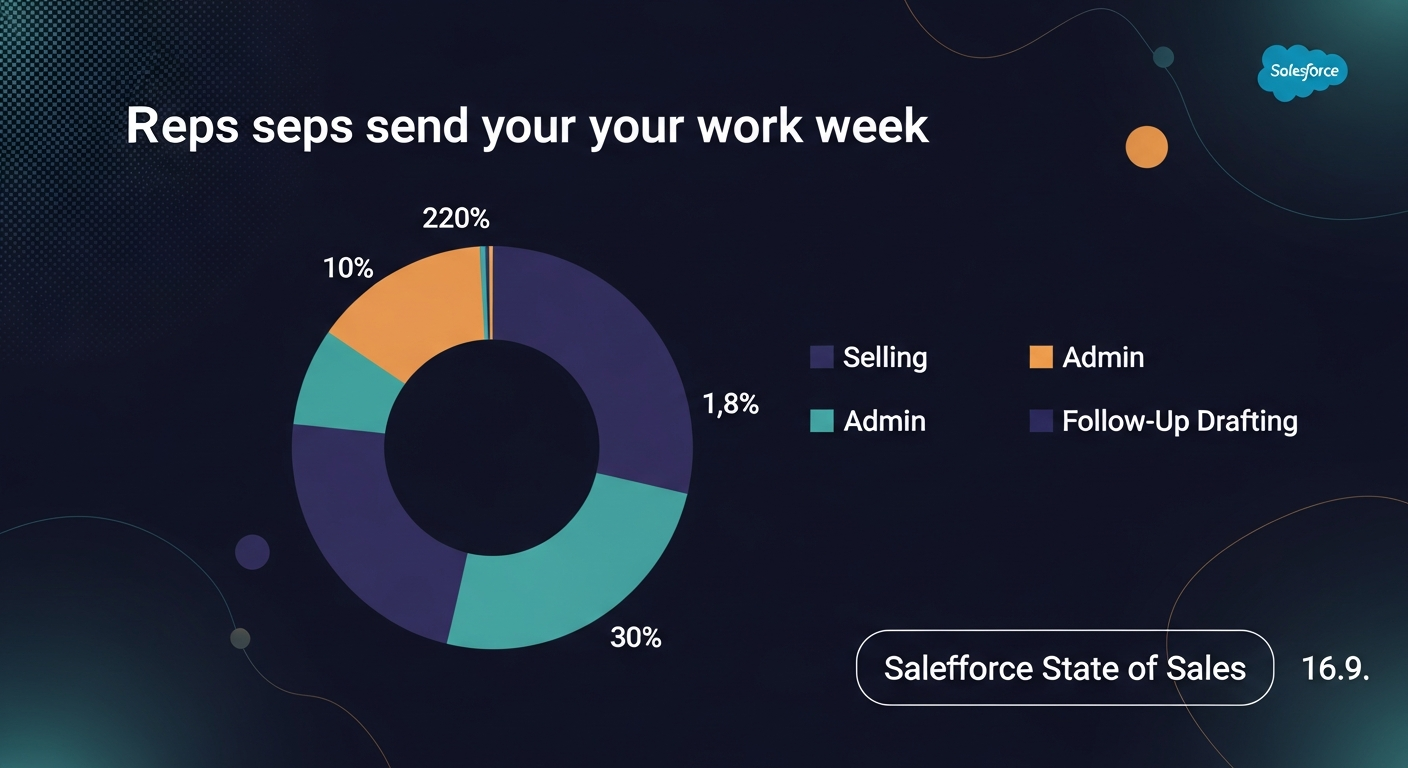
"content": "Sales automation after meetings closes the gap between a great call and a dead deal. Most sales tools stop at the recording — nothing handles what happens after the meeting ends, and that's where momentum dies.\n\nResearch from HubSpot consistently shows that 50% of sales go to the vendor who responds first. Yet the average rep spends 30+ minutes manually drafting a single follow-up email. Do the math on a full pipeline and that's hours gone every week — to a task that could be automated.\n\nHere are seven concrete benefits of automating your post-meeting follow-up.\n\n## 1. You Follow Up Faster — Every Single Time\n\nSpeed matters more than almost anything else in post-meeting sales motion. A prospect's attention is highest right after a call. Studies from Lead Response Management show contact rates drop by over 10x if you wait longer than an hour to follow up.\n\nManual drafting is the bottleneck. Most reps open a blank email, scroll back through notes, and piece together a summary from memory. That process takes 20-40 minutes on a good day. Automation compresses it to under 60 seconds.\n\nThe scenario: an AE finishes a discovery call at 2:15 PM. With automation, a personalized follow-up is in the prospect's inbox by 2:16. Without it, the email goes out at 4:30 — if it goes out at all.\n\n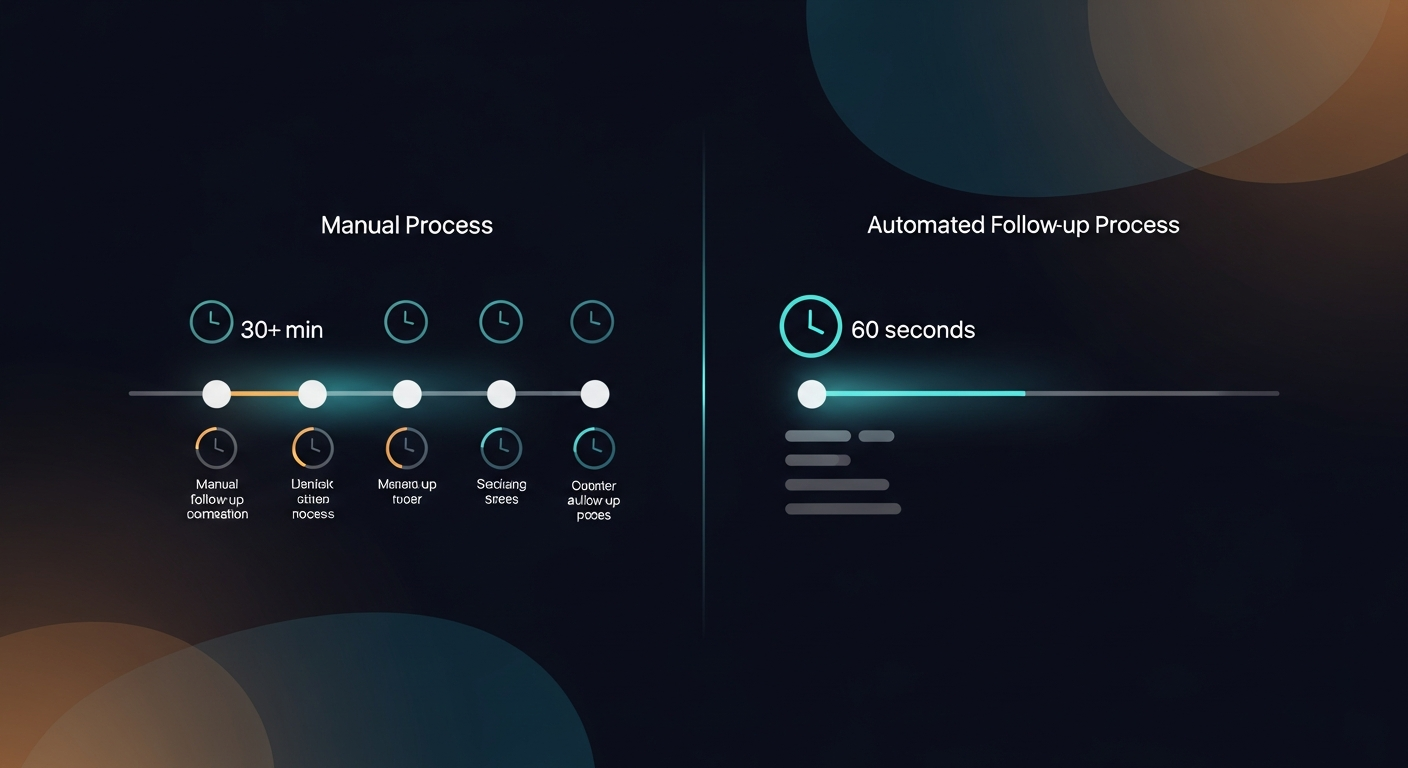 \n\n## 2. Nothing from the Meeting Gets Lost\n\nHuman memory is unreliable, especially across back-to-back calls. A recruiter running six candidate screens in a day isn't going to remember every nuance from the 10 AM call when they're writing notes at 5 PM.\n\nPost-meeting automation pulls directly from the transcript — not from memory. Every action item, every objection, every specific commitment the prospect made gets captured and reflected in the follow-up. The email becomes a precise mirror of the actual conversation.\n\nThis matters for deals too. When your follow-up email accurately references what was discussed — "you mentioned your current tool doesn't integrate with Salesforce" — it signals to the prospect that you were actually listening. That builds trust fast.\n\nReplySequence does this automatically — paste any transcript, get a branded follow-up sequence back in 60 seconds.\n\n## 3. Consistency Across the Whole Team\n\nOne of the messiest problems in sales management is that follow-up quality is wildly inconsistent rep to rep. Your top performer sends a crisp, structured recap with clear next steps. A newer rep sends three sentences and a vague "let me know." Same product. Same meeting. Completely different buyer experience.\n\nPost-meeting sales automation enforces a consistent structure — summary, action items, next steps, CTA — on every follow-up, every time. Managers don't have to chase reps or review every draft manually. The baseline is already good.\n\nFor teams on the Team plan, shared templates mean everyone's working from the same playbook. A solo founder running their own sales gets the same benefit without needing a team at all.\n\n## 4. Reps Actually Have Time to Sell\n\nThis one sounds obvious but the numbers make it concrete. If a rep handles 15 meetings a week and spends 30 minutes on follow-up per meeting, that's 7.5 hours a week on email drafting alone. That's nearly a full workday.\n\nAccording to Salesforce's State of Sales report, reps spend only 28% of their week actually selling — the rest goes to admin, data entry, and internal tasks. Post-meeting automation claws some of that time back.\n\nThe recovered hours don't disappear — they go toward prospecting, discovery prep, and relationship building. The work that actually moves deals forward.\n\n
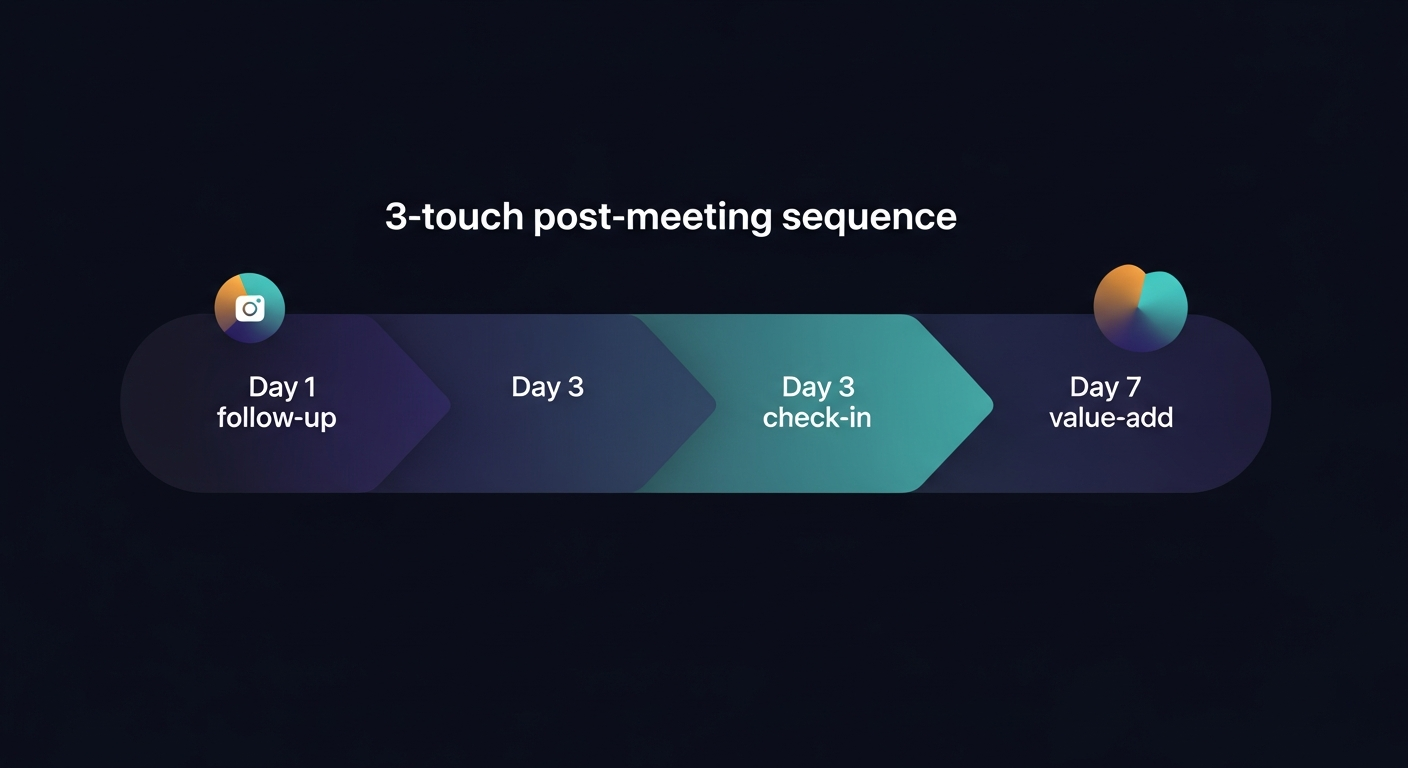
 \n\n## 5. Your Follow-Ups Sound Like You, Not Like a Template\n\nThe knock against automated email has always been that it sounds automated. Generic. GPT-default. Prospects can smell a template from three sentences in.\n\nThe right AI sales follow-up tool solves this with what I call voice-fingerprint. Instead of generating the same bland output for everyone, the system learns from how you edit its drafts. Over time, your tone, your sentence rhythm, your preferred phrasing — all of it gets baked into the output. The draft sounds like you wrote it, because in a meaningful sense, you trained it to.\n\nPersonalization isn't just about inserting a first name. It's about the email reading like a human sent it. That's what drives reply rates.\n\n## 6. Multi-Touch Sequences Without the Enterprise Price Tag\n\nA single follow-up email rarely closes a deal. Industry research from Yesware and others consistently shows that most replies come after the second or third touch. The problem is that most tools for running post-meeting sequences — HubSpot Sales Hub Pro, Outreach, Salesloft — are built for enterprise and priced accordingly. HubSpot Sales Hub Pro runs $90+/seat/month before you even factor in onboarding.\n\nFor a 10-person sales team at a Series A company, that's a real budget decision. For a solo founder or a 3-person agency, it's a non-starter.\n\nPost-meeting automation handles sequences without the enterprise CRM tax. You get the follow-up on day 1, the check-in on day 3, the value-add on day 7 — built from the transcript, logged to your CRM — without needing to adopt a $1,000/month platform to run it.\n\n
 \n\n## 7. Every Follow-Up Gets Logged Without the Manual Data Entry\n\nCRM hygiene is one of those things every sales manager wants and nobody wants to maintain. Reps don't log calls because logging calls is tedious. Follow-up emails don't make it into the CRM because copy-pasting from Gmail is nobody's favorite task.\n\nPost-meeting automation closes this loop. When a follow-up is drafted and sent, it gets logged to the CRM automatically. The deal record stays current without anyone touching it manually. Pipeline visibility improves without adding work to anyone's plate.\n\nFor managers, this is huge. Forecasting, deal review, coaching — all of it depends on accurate data in the CRM. If the data isn't there, the forecast is fiction.\n\n## The Common Thread\n\nEvery one of these seven benefits traces back to the same root problem: the meeting went great, then nothing happened. The call ended, momentum stalled, and the deal cooled while someone drafted an email for 40 minutes or forgot entirely.\n\nSales automation after meetings doesn't replace the human relationship — it protects it. The rep still runs the call. The relationship is still theirs. Automation just makes sure the follow-up actually happens, quickly, accurately, and consistently.\n\nIf you're already using Fireflies, Otter, Fathom, Granola, or any other recorder for transcription, you're most of the way there. You have the transcript. The last mile is turning that transcript into a sent email. That's the gap worth closing.\n\n—-\n\nStart free at replysequence.com — 10 drafts/month, no credit card required. If you want unlimited drafts, voice-fingerprint, and CRM logging, Pro is $29/month with a 14-day free trial.\n\nGet the weekly ReplySequence newsletter for more post-meeting follow-up tactics — subscribe at replysequence.com/newsletter.",
"date": "2026-04-26",
"author": "Jimmy Hackett",
"tags": ["sales automation", "follow-up emails", "post-meeting workflow", "AI sales tools", "sales productivity"],
"readingTime": 7,
"faqs": [
{
"question": "What is sales automation after meetings?",
"answer": "Sales automation after meetings refers to using software to automatically generate, personalize, and send follow-up emails and sequences based on a meeting transcript — without the rep spending 30+ minutes drafting manually. It closes the gap between a completed call and the prospect receiving a recap."
},
{
"question": "How much time does automated follow-up save per meeting?",
"answer": "Most reps spend 20-40 minutes drafting a single post-meeting follow-up email. Automation compresses that to under 60 seconds by pulling directly from the transcript. Across 15 meetings a week, that's potentially 7+ hours reclaimed."
},
{
"question": "Does automated follow-up sound generic or templated?",
"answer": "It depends on the tool. The best AI sales follow-up tools use voice-fingerprint technology — learning from how you edit drafts over time so the output sounds like you, not like a generic GPT default. Personalization goes beyond inserting a first name."
},
{
"question": "Do I need to replace my meeting recorder to use post-meeting sales automation?",
"answer": "No. The best post-meeting automation tools are transcript-agnostic — you paste the transcript from Fireflies, Otter, Fathom, Granola, Zoom, or any other source, and the tool handles the follow-up from there. No new recorder required."
},
{
"question": "Is post-meeting sales automation only for enterprise sales teams?",
"answer": "No. While enterprise tools like HubSpot Sales Hub Pro and Outreach offer sequence features, they're priced for large teams. Lightweight post-meeting automation tools start free and offer sequences without the enterprise CRM cost — making them viable for solo founders, agencies, and small sales teams."
}
],
"jsonLd": "{\"@context\":\"https://schema.org\",\"@type\":\"FAQPage\",\"mainEntity\":[{\"@type\":\"Question\",\"name\":\"What is sales automation after meetings?\",\"acceptedAnswer\":{\"@type\":\"Answer\",\"text\":\"Sales automation after meetings refers to using software to automatically generate, personalize, and send follow-up emails and sequences based on a meeting transcript — without the rep spending 30+ minutes drafting manually. It closes the gap between a completed call and the prospect receiving a recap.\"}},{\"@type\":\"Question\",\"name\":\"How much time does automated follow-up save per meeting?\",\"acceptedAnswer\":{\"@type\":\"Answer\",\"text\":\"Most reps spend 20-40 minutes drafting a single post-meeting follow-up email. Automation compresses that to under 60 seconds by pulling directly from the transcript. Across 15 meetings a week, that's potentially 7+ hours reclaimed.\"}},{\"@type\":\"Question\",\"name\":\"Does automated follow-up sound generic or templated?\",\"acceptedAnswer\":{\"@type\":\"Answer\",\"text\":\"It depends on the tool. The best AI sales follow-up tools use voice-fingerprint technology — learning from how you edit drafts over time so the output sounds like you, not like a generic GPT default. Personalization goes beyond inserting a first name.\"}},{\"@type\":\"Question\",\"name\":\"Do I need to replace my meeting recorder to use post-meeting sales automation?\",\"acceptedAnswer\":{\"@type\":\"Answer\",\"text\":\"No. The best post-meeting automation tools are transcript-agnostic — you paste the transcript from Fireflies, Otter, Fathom, Granola, Zoom, or any other source, and the tool handles the follow-up from there. No new recorder required.\"}},{\"@type\":\"Question\",\"name\":\"Is post-meeting sales automation only for enterprise sales teams?\",\"acceptedAnswer\":{\"@type\":\"Answer\",\"text\":\"No. While enterprise tools like HubSpot Sales Hub Pro and Outreach offer sequence features, they're priced for large teams. Lightweight post-meeting automation tools start free and offer sequences without the enterprise CRM cost — making them viable for solo founders, agencies, and small sales teams.\"}}]}"
}
```
—-
What you should do next…
Depending on where you're at, here are three ways to keep going:
- Grab the free playbook — "The 8-Second Follow-Up Playbook" lands in your inbox. You'll also get Close The Loop, weekly notes on post-meeting follow-up (unsubscribe anytime, no pitch).
- Try it with your own transcript — paste any meeting transcript, get a drafted follow-up in 30 seconds. No signup, no OAuth.
- Talk directly with Jimmy — 15-min intro or 30-min walkthrough. Founder-led, no sales team.
How ReplySequence handles this
ReplySequence takes any meeting transcript — paste it in from Zoom, Teams, Meet, WebEx, Fireflies, Granola, or wherever — and drafts a context-rich follow-up email in about 8 seconds. You review it, make any edits, and approve. Deal intelligence builds automatically.