Sales Follow-Up Email Templates After a Meeting
Crafting a sales follow-up email after a meeting means distilling the conversation into clear value, outlining next steps, and making it easy for your prospect to engage. It's not just a recap; it's a strategic continuation of the sales process, designed to move the deal forward by reinforcing key points, addressing their specific needs, and providing a clear path to the next interaction.
Why a Good Follow-Up Isn't Optional Anymore
I see it all the time. A meeting goes great. You're feeling good about the conversation. Then... nothing happens. The prospect goes dark. The deal dies.
It’s a symptom of the modern sales landscape. Everyone’s overloaded. Inboxes are a war zone. If you don't cut through the noise with something clear, relevant, and valuable immediately after the conversation, you're just another forgotten chat.
Industry research often points to the fact that most deals require multiple follow-ups. Salesforce data, for instance, has shown that it takes an average of 6-8 touches to close a sale. If your post-meeting follow-up is weak, you're missing a critical touchpoint right when interest is highest. You're leaving money on the table. You're letting that hard-won meeting go to waste.
Every tool out there records the meeting. Fireflies, Otter, Fathom, Zoom, Teams, Google Meet. They transcribe every word. But none of them handle that crucial next step: turning that transcript into a sent follow-up email. That's the gap. That's where the ball gets dropped. You had the conversation, but if you don't follow up properly, it's like it never happened.
The Core Elements of an Effective Post-Meeting Follow-Up Email
To ensure your follow-up email actually moves the needle, it needs a few critical components. Miss one, and you risk falling flat.
1. A Clear, Value-Oriented Subject Line
This isn't an afterthought. This is your first impression, again. Make it specific to your conversation. Something like "Following up: [Company Name] + [Your Solution]" or "Next Steps for [Prospect's Goal]". It needs to immediately remind them of why they spoke with you.
2. Personalized Opening
Don't just launch into the pitch. Reference a specific point from your transcript. "Great chatting about X today, especially your challenge with Y." This shows you listened, you understood, and this isn't some generic mass email.
3. Concise Recap of Key Discussion Points
What were their main pain points? What goals did they share? What solutions did you discuss? Bullet points work great here. It’s a summary of their needs and your proposed fit. Think of it as a shared understanding you’re cementing.
4. Reinforce Value Proposition
Connect the dots. How does your solution specifically address those pain points? What's the benefit to them? Don't just list features. Explain the outcome. "Our platform helps you achieve [benefit] by [mechanism]..."
5. Clear Next Steps and Call to Action (CTA)
This is crucial. What do you want them to do now? Be explicit. "I'll send over the proposal by EOD Tuesday. Does Thursday at 2 PM work to review it?" Or "Click here to access the resource we discussed." A single, clear CTA is always best. Don't give them too many options.
6. Relevant Resources (Optional but Recommended)
If you discussed a specific case study, a product demo, or an article, attach it or link to it directly. Make it easy for them to get more information without having to search.
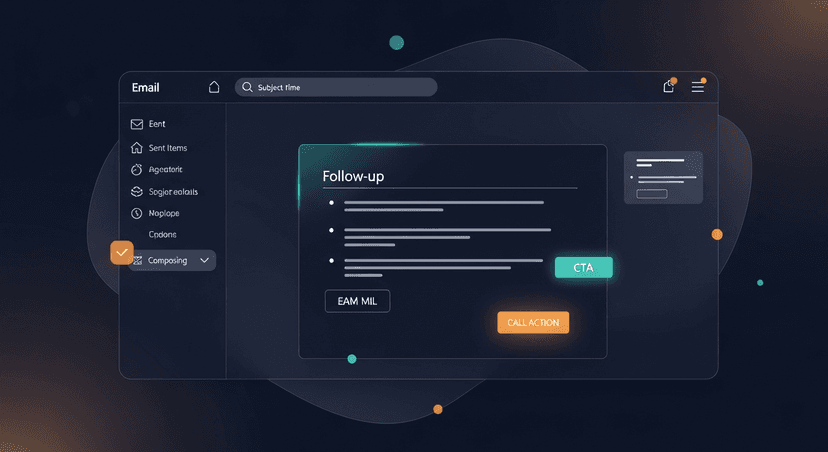
ReplySequence does this automatically, paste any transcript, get a branded follow-up sequence back in 60 seconds.
Crafting Your Follow-Up: Step-by-Step
Writing a killer follow-up isn't rocket science, but it takes discipline. Here's my process.
Step 1: Review Your Transcript (Don't Trust Your Memory)
Seriously. Your brain will fail you. You'll miss details. This is why tools like Fireflies, Otter, Fathom, Granola, Zoom, Teams, Meet are so damn important. I built ReplySequence on the idea of Bring Your Own Transcript (BYOT) precisely because of this. You can paste a transcript from any source. Just dump it in. Read through it. Highlight:
- Specific pain points they mentioned.
- Any metrics they shared (e.g., "We spend 10 hours a week on X").
- Names of key stakeholders.
- Specific questions they asked.
- Any agreed-upon actions or deadlines.
This isn't just about accuracy. It's about finding those nuggets of gold for personalization.
Step 2: Personalize Beyond "Hope You're Well"
Generic greetings are noise. Show them you were present. "Great conversation today about streamlining your sales process and cutting down on manual follow-up time." See? Specific. Relevant. It immediately resonates.
This is also where your voice-fingerprint comes in. If you're using ReplySequence, it learns from your edits. So the drafts it creates sound like you, not some generic GPT. It's your style, your tone, your specific ways of putting things.
Step 3: Outline Your Value, Clearly
Don't just say "our product has feature X." Say "Feature X will help you [achieve specific benefit] by [doing Y]." Tie every proposed solution back to their stated problem. If they said, "We need to save 5 hours a week on meeting prep," then your follow-up should directly address how you enable that.
Step 4: Define Concrete Next Steps
This is where a lot of follow-ups die. "Let me know if you have any questions." That's not a next step. That's a passive plea. Be assertive but polite. "I'll draft the proposal and send it over by end of day tomorrow. Would you be free for a 15-minute call Friday morning to review it?" A specific time, a specific action. That makes it easy to say yes to.
Step 5: Proofread. Then Proofread Again.
Grammar mistakes and typos kill credibility. Seriously. You spent all that time preparing for the meeting, having the conversation, drafting the email... don't screw it up with a dumb mistake. Use Grammarly. Or just read it aloud. It helps. It always helps.
Sales Follow-Up Email Templates for Different Scenarios
Here are a few templates to get you started. Remember, these are starting points. Always personalize them with details from your specific transcript.
Template 1: Initial Discovery Call Follow-Up
This is for after your first qualification or discovery call. Focus on reinforcing understanding and setting the stage for a deeper dive.
Subject: Following Up: [Your Company] + Your Goals at [Prospect's Company]
Hi [Prospect Name],
Great chatting with you today about [Prospect's Company] and your goals around [Specific Goal, e.g., improving sales efficiency]. I especially appreciated our discussion on [specific pain point discussed, e.g., the challenge of manual follow-ups after meetings].
Based on what we covered, I understand your key priorities are:
- [Pain Point 1, e.g., Wasting 30+ minutes per meeting on follow-ups]
- [Goal 1, e.g., Ensuring consistent post-meeting engagement]
Our [Your Solution] can directly help with this by [briefly state key benefit, e.g., automating branded follow-up emails from any transcript].
To continue our conversation, I'll send over a brief overview of how we've helped similar companies. Would you be open to a quick 15-minute call next [Day of week] to walk through it and discuss a tailored approach for [Prospect's Company]?
Best,
[Your Name]
Template 2: Post-Demo Follow-Up
After a product demonstration, you want to reiterate the value shown and move toward a concrete proposal or trial.
Subject: Next Steps: Your [Specific Solution Name] Demo Summary
Hi [Prospect Name],
Thanks again for your time today. It was great to show you how [Your Solution] addresses [Specific Challenge, e.g., your team's post-meeting follow-up bottleneck]. I hope seeing [Specific Feature] in action was helpful.
During the demo, we focused on:
- How [Feature 1] solves [Pain Point 1]
- The impact of [Feature 2] on [Goal 2]
I’m confident [Your Solution] can help [Prospect's Company] achieve [Key Benefit, e.g., save significant time on admin and boost engagement rates].
As discussed, I’ve attached a summary document highlighting the key features we reviewed and pricing options. Please let me know if you have any questions after reviewing. I’ll follow up in a couple of days to discuss next steps, but feel free to grab a time directly on my calendar here: [Link to your scheduling tool].
Cheers,
[Your Name]
Template 3: Value-Add Follow-Up (After a deeper dive or a resource shared)
This is for when you've provided specific value or resources and want to check in and nudge them forward.
Subject: Checking In: [Relevant Resource] for [Prospect's Goal]
Hi [Prospect Name],
Hope you're having a productive week. Following up on our last chat about [Specific Topic, e.g., the challenges of sales enablement].
I thought you might find this [Type of Resource, e.g., article/report/template] on [Resource Topic] useful. It dives deeper into [briefly explain value of resource].
- [Link to Resource 1]
I'm curious to hear your thoughts. If it sparked any ideas or questions about how we might apply this to [Prospect's Company]'s specific situation, let's schedule a brief call. Happy to jump on for 10-15 minutes anytime next week.
Best,
[Your Name]
The ReplySequence Approach: Transcript In, Follow-Up Out
Look, I built ReplySequence because I saw this huge, glaring gap. Every tool records the meeting. They give you the transcript. Then what? You're still stuck writing the damn follow-up. It's a time sink. It's inconsistent. It's where deals falter.
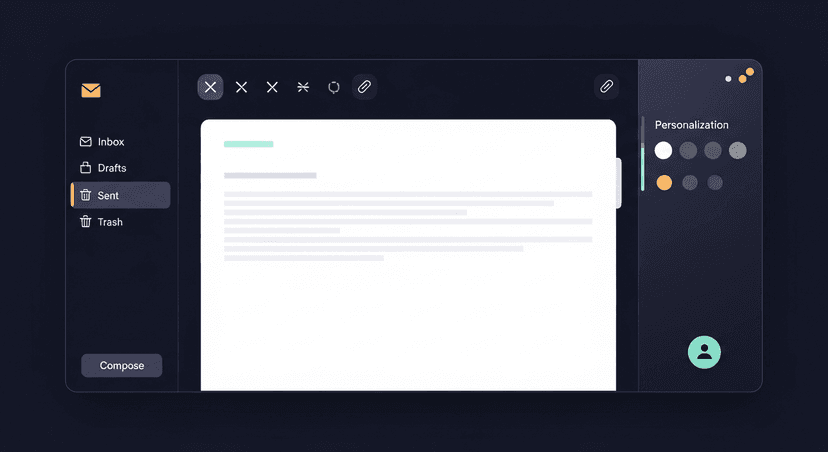
ReplySequence doesn't record your meetings. You already have tools for that. It works after Fireflies, Otter, Fathom, Zoom, Teams, Granola – you name it. You paste your transcript – literally, copy and paste it – and ReplySequence turns that conversation into a branded, personalized follow-up email, or even a full sequence, in about 60 seconds.
We're not some "AI SDR" that just blasts out messages. That's not the point. The point is to give you a draft. A damn good draft, personalized, with clear next steps. You review it, tweak it, and hit send. That human touch, that trust, it’s non-negotiable.
And for teams that don't want to buy HubSpot Sales Hub Pro just to run sequences? We're the wedge. You get sophisticated sequences without the enterprise CRM tax. It's about bringing that efficiency to everyone.
Pricing that makes sense:
- Free: 10 drafts/month. No credit card required. Seriously. Just try it.
- Pro: $29/mo, Unlimited drafts, voice-fingerprint, sequences, CRM log.
- Pro+: $59/mo, Everything in Pro, plus advanced sequences, integrations, priority support.
- Team: $39/user/mo (3-seat minimum), Shared templates, team voice profiles, admin controls.
You can start a 14-day Pro trial with no credit card. See for yourself.
Conclusion
Writing an effective sales follow-up email after a meeting isn't just a courtesy; it's a strategic necessity. It reinforces value, clarifies next steps, and keeps your prospect engaged in a noisy world. By focusing on personalization, clear value, and a strong call to action, you drastically improve your chances of moving the deal forward. Don't let a great meeting turn into a dead lead because of a weak follow-up. Nail that last mile.
—-
Ready to reclaim your time and send better follow-ups? Start free with ReplySequence today – 10 drafts/month, no credit card required. Visit replysequence.com.
Get the weekly ReplySequence newsletter for more post-meeting follow-up tactics and product updates, subscribe at replysequence.com/newsletter.
Related reading
- Post-Meeting Email Templates That Close Deals in 2026
- Close Open Loops From Sales Calls Before They Kill Your Deal
- Follow-Up Emails That Create Urgency Without Pressure
- What's the Right Cadence for Following Up After a Sales Meeting?
- How to Confirm Next Steps After Every Sales Call (And Make Them Stick)
—-
What you should do next…
Depending on where you're at, here are three ways to keep going:
- Grab the free playbook, "The 8-Second Follow-Up Playbook" lands in your inbox. You'll also get Close The Loop, weekly notes on post-meeting follow-up (unsubscribe anytime, no pitch).
- Try it with your own transcript, paste any meeting transcript, get a drafted follow-up in 30 seconds. No signup, no OAuth.
- Talk directly with Jimmy, 15-min intro or 30-min walkthrough. Founder-led, no sales team.
How ReplySequence handles this
ReplySequence takes any meeting transcript, paste it in from Zoom, Teams, Meet, WebEx, Fireflies, Granola, or wherever, and drafts a context-rich follow-up email in about 8 seconds. You review it, make any edits, and approve. Deal intelligence builds automatically.